Custom Node Size

by jackvonhouse
5
4
3
2
1
Score: 43/100

Description

Category: Note Enhancements

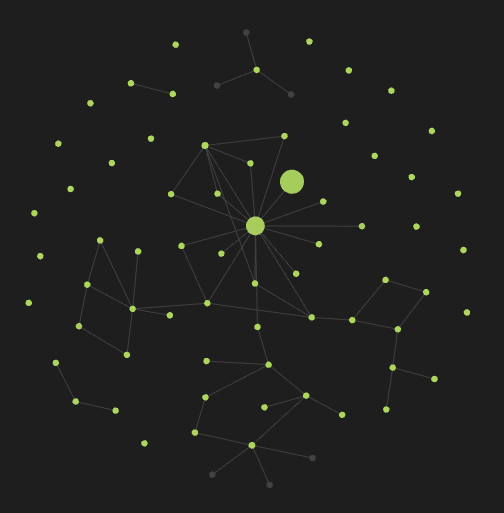
The Custom Node Size plugin is a game-changer for Obsidian users who want to fine-tune their note organization. This plugin allows you to customize the size of each node in your graph, giving you more control over how your notes are presented. With this plugin, you can set a specific size for each node by adding a property to your note, and the size will be adjusted accordingly. No longer will you be limited by Obsidian's default behavior of increasing node weight based on reference counts. This plugin is perfect for those who want to visualize their notes in a more personalized way, making it easier to navigate and understand their knowledge graph.

Reviews

  • Vaughan Miller
    Reviewed on Feb 8th, 2026
    Really easy to use, hope you add colour options in the future!

Stats

6
stars
7,726
downloads
1
forks
592
days
592
days
592
days
0
total PRs
0
open PRs
0
closed PRs
0
merged PRs
2
total issues
1
open issues
1
closed issues
10
commits

Latest Version

2 years ago

Changelog

README file from

Github

Custom Node Size

image

Usage

In your note, add property (Ctrl+; or Ctrl+P and Add file property) like this:

---
node_size: 100
---

Why?

Obsidian is the best thing I've ever found in my life. However, it was with sadness that I found that going into the graph, I cannot see the actual structure of my notes. Now Obsidian only increases the node weight if there are many notes referencing it. This is not always correct, especially if you are just starting out in Obsidian.

How?

Each node has its own weight. This is the number of references to the note that makes the node larger. I overwrite this with the value you set in the properties in the node_size variable with numeric type.

Restrictions

Experimentally, I found that visually the node changes in the range [6, 100].

Warning: using a variable of a different type (not numeric) causes unexpected behavior.