
README file from
GithubGithub PR Tracker
An Obsidian plugin that tracks GitHub pull requests in a sidebar panel. Keep an eye on your open reviews without leaving your notes.
The CI feature is optimized for custom CI pipelines that report their status to github.
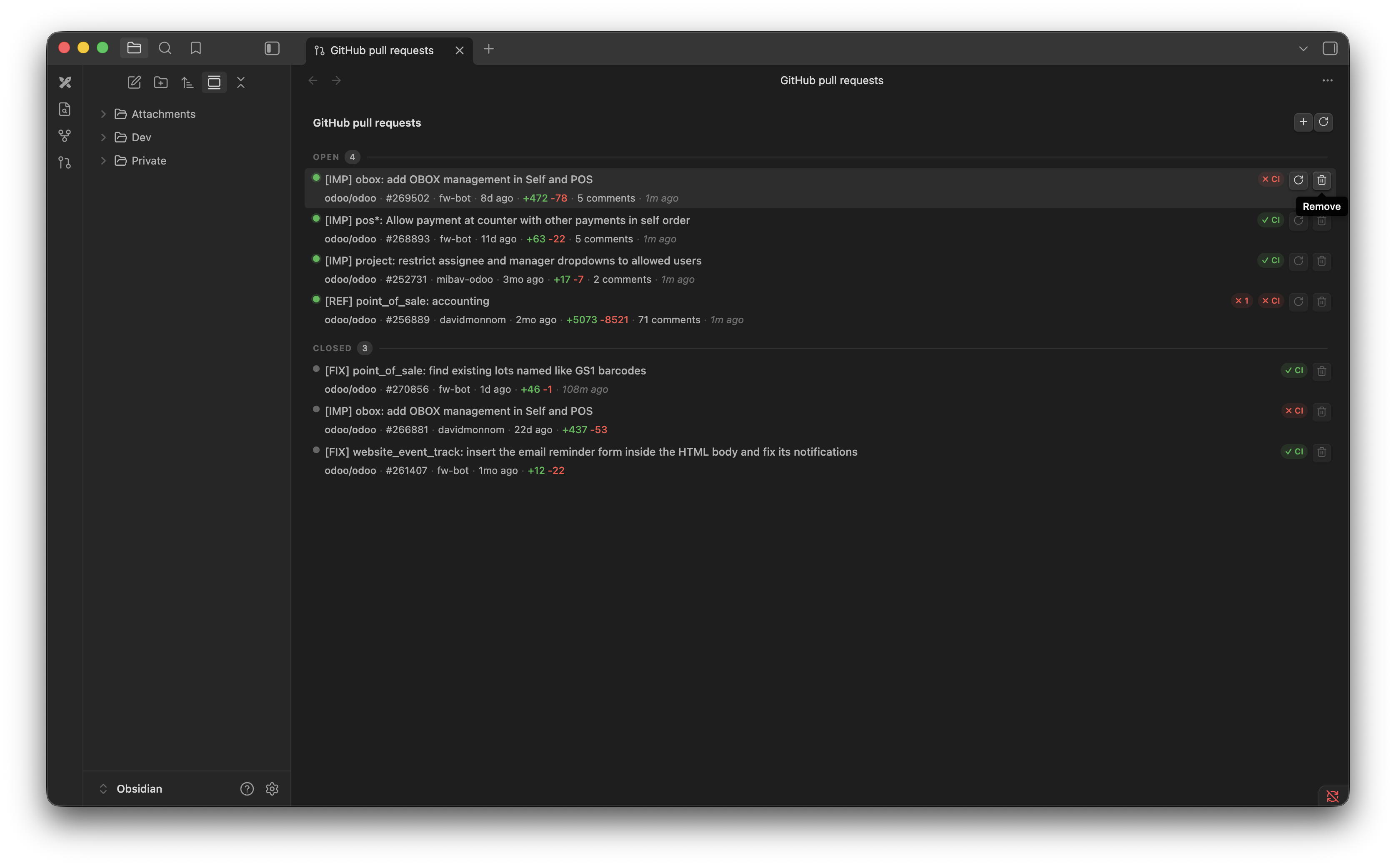
Features
- Sidebar panel — dedicated view listing all tracked PRs grouped by status (Open / Closed)
- Per-PR details — title, repo, PR number, author, target branch, diff stats, and last updated at a glance
- Review pills — shows the dominant review state (approved / changes-requested / pending) inline
- CI status — displays the combined commit status from your CI system (success / failure / pending), optimised for custom pipelines that report via the GitHub Commit Statuses API
- Filter bar — instantly filter the list by title, repo, author, or target branch
- Quick actions — add or refresh all PRs from the view's title bar; refresh or remove individual PRs from each row
- Secure token storage — GitHub personal access token is stored in the system keychain via Obsidian's secret storage, never written to disk
Usage
Paste any GitHub PR URL in the format https://github.com/owner/repo/pull/123.
- Add a PR with the
+button in the view's title bar (top right). - Refresh all open PRs with the rotate icon in the view's title bar.
- Refresh a single PR with the rotate icon on its row (open PRs only).
- Remove a PR from tracking with the trash icon on its row.
- Filter the list by typing in the search bar at the top of the panel.
Closed PRs are kept in the list for reference but are never auto-refreshed.