
README file from
GithubGraph Depth Gradient
An Obsidian plugin that colors graph view nodes by their folder depth, as a gradient between two colors — applied independently per top-level section, so each section's root note looks one color and its deepest notes fade toward another. Defaults to a neutral (achromatic) gradient.
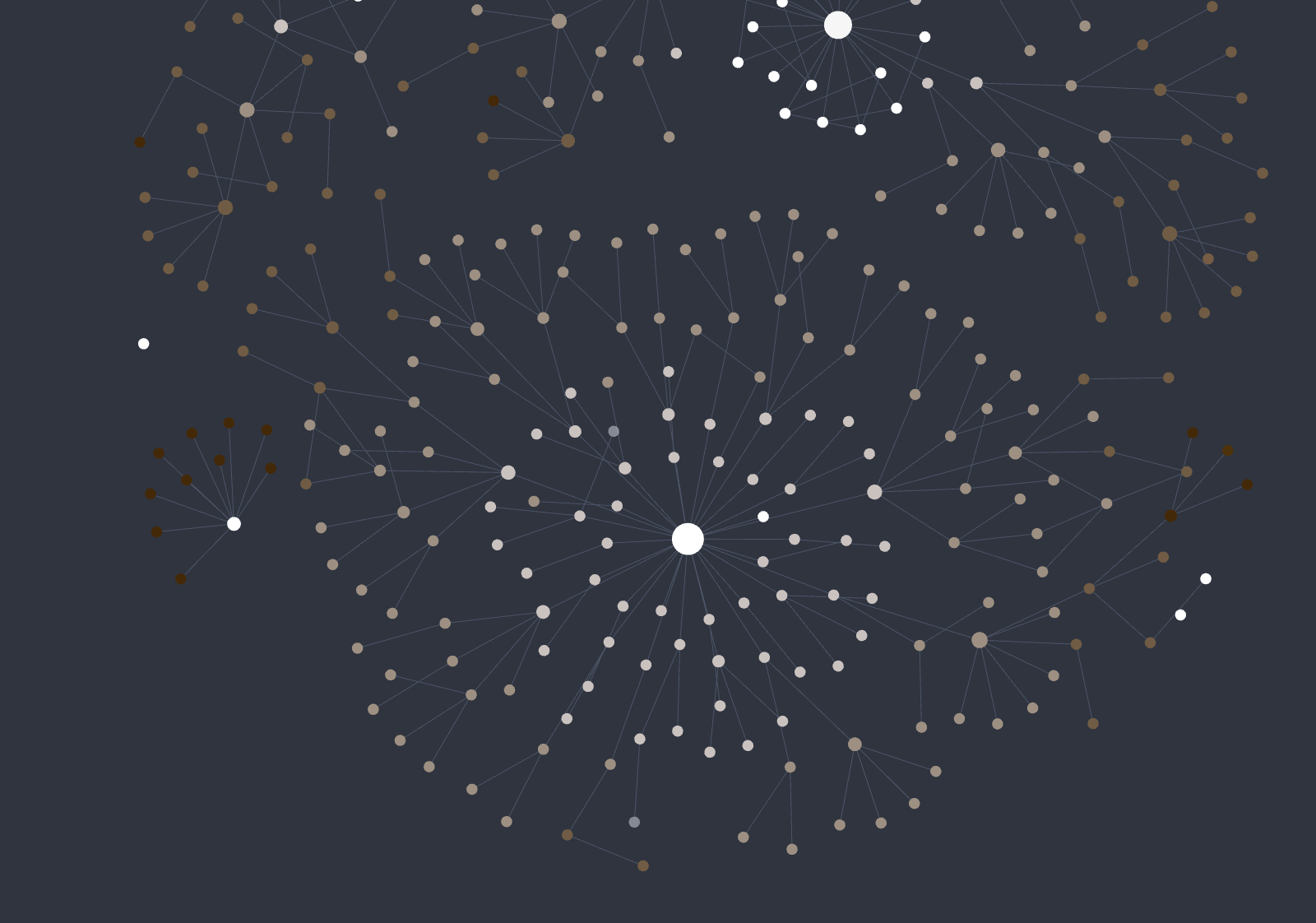
How depth is measured
Each node is colored by how deep its file sits in the folder tree — simply the number of parent folders in its path:
note.md→ depth0area/note.md→ depth1area/topic/sub/note.md→ depth3
The gradient is applied per top-level section (the first folder in the path). Within each section the depth range is detected dynamically: the shallowest note (the section's root) gets the start color, the deepest descendant gets the end color, and depths in between are interpolated linearly. So every section spans the full start→end range regardless of how deep it actually goes — a shallow section like 블로그/ still fades all the way from start to end, and a deep section like 개발/ distributes the gradient across more levels. Files at the vault root (depth 0, no folder) form their own section and take the start color. Notes that aren't files in the vault (tags, attachments-less/unresolved nodes) keep their original color.
This is stable and independent of which note is selected — the coloring reflects your folder structure, not the active note.
How the color is applied
The plugin sets each node's color on the graph renderer directly and refreshes when the vault changes.
Because it overrides node colors, this plugin is mutually exclusive with other graph node-coloring plugins (including Obsidian's Graph color groups for the affected nodes, and any other recoloring plugin). A graph node can only hold one color at a time, so run one coloring scheme at a time. It does not conflict with non-coloring plugins (panning, layout, etc.). Disabling the plugin restores the original colors.
Works in both the global Graph view and the Local graph.
Settings
- Start color (section root) — color for each section's shallowest note (its root). Default: achromatic (white).
- End color (deepest) — color for each section's deepest note. Default: achromatic (dark gray).
Notes
This plugin draws into the graph view's internal renderer (setting per-node colors). It relies on internal renderer APIs that are not part of the public plugin API and may change in future Obsidian versions. It is desktop-only.