
README file from
GithubIgnore Filters Boost
Obsidian.md plugin to speed up working with excluded/included folders!
👆 No need to go to settings anymore, just click on a folder!
What does this plugin do?
- 👆 Click on a folder to add it to "excluded files".
- 👆 Click on a folder to remove it from "excluded files".
Some advanced techniques
- Want to focus on a specific folder? Click "Add everything except this folder"!
- Want to remove a folder from "excluded files", but its parent is still in the list? The plugin will automatically remove the parent and add siblings!
- Want to remove several subfolders from "excluded files"? Just click on their parent!
- Want to return to default? Do it in one command!
📖 Manual
The plugin works with folders, not files.
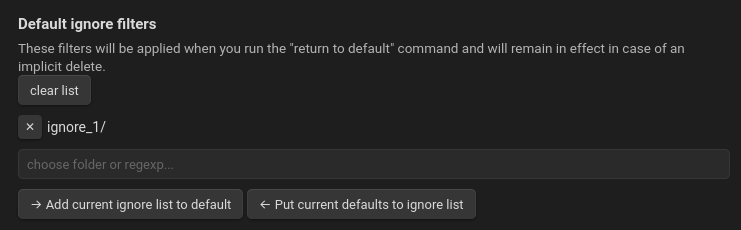
Set "default ignore filters" in settings.
-
Use the
Ignore Filters Boost: return ignore filters to defaultcommand to return to these filters. -
The plugin will not remove these folders implicitly: if you try to remove subfolders of a folder from the ignore list, the "default" filters will remain unchanged.
-
Clicking
Add current ignore list to defaultwill add the "excluded files" that are currently in your project to "default ignore filters". -
Clicking
Put current defaults to ignore listwill change "excluded files" to the list you see in these settings (same as theIgnore Filters Boost: return ignore filters to defaultcommand).
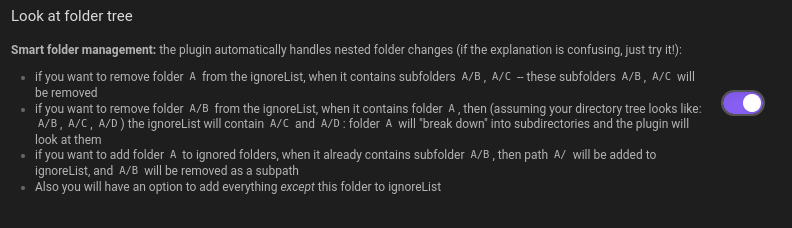 If "Look at folder tree" is off, you'll just add or remove a folder.
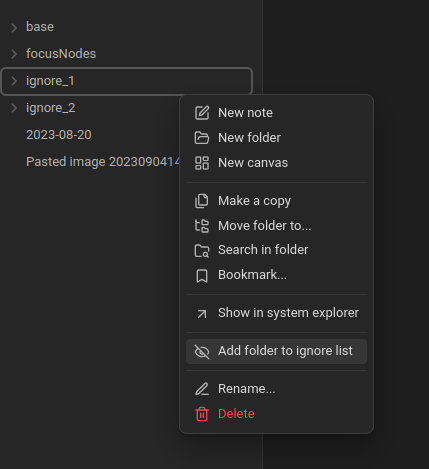
But when "Look at folder tree" is on...
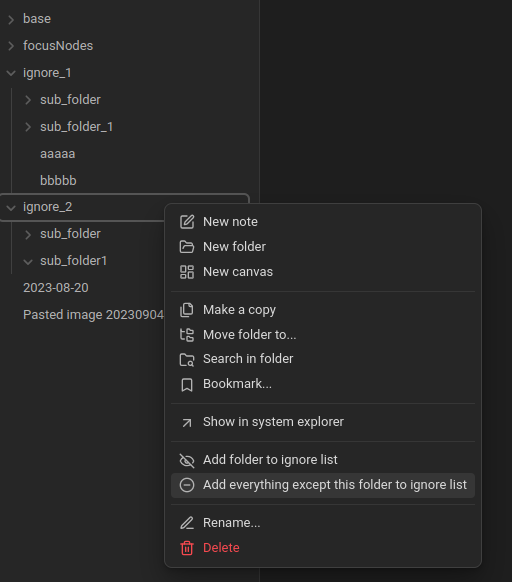
"add everything" and then just "ignore_2/" will remain unignored. "base/", "focusNodes/", "ignore_1/" — all these folders will be in "excluded files".
This plugin simplifies making changes in ignore filters. Add commands with lists of ignore filter variants.
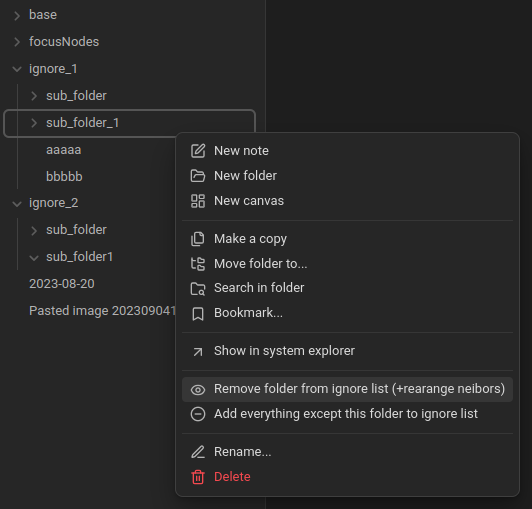
...and then you can remove "ignore_1/sub_folder_1/" from the ignore list. But if the list has only "ignore_1/", it will be rearranged: the parent folder will be removed and siblings added. So now ignore_1/sub_folder/ will be in the list :)
🔮 Future Plans
Some plans for the project. Feel free to ask for features by creating issues!
- Language translation. I want to add support for different languages.
- Create a "white list" of folders as a counterpart to the black (ignore filters) list.
- Add workspaces. During publishing, I found the Smart Excluded Files plugin. It had some similar ideas, so maybe I'll include this functionality here.
- Global plan: this plugin may become the part of "focus on topic" workflow -- I may create a few plugins help to took into account only some focus notes.