
README file from
GithubMIDI Logger
This is a plugin that uses the Web MIDI API to listen to MIDI messages and insert parsed pressed notes into the editor
Demo
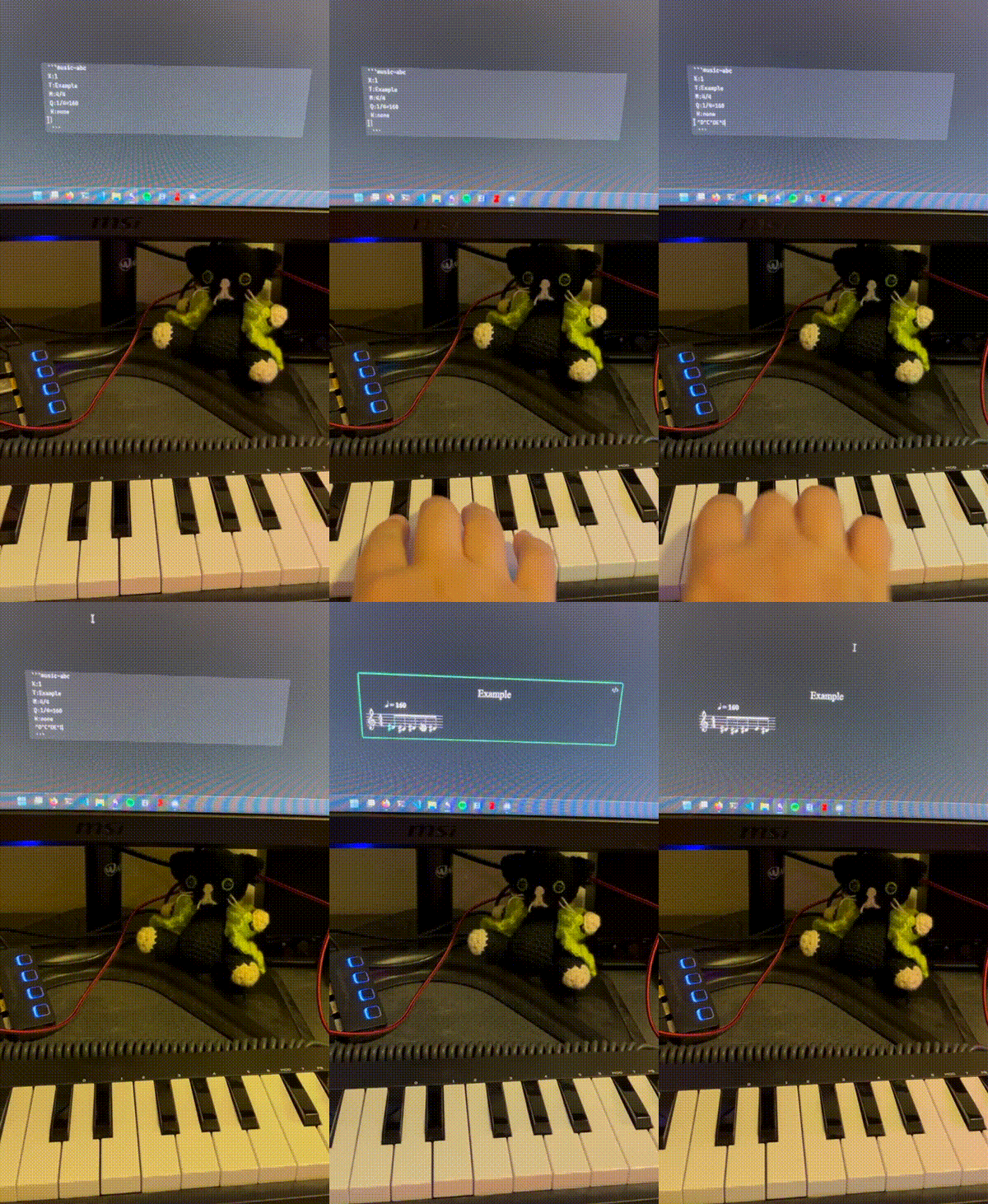
ABC Music Notation plugin is used to render the inserted notes.
How to use
- Install and enable the plugin.
- Connect a MIDI device to your computer.
- Press the ribbon icon in the toolbar (music note icon) to start capture process or use the
Start capturecommand. - Open a new or existing document and put the cursor in the editor.
- Play some notes on your MIDI device. You should see the notes being inserted into the editor.
Works on Windows, Linux, and MacOS. Doesn't work on IOS (until Apple implements Web MIDI API in Safari). Not tested on Android.
Commands
Start capture: Starts the MIDI capture process.Stop capture: Stops the MIDI capture process.Insert ABC template: Inserts an ABC template into the editor.
Settings
Separator: The character used to separate the notes. Valid only for theRaw messageandScientificoutput formats.Output format: The format of the inserted notes. You can choose betweenRaw message,Scientific, andABC.
Output formats
Raw message
Inserts the raw MIDI code of the pressed note.
Example:
75,73,75,76,75,
Scientific
Inserts the scientific pitch notation of the pressed note.
Example:
D#5,C#5,D#5,E5,D#5,
ABC
Inserts the ABC notation of the pressed note.
Please note that only note and octave information are inserted, other information like duration, key signature, etc. are not inserted.
Example:
^d^c^de^d
You can write the notes in the prepared ABC template:
X:1
T:Example
M:4/4
Q:1/4=160
K:none
g8 ^f4 b4 e8 |
d4 g4 c8 | B4 e4 A8 | d8
Works with the ABC Music Notation plugin.