
README file from
GithubGuide for jTab Guitar Codeblocks
jTab Guitar Codeblocks adds the ability to show guitar chords and tabs directly in your notes.
It uses the jTab library to render the chords/tabs.
jTab codeblocks
-
```jtab
jTab lines will be rendered. jTab auto-detects if chords, tabs, or both are present. -
```jtab-examples
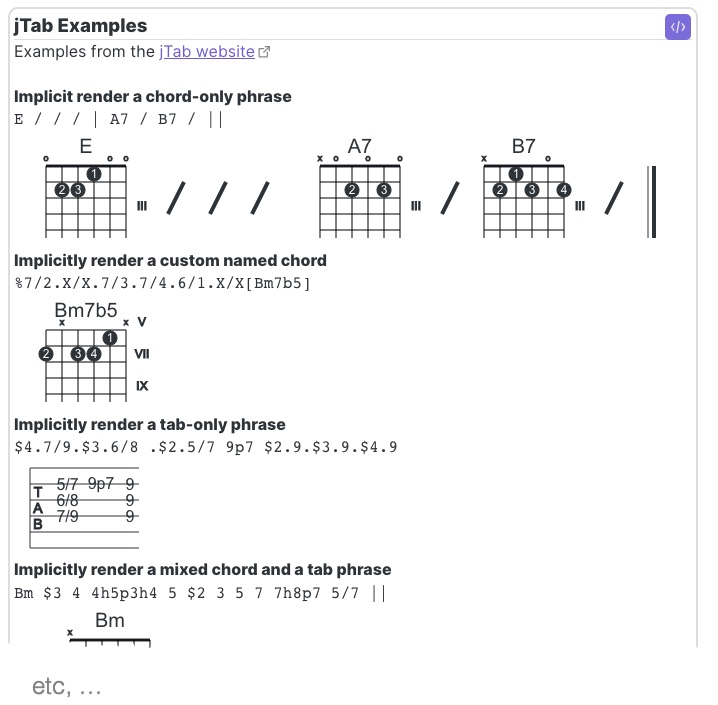
Type an empty codeblock to see all of the jTab examples -
```jtab-chords
Type an empty codeblock to see all available chords (names only). Cut/paste anything off the list into a normal jtab codeblock to see the chord charts.
Enhancements specific to jTab Guitar Codeblocks
-
Supports multiple jTab lines per codeblock
Each jTab line in a codeblock will be individually rendered. Blank lines will be ignored. -
Supports markdown in codeblocks
Lines starting with `#<space>` (`# `) are rendered as markdown inside the rendered codeblock -
Fully customizable colors in settings
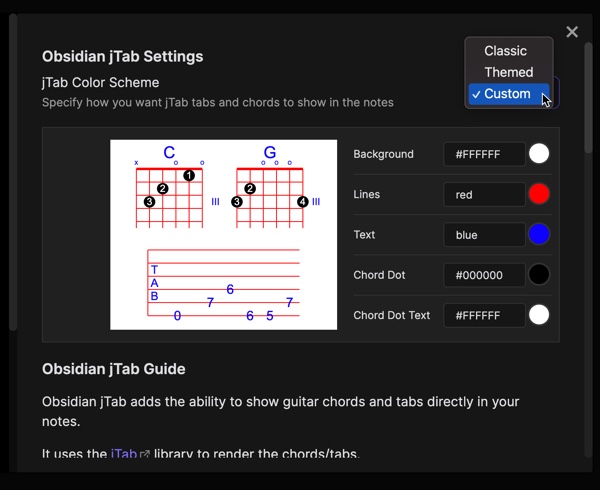
Choose from Normal (black on white), Themed (follows your theme's colors), or set your own custom colors for background, lines, text, chord dots, and chord dot text. Try it out in settings. -
Quick access to jtab-examples
Change any jtab codeblock language to jtab-examples (with your jTab still inside) and it will render the examples AND preserve your jTab when you go to edit it again. -
Quick access to jtab-chords chord list
Change any jtab codeblock language to jtab-chords (with your jTab still inside) and it will render a list of available named chords you can use AND preserve your jTab when you go to edit again.
jTab Color Schemes
jTab colors are now fully customizable with a Live Preview available in settings. Classic for the old-school black on white look, Themed will follow your theme colors. Start with one of those and change one color or go crazy and mix 'em up yourself with Custom.
Learning jTab
The jTab Home Page has a notation guide and plenty of examples.
You can put all of the examples from the jTab website directly into your notes by simply adding this:
```jtab-examples
```
jTab rendering caveats
-
Is it "responsive"?
The underlying jTab library isn't responsive (i.e., auto-resizing based on mobile, broswer widths) so your mileage may vary on mobile devices. -
Rendering too wide?
The width of jTab renderings are as long as you make the jTab. It's up to you to break long jTab across multiple lines. -
What about chordonly and tabonly classes mentioned on the jTab site?
The jTab library auto-detects if there are chords and/or tabs when rendering jTab. The chordonly and tabonly classes mentioned on the examples page do not affect the rendered image. They are a legacy helper classes when the rendered image's enclosing div/parent couldn't properly auto-adjust for the height of the image. With modern broswers these classes no longer needed.
Rendered jTab Examples
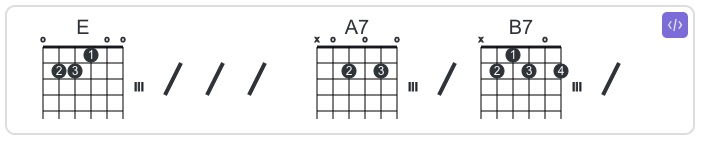
jTab with only chords
```jtab
E / / / A7 / B7 /
```
jTab with only tabs (haha)
```jtab
$4.7 $3.5 $2.5 $1.5 $1.7.$4.6 $2.5 $3.5 $1.7 | $1.8.$4.5 $2.5 $3.5 $1.8 $1.2.$4.4 $2.3 $3.2 $1.2 | $1.0.$4.3 $2.1 $3.2 $2.1 . $1.0 $2.1 $3.2 | $2.0.$3.0.$5.2 $2.1.$3.2.$5.0 $2.1.$3.2.$5.0 . $3.2.$5.0
```

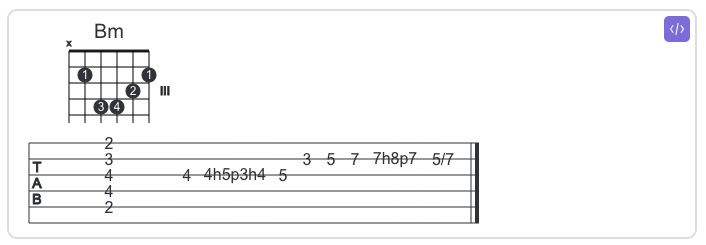
jTab with chords and tabs
```jtab
Bm $3 4 4h5p3h4 5 $2 3 5 7 7h8p7 5/7 ||
```
jTab examples codeblock
```jtab-examples
```
Attributions
Community Support
- Thanks for @RobColes for suggesting #5 (customizing colors) and being a beta tester.
Used by jTab Guitar Codeblocks
- jTab
- License LGPL v2.1 (it's in it's js file, not in a normal GitHub license file
Per LGPL rules, jTab is used unmodified execptI do not modify the jTab source code other than to
- Disable jtab.renderimplicit() from running oninit. (it searches page for jtab elements and auto-renders them)
- Wrap library in ES6 to be allow use with node/ts
- License LGPL v2.1 (it's in it's js file, not in a normal GitHub license file
Per LGPL rules, jTab is used unmodified execptI do not modify the jTab source code other than to
Used by jTab library