
README file from
GithubSave History
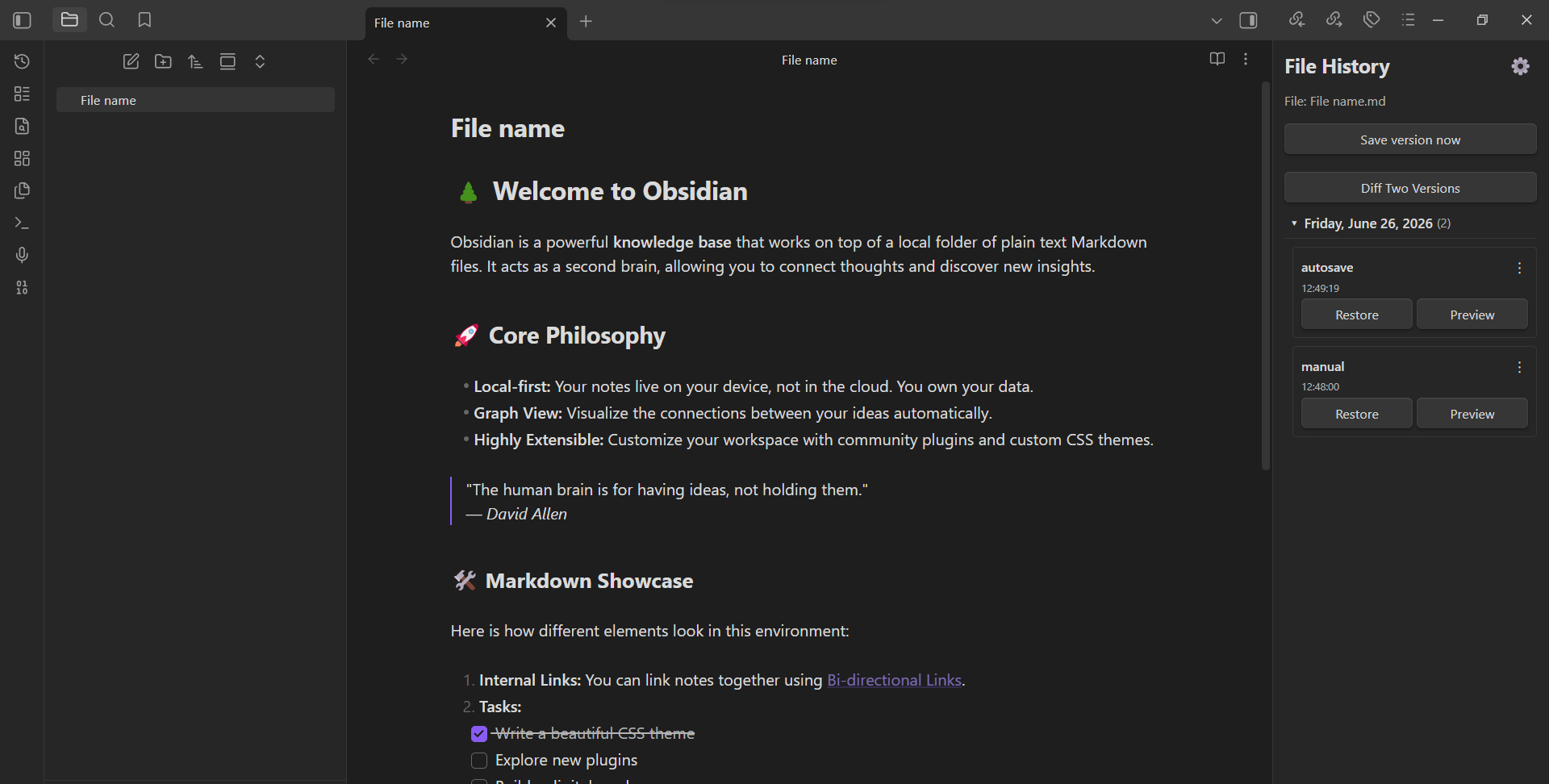
Obsidian plugin for saving and restoring file versions.
Features
- Manual version saving — save the current state of a file at any time
- Version restore — restore any previously saved version with one click
- Pre-restore backup — before restoring, the current state is automatically saved as a backup
- Diff comparison — compare any two versions or a version with the current file (with character-level highlighting)
- Preview modal — preview a version before restoring (draggable and resizable)
- Version grouping — group versions by day, week, month, or year (collapsible)
- Rename labels — give custom names to saved versions
- Bulk delete — select and delete multiple versions at once
- Export / Import — export a single version or all versions of a file; import previously exported versions
- Autosave — automatically save versions at a configurable interval
- Autosave on tab close — save a version when closing a file tab
- Per-file settings — override autosave interval, autosave on tab close, max autosave versions, and grouping per file
- Max autosave versions — limit how many autosaved versions are kept per file
- Allowed file extensions — choose which file types are tracked (
.mdalways included) - Multi-language — English, Russian, and Spanish interface
- Customizable snapshot folder — change where versions are stored in the vault
- Customizable export folder — fallback folder for exports when browser picker is unavailable
- File rename tracking — snapshots follow renamed files and folders
- File delete cleanup — snapshots are automatically removed when a file is deleted
- Ribbon icon — quick access to the history sidebar
- Restore last unsaved version command — quickly restore the pre-restore backup
Installation
From GitHub Releases
- Download the latest release zip from Releases
- Extract
main.jsandmanifest.jsoninto your vault's.obsidian/plugins/save history/folder - Enable the plugin in Obsidian settings → Community plugins
Manual
- Clone this repository
- Run
npm install - Run
npm run build - Copy
main.jsandmanifest.jsonto your vault's.obsidian/plugins/save history/folder
Usage
- Open a file in Obsidian
- Use the sidebar panel "File History" to view and manage versions
- Or use commands from the command palette:
- Save version now — save the current state
- Restore version — open the restore modal
- Open history sidebar — open the version list panel
- Restore last unsaved version — restore the pre-restore backup
- Right-click a file in the file explorer to export or import versions
Development
npm install
npm run build
To watch for changes:
npm run watch
License
MIT