
README file from
GithubSmart Text Mover
Smart text mover helps in organizing text/external links in files by making smart suggestions around the headings under which the text can be moved. It supports three modalities:
- No classification: List target sections based on their position in the file
- LLM classification: List most likely target sections by using LLMs(gpt3.5 etc). Handy when you don"t have enough data in file.
- Naive bayes classifier(recommended): List most likely target sections by using Naive Bayes classifier. Self improves as you use it more and more.
Demo
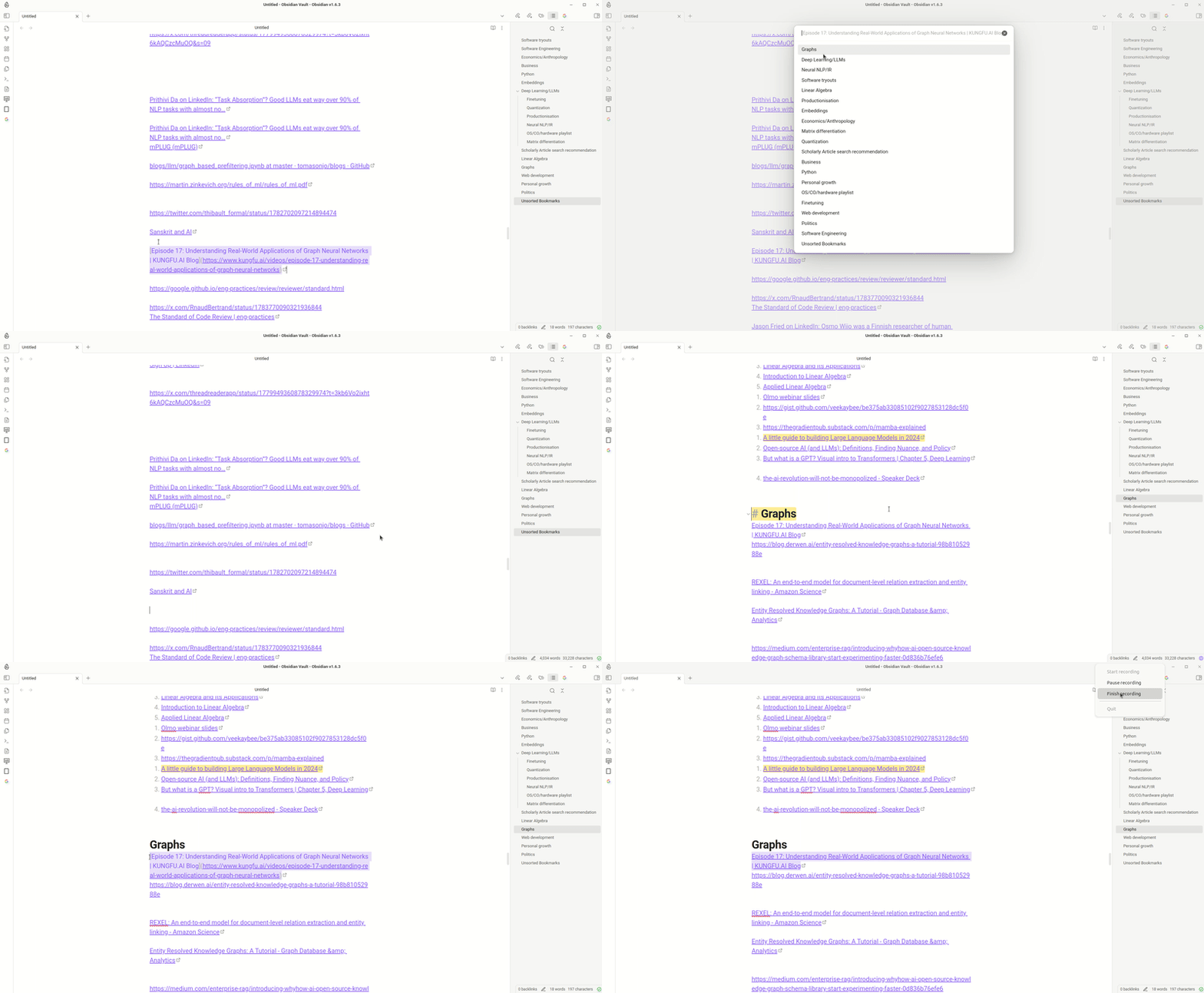
Move text in file
Settings
How it works
Select line you want to move else where in the file and invoke "smart-text-mover". It suggest headings under which it can be moved sorted by their proximity to the selected text. This proximity is calculated using a lightweight classical machine learning algorithm called (Naive Bayes Classifier). It does so by examining existing words distribution under different headings and then ranking them based on that. This ranked list of target location allows user to easily move/organize text in the file. Example usage includes sorting bookmarks based on different categories. Performs best when used with url-namer
For development
Compilation
- Clone this repo inside path/to/your/dev/vault/.obsidian/plugins.
- npm i or yarn to install dependencies
- npm run build to compile, or npm run dev to start compilation in watch mode.
Quick Installation
Search for smart-text-mover in obsidian community plugins and click install.
or
follow the installation link.
Checklist
- First release
- Add bulk classifier