
README file from
GithubSupernote Obsidian Plugin
I use my Supernote for capturing hand written notes and reading documents.
But, I already use Obsidian for organizing and capturing all of my digital notes.
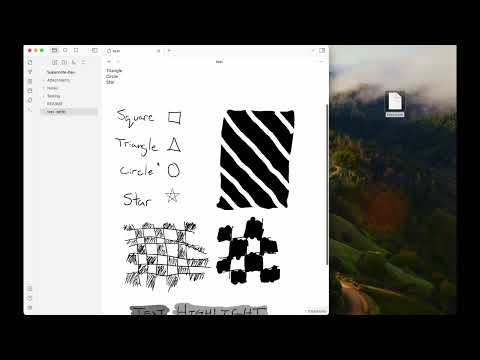
This plugin enables me (and now you!) to import handwritten notes into Obsidian and view them on a desktop, phone or tablet.
This plugin has four main features:
-
📝 View Supernote
*.notefiles in your Obsidian Vault. You can link to these notes from your Markdown notes too[My Note](example.note). -
➡️ Export Supernote
*.notefiles as PNGs and/or markdown files and attach them to your Vault. -
📺 Copy an image from a Supernote via screen mirroring into your current note with the "Insert Supernote mirror image" command (demo video)
-
⬇️ Download & Upload files directly from your device via the Supernote Browse & Access feature. (demo video)
Video Demo
Install via Community Plugin Store
This plugin is available via the Obsidian Community Plugin Store. Click the previous link or search for "Unofficial Supernote by Ratta Integration".
Install via BRAT
To test Beta builds of this plugin follow these steps:
- Install the BRAT plugin via Community Plugin Search
- Read the docs
- Add
https://github.com/philips/supernote-obsidian-plugin
Manually installing the plugin
- Copy over
main.js,manifest.jsonto your vaultVaultFolder/.obsidian/plugins/obsidian-plugin-supernote/from https://github.com/philips/supernote-obsidian-plugin/releases
Known Issues
There are a handful of known issues. Please check the issue list. If you don't see a matching issue please create a new issue?
Roadmap / Ideas
- 🔗 Note linking
- 🎛️ Settings panel to control file layout, linking, and more
Thank You
Thank you to Tiemen Schuijbroek for developing the initial supernote Typescript library I forked.
FAQ
Q Why isn't there a table of contents in the generated Markdown file?
A Because the Obsidian Outline sidebar accomplishes this same feature.
Other Helpful Plugins
These are not endorsements but might be useful to pair with this plugin.
Relevant Resources
- Obsidian and Supernote by Organizing for Change
- E-Ink notes in Obsidian / Notion? by Brandon Boswell
- Academic HANDWRITTEN notes in OBSIDIAN ft. Supernote by pixel leaves
Funding
I personally don't accept funding or donations for this project. However, if you feel inclined, consider donating to the Signal Foundation.
Developer Notes
- Make sure your NodeJS is at least v16 (
node --version). - Clone this repo.
- Setup the deps
git submodule init
git submodule update
cd supernote-typescript/
npm run build
npm link
cd ..
npm link supernote-typescript/
npm ioryarnto install dependencies.npm run devto start compilation in watch mode.
Android Debugging
- Ensure
npm run devis running above - Create a vault called "SupernoteTest"
- Install the supernote plugin from the community store
- Run
npm run push-androidto push main.js to the device - Run "Reload App without Saving" on Obsidian command palette