Timeline Schedule

by Evan Bonsignori
5
4
3
2
1
Score: 36/100

Description

Category: Task Management

The Timeline Schedule plugin helps you create and visualize time-based schedules in your notes using simple human-readable durations. It allows you to insert tasks like "Walk dog (30min)" into special code blocks, automatically calculating and annotating their start and end times. You can switch between an autofill mode, which tracks timing based on labeled start and finish lines, or a preview mode that makes the schedule visually appealing once finalized. The plugin also offers flexible date parsing, letting you specify custom labels for start and finish markers or switch to the current time if no starting point is provided. By blending structured time tracking with a clean display, it is particularly suited for planning out workflows, agendas, or daily routines. Configurable style settings let you adapt the layout to your preferred look and feel.

Reviews

No reviews yet.

Stats

20
stars
3,181
downloads
0
forks
821
days
868
days
868
days
0
total PRs
0
open PRs
0
closed PRs
0
merged PRs
6
total issues
5
open issues
1
closed issues
0
commits

Latest Version

2 years ago

Changelog

Removes startDateParseFormat option that just adds confusion for little value.

Release of timeline-schedule v1.2.1 auto-created by release.yml

README file from

Github

Obsidian Timeline Schedule

Inline timelines generated from human-readable time strings, e.g. 'Walk dog (30min)' in a ```schedule codeblock in Obsidian.

You can set if you want to enable pretty preview and/or autofill from the plugin's settings.

Only autofill, no pretty preview
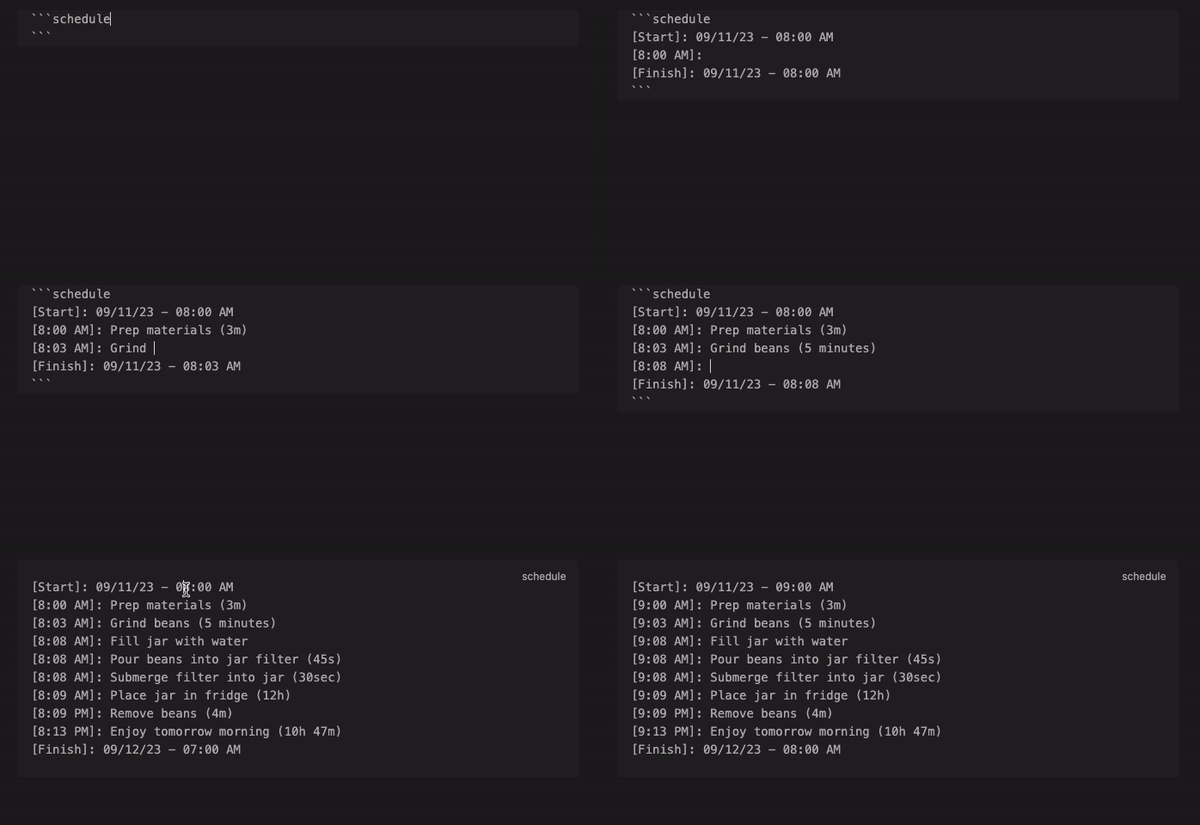
Only autofill, no pretty preview demo gif

A [Start] and [Finish] block will always be present during autofill, and each line between them will be prepended with a time block e.g. [9:30 AM]:.

Each human-readable time string you add to the end of a line will be added to the next time block.

For instance, Grind beans (3m) sets the time from [7:05] to [7:08] in the next line.

In this mode, when your cursor exits the codeblock it will preview as a standard Obsidian code block.

While possible, autofill is not recommended within callouts. I recommend writing your schedule outside of a callout, then pasting the codeblock in a callout to be rendered in pretty preview.

Only pretty preview, no autofill

Only pretty preview, no autofill demo gif

In this mode, you don't need date blocks, e.g. ([Start], [Finish]), the start date is set from whatever you put at the beginning e.g. "Start: 08/10/2023 08:00 AM"

If you omit a start line, the current date & time will be used.

Both autofill and pretty preview (default)
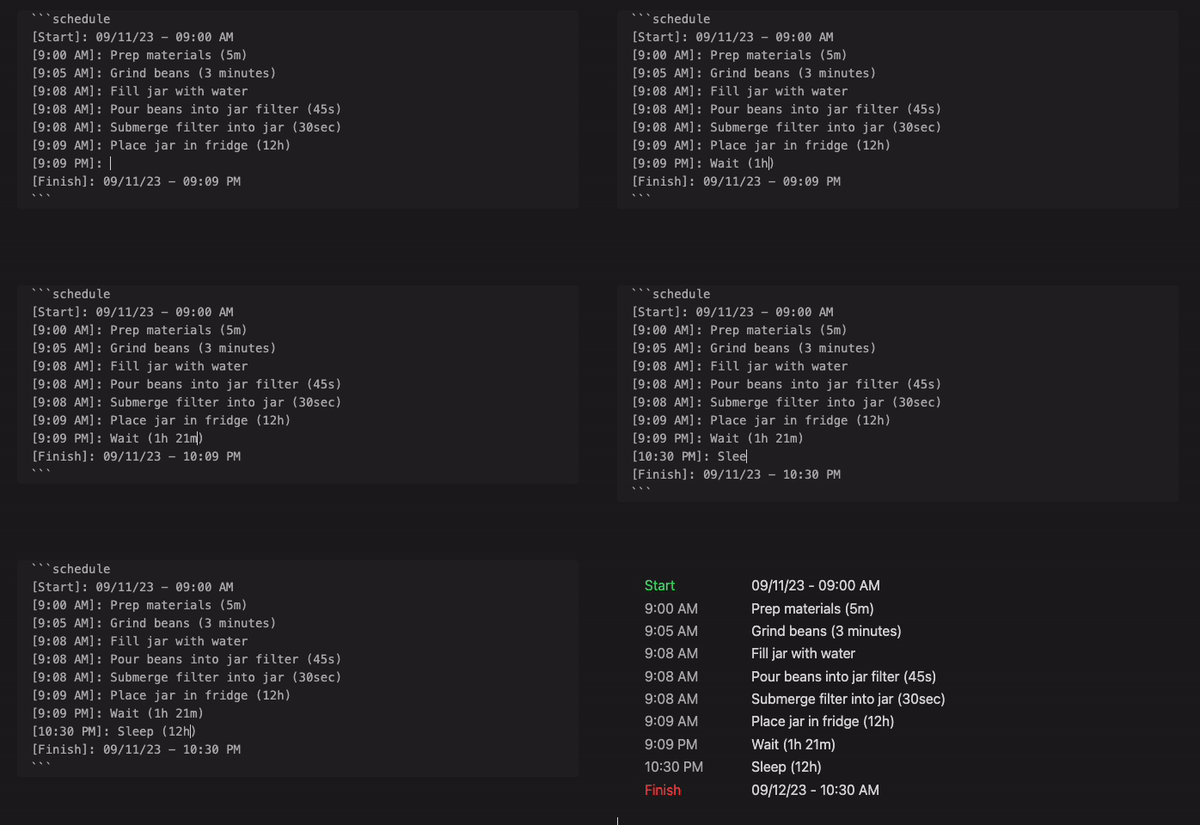
Both autofill and pretty preview demo gif

You can change the name for Start and Finish as well as the formats of the start, end, and event dates in the plugin's settings.

Styling

See styles.css for a list of classes you can override.

Installing

Search "Timeline Schedule" via the built-in community plugin browser in Obsidian.

Contributing

Please open an issue with any suggestions or bug reports.

See developer docs if you'd like to open a PR.

Acknowledgements

The Obsidian team for creating a wonderful product :purple_heart:

Similar Plugins

info
• Similar plugins are suggested based on the common tags between the plugins.
Release Timeline
4 years ago by cakechaser
Chronology
4 years ago by Gabriele Cannata
Tasks Calendar Wrapper
3 years ago by zhuwenq
This plugin currently provides a timeline view to display your tasks from your obsidian valut, with customizable filters and renderring options.
April's Automatic Timelines
3 years ago by April Gras
Simple timeline generator plugin for story tellers using obsidian
Timeline View
3 years ago by b.camphart
Obsidian plugin for viewing your notes linearly based on a given property
Markline
2 years ago by 闲耘
Markline: Markdown timeline view in Obsidian.
Timelines (Revamped)
2 years ago by Sean Lowe
Create a timeline view of all notes with the specified combination of tags
MemoryLane
2 years ago by BangCa
Relive and celebrate your life's milestones on a personal, interactive timeline. A nostalgic journey through your history with anniversary reminders and cherished memories.
historica
2 years ago by Nhan Nguyen
Not (smart) to help you create your timeline in obsidian like a ... bro
Focus Tracker
2 years ago by Jeet Sukumaran
Timeline
5 years ago by George Butco
Obisdian.md plugin for creating timelines
Markdown Timeline
a year ago by Jiaheng Zhang
An Obsidian plugin to record the events in a Flashback timeline
Chronos Timeline
a year ago by Claire Froelich
Render interactive timelines in your Obsidian notes from simple Markdown.
Easy Timeline
a year ago by Romeliun
The Easy Timeline plugin for Obsidian allows you to create timelines easily.
Recent Notes
a year ago by Kamil Rudnicki
Recent Notes Plugin for Obsidian
Lancaster University Week Format
a year ago by IMB11
Content Cards
a year ago by leo
Insert content cards in Markdown, such as timeline, highlightblock, target card, book information card, music information card, movie information card, photoes ablum, business card, content subfield, countdown, SWOT,BCG.
Generate Timeline
a year ago by Shanshuimei
An obsidian plugin to generate timelines from tags, folders, files or metadata automatically. 根据标签,文件夹,文件或者属性自动生成时间轴的插件。
Vertical Timeline List
a year ago by Jalad
Utilizes task lists to create a timeline... or something like a timeline.
Inboxer
a year ago by Eoin Hurrell
Obsidian plugin to add an inbox to notes
Markwhen File Sync
a year ago by rouvenjahnke
Synchronize properties from your Obsidian notes with a Markwhen timeline file.
Timelive
a year ago by aNNiMON
Turn a list of dates into a timeline
Timeline Canvas Creator
10 months ago by chris-codes1
Quickly create timeline structured canvases in Obsidian.
Storyteller Suite
10 months ago by Maws