vConsole

by Zhou Hua
5
4
3
2
1
Score: 44/100

Description

Category: Coding & Technical Tools

The vConsole plugin is a game-changer for Obsidian users who need to troubleshoot mobile plugins or debug JavaScript code. This plugin brings the power of vConsole, a popular debugging tool, directly into your Obsidian workspace. With vConsole, you can easily access and inspect logs, network requests, element trees, storage, and even execute custom JS commands. Whether you're a developer or an average user looking to submit issues to devs for troubleshooting, this plugin simplifies the process by providing a convenient interface for debugging.

Reviews

No reviews yet.

Stats

25
stars
4,080
downloads
2
forks
760
days
376
days
376
days
2
total PRs
0
open PRs
0
closed PRs
2
merged PRs
3
total issues
2
open issues
1
closed issues
13
commits

Latest Version

README file from

Github

Obsidian vConsole

GitHub Release GitHub Downloads (all assets, all releases)

About

For developers, debugging mobile plugins is usually quite troublesome, requiring specific work for both Android and iOS.

For average users who want to submit issues to developers for troubleshooting, this adds an extra layer of difficulty.

Fortunately, vConsole offers the ability to open debugging tools directly on the page. This plugin brings that capability into Obsidian.

[!CAUTION] Please note, if you're not a developer or if you don't need to troubleshoot plugin bugs, then you should not install this plugin.

Installation

Search vconsole in community plugins.

Features
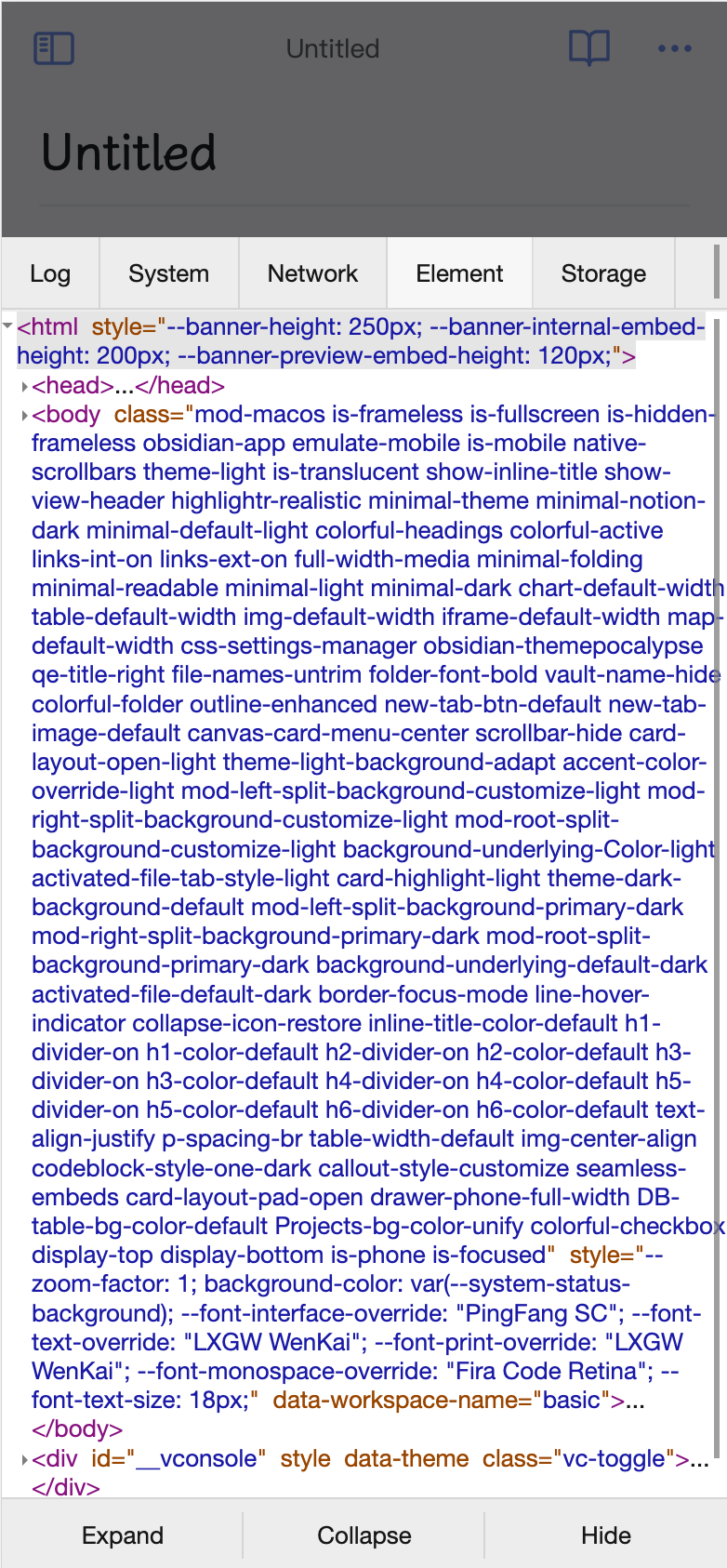
  • Logs: console.log|info|error|...
  • Network: XMLHttpRequest, Fetch, sendBeacon
  • Element: HTML elements tree
  • Storage: Cookies, LocalStorage, SessionStorage
  • Execute JS command manually

Please refer to the vConsole project for more information.

My Other Obsidian Plugins

Similar Plugins

info
• Similar plugins are suggested based on the common tags between the plugins.