README file from
GithubChinese chess


If you like this project, feel free to check out my page on
Likes, coins, and feedback are greatly appreciated.

Overview
Obsidian Chinese Chess Plugin is a Chinese chess rendering engine built for Obsidian. It displays chess positions and games in FEN and PGN formats, supports move exploration and variation management. Features include Pikafish analysis links, voice narration, and more.
PGN File Support
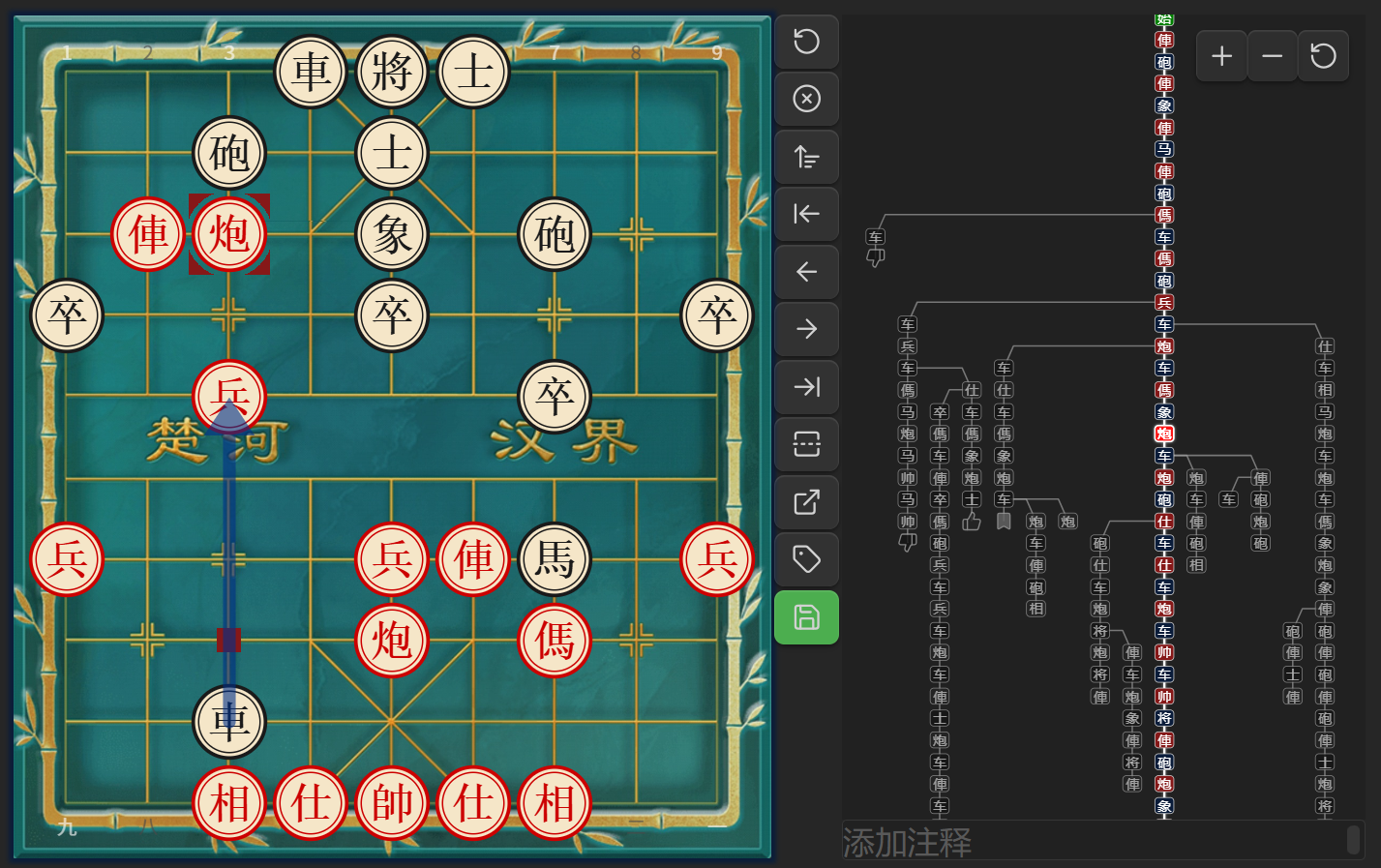
Open .pgn files directly in Obsidian — the plugin registers a dedicated .pgn file view with an interactive board interface.
- Manual Save: Any changes (moves, variations, comments, annotations) are saved back to the file when clicking Save button
- Variation Tree: Interactive tree graph showing all branches — click nodes to navigate
- Comments & Annotations: Supports branch diagram and board annotation symbols, comments
- Mode Toggle: Switch between icon mode and text mode in branch diagram
- Jump to AI: Package the current branch to Pikafish web version for analysis
- Quick Create: New PGN files from the ribbon button
- Custom File Types: Set specific file types as PGN files
Code Blocks
Three code block types: All code block names are customizable
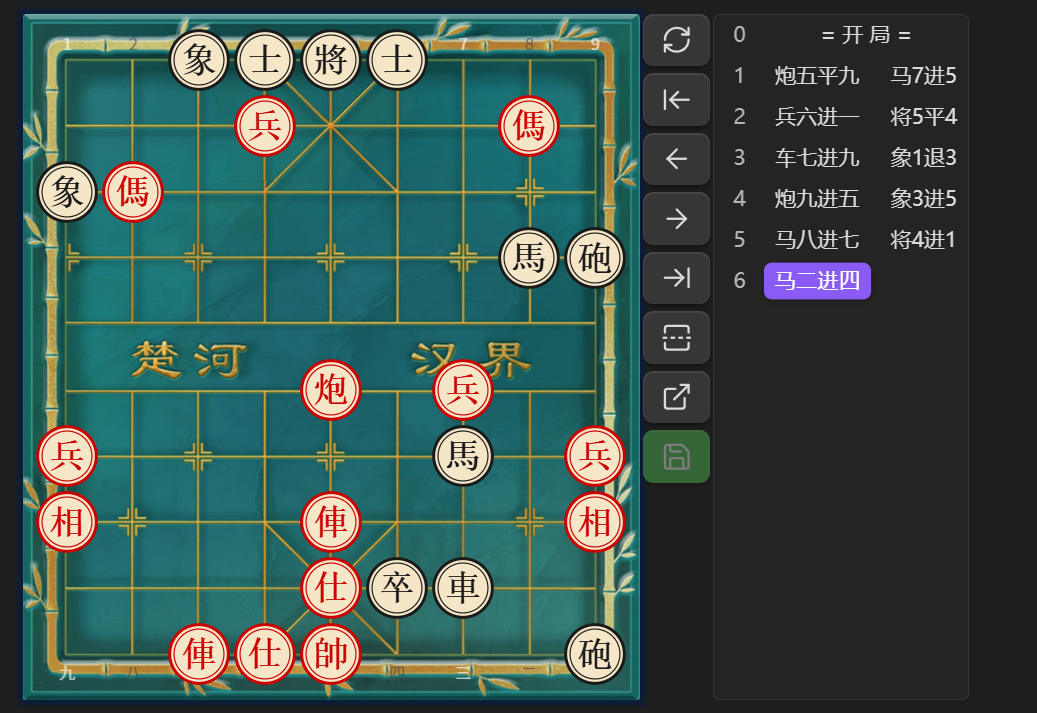
xiangqi: Display and explore Chinese chess games in Markdown
```xiangqi
1. H2-E2 H9-G7
2. H0-G2 I9-H9
3. I0-H0 B9-C7
```
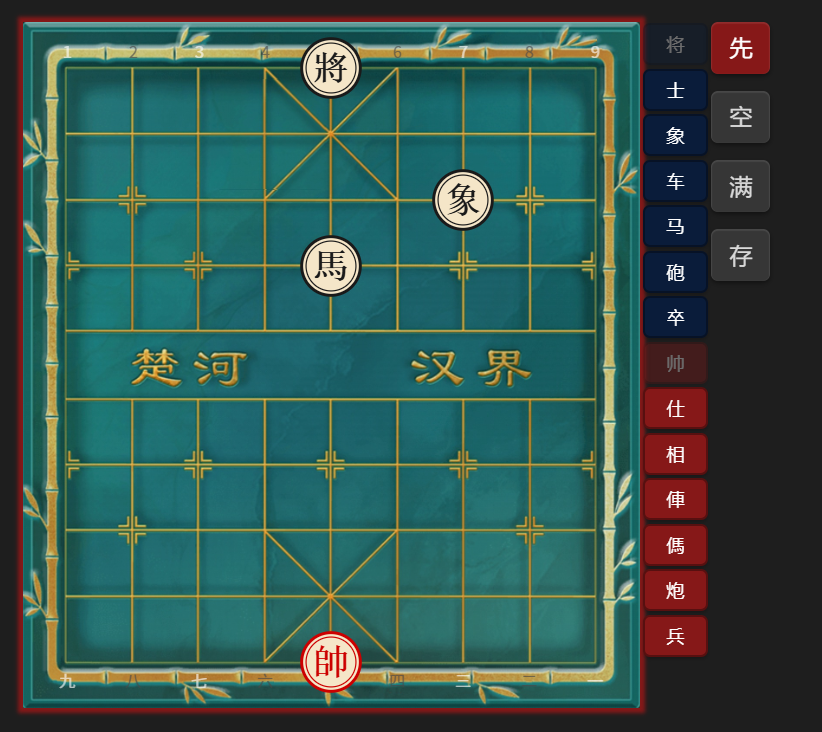
xq: Visual board editor — generates a xiangqi block with FEN
```xq

```
tree: Branch diagram — display game variations as a tree graph
```tree
1. H2-E2 H9-G7
2. H0-G2 I9-H9
```
Settings
Code Block Names
Customize code block aliases in Settings > Chess > Code Block Names:
- List mode (xiangqi): Default
xiangqi, add custom aliases separated by commas - FEN generation mode (xq): Default
xq, add custom aliases - Branch diagram mode (tree): Default
tree, add custom aliases - FEN save type: Choose which code block type to save as (List mode / Branch diagram mode)
Note: Changes require restarting the plugin or Obsidian to take effect.
PGN File View
Enable/disable PGN file view and customize file extensions:
- Enable PGN file view: Toggle to register/unregister PGN view
- PGN file extensions: Default
pgn, add custom extensions separated by commas
Note: Changes require restarting the plugin or Obsidian to take effect.
Features
- Board Rendering: High-quality chessboard via xiangqiground with drag-and-drop moves
- Custom Opening:
- Visual editor
- Clear/Fill board
- Set first player
- Save as FEN
- PGN Saving:
- Save move history as PGN format
- Button colors: gray (empty), green (saved), orange (modified)
- Confirmation dialog before saving
- Customizable Settings:
- Board themes: Wood, Parchment, Green Felt, Marble, Classic Light, Classic Dark
- 3-layer board background: grid lines + texture + base color
- Coordinate labels auto-scale with board size
- Toolbar position: right / bottom
- Board size and move text size
- Move list display options
- Auto-scroll to latest move
- Optional move narration (desktop only)
- Board Markers: Draw arrows and highlights on the board
- Jump to AI: Package move list to Pikafish web version for analysis
- Mobile Friendly: Adjust board size for small screens
Usage
xq Code Block
- Add the
xqcode block tag to start the editor - Drag pieces or click piece buttons to set up the position
- Use clear/fill/turn buttons as needed
- Click Save to generate a
xiangqicode block with the FEN
xiangqi Code Block
- Write your game inside a
xiangqicode block (optionally with FEN and ICCS moves) - FEN is optional — defaults to the standard starting position. Supports parsing Pikafish web links.
- Controls:
- When no manual moves are made, the move list shows the original PGN
- After making moves, the list shows your modified sequence
- Click Reset to revert to before manual edits
- Click Reset again to return to initial state
- Click Save to overwrite the original PGN
Optional Parameters
| Name | Value | Description |
|---|---|---|
fen |
valid FEN | Custom starting position; empty = default |
protected / p |
true / false | When true, Save button is disabled; default false |
rotated / r |
true / false | When true, board is flipped (Red on bottom) |
Example
```xiangqi
r:true
p:true
2bk1a3/5n3/3Pb4/R7p/2p6/C3p2N1/PR2c3P/1nr1B1C2/4A4/1rB1KA3 w
1. G2-G9 F9-E8
2. D7-D8 D9-E9
3. D8-E8 E9-E8
4. A6-A8 E8-E9
```
- Colons can be Chinese or English;
randpare case-insensitive - FEN value works with or without quotes
- PGN moves can be numbered together, not numbered, or written one by one
Installation
This plugin is available on the official Obsidian plugin marketplace. Search for "Chinese chess" or "xiangqi" to install.
- Open Obsidian
- Go to Settings
- Click Community plugins
- Ensure Restricted mode is off
- Click Browse
- Search for "Chinese chess" or "xiangqi"
- Find this plugin and click Install
- Click Enable
Build
-
Clone this repository and its dependencies xiangqiground and xiangqi.js into the same parent directory:
git clone https://github.com/west-shell/xiangqiground.git git clone https://github.com/west-shell/xiangqi.js.git git clone https://github.com/west-shell/obsidian-xiangqi.git -
Build xiangqiground first:
cd xiangqiground npm install npm run dist -
Build xiangqi.js:
cd ../xiangqi.js npm install npm run dist -
Then build the plugin:
cd ../obsidian-xiangqi
npm install
npm run build        # Dev build (unminified, with sourcemaps)
npm run build:min    # Minified build (for release)
Donation
If you like this plugin, feel free to support me!