
I was trying to pick one task plugin for my Obsidian vault - Obsidian Tasks or TaskNotes and I kept going back and forth. Both have great docs. Both have happy users. The feature lists overlap so much that on paper they look interchangeable.
Then I saw the punch line and stopped flip flopping:
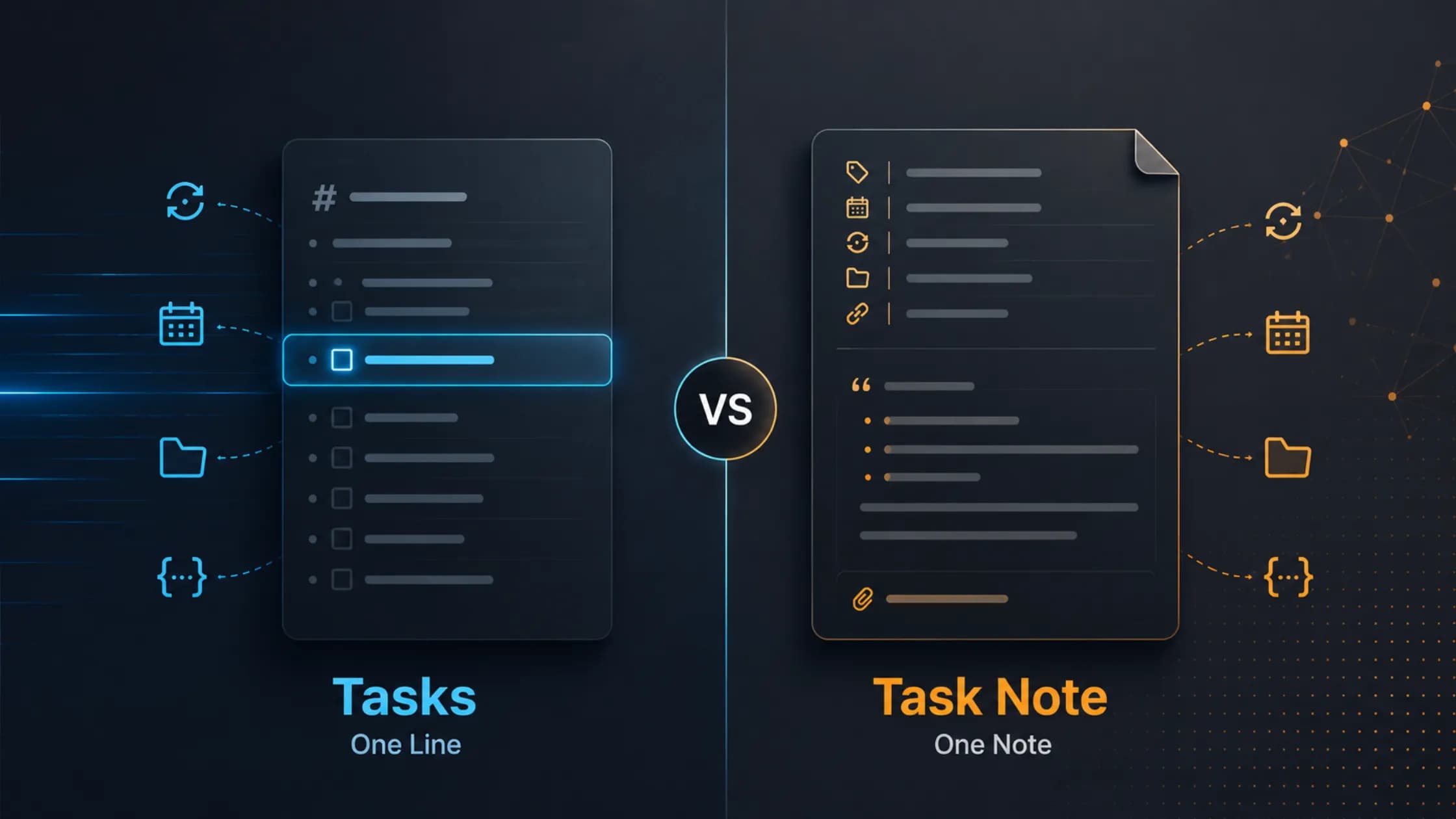
Obsidian Tasks treats a task as a line. TaskNotes treats a task as a note.
That's it. That's the whole difference. Almost every other aspect - recurrence, calendars, projects, the API - flows from that single decision. Once I saw it, picking them as needed became easy.
This post is the framing I wish I had on day one.
TL;DR answer
- Obsidian Tasks = a task is
- [ ] thing 📅 2025-12-01. One markdown line, anywhere in your vault. Queries are a custom DSL inside```tasksblocks. - TaskNotes = a task is a markdown file with YAML frontmatter (title, status, priority, due, projects, recurrence, etc.). Views are
.basefiles driven by Obsidian's Bases core plugin.
If you want zero ceremony and your tasks scatter across daily notes, pick Tasks. If a task often deserves its own note (research, attachments, dependencies, time tracking), pick TaskNotes. You can also run both - more on that at the end.
The data model is the whole story
Look at the same task in each system.
Obsidian Tasks - one line:
- [ ] Review quarterly report 📅 2025-01-15 ⏳ 2025-01-14 ⏫ #work
TaskNotes - one file:
---
tags: [task]
title: Review quarterly report
status: in-progress
priority: high
due: 2025-01-15
scheduled: 2025-01-14
contexts: ["@office"]
projects: ["[[Q1 Planning]]"]
timeEstimate: 60
---

## Notes
- Revenue projections
- Budget allocations
Same task but the second one is a real Obsidian note. It has backlinks. It shows up in the graph. You can drop research, links, screenshots and meeting notes into the body. The first one is one keystroke to capture and lives wherever you typed it.
Neither is superior to the other. They're answering different questions.
Everything else is downstream
Once you accept the line vs note split, the rest of the comparison stops feeling like a feature war.
Storage and format.
- Tasks lives inline. Format is emoji signifiers (or Dataview inline fields - one or the other vault wide. Switching disables the other).
- TaskNotes lives in YAML frontmatter. Field names are configurable through Field Mapping.
Dates.
- Tasks supports
YYYY-MM-DDonly. No times of day. This is the single biggest decision driver if you do meetings, medication, or deep work blocks. - TaskNotes supports ISO 8601 datetimes (
2025-01-15T09:00).
Recurrence and "done."
- Tasks: completing a recurring task writes a new line above the original. Your "history" is a growing list of
[x]lines unless you setOn Completion: delete. - TaskNotes: completing a recurring instance appends to a
complete_instances: [...]array on the same file. The pattern (RFC 5545 RRULE) stays put.scheduledadvances dynamically. This is genuinely better for habit tracking.
Projects and subtasks.
- Tasks has no first class project concept. You fake it with tags, files or paths.
- TaskNotes turns any note into a project via a
+[[Note]]link. Backlinks and the graph view become a free PM dashboard.
Calendar, Pomodoro, time tracking, OAuth.
- Tasks declares time tracking, pomodoros, notifications and external calendar sync out of scope (discussion #2721). That's intentional and worth respecting.
- TaskNotes ships all of it: calendar views, drag-and-drop scheduling, Pomodoro, per task
timeEntries, bidirectional Google/Outlook OAuth (refresh every 15 min), ICS subscriptions.
Querying.
- Tasks has a real declarative DSL - filters, sort, group, layout - composed in
```tasksblocks. There'sfilter by functionandgroup by functionfor power users who want SQL like control overtask.*properties. - TaskNotes has no embedded DSL. Every "query" is a
.basefile managed by Obsidian Bases. You get a clickable UI with AND/OR groups. You trade scripting for transparency.
Automation surface.
- Tasks: none. It's a vault level tool by design.
- TaskNotes: HTTP API, HMAC signed webhooks, two CLIs (
tasknotes-cliover HTTP,mdbase-tasknotesstandalone) and a documented spec with a conformance suite. If you want Raycast or Slack reacting to your tasks, this is the path.
You can build a similar mental model for every row of any feature matrix you'll see. Each row is a consequence, not a coincidence.
What you give up either way
Pick Tasks and you give up:
- Times of day on dates.
- Native calendar / Kanban / agenda views (use third-party plugins).
- Pomodoro, time tracking, reminders, external calendar sync.
- A clean recurring-task history (lines pile up).
- Per-instance completion tracking for habits.
Pick TaskNotes and you give up:
- A vault that stays small. You'll grow thousands of task files - iCloud and Dropbox sync care about file count.
- Install and go simplicity. There's a real settings surface (six tabs) and a hard requirement: Obsidian 1.10.1+ and Bases enabled (which should be default for many users now).
- The Tasks urgency model (computed score from due + priority + scheduled). TaskNotes has no equivalent.
- Mature CSS driven theming. Tasks integrates beautifully with Minimal, ITS, AnuPpuccin - TaskNotes ships its own UI instead.
There's no free lunch. Each plugin's strength is the other's omission.
The "use both" workflow
This is what I've landed on. The two plugins coexist surprisingly well
- Inline
- [ ]checkboxes for ephemeral, in-context things - meeting follow ups, daily note reminders, quick TODOs that live next to the conversation that birthed them. - TaskNotes for anything that grows up - projects, multi day work, recurring habits, time tracked deep work, calendar synced commitments.
TaskNotes' "Convert checkbox to TaskNote" command is the bridge. I capture in Tasks-style on the daily note. When something obviously needs a body, attachments or a calendar slot, I promote it. The promoted task gets a real file, real backlinks and lives in the graph. The original line becomes a wikilink to it.
I haven't fully tested how this plays out in vaults with 5k+ tasks under iCloud sync. If you've pushed it that far, let me know. I'm keen to learn.
If you are strugling to pick one, ask yourself the question that decides everything:
Do you need a task to ever be a thing in your vault - with a body, backlinks, attachments, a calendar slot, time tracking?
- No, almost never - Tasks. You'll save weeks of setup and your vault will stay quiet.
- Yes, often - TaskNotes. The rest of its surface area is the consequence of saying "yes" to that question.
- Sometimes - both. Inline for context, promoted for substance.
Two excellent plugins. Two opposite philosophies. Credit where it's due - Clare Macrae and the Tasks team for obsidian-tasks, Callum Alpass for TaskNotes. Both are free and open source and both deserve a star.