cMenu

by Chetachi
5
4
3
2
1
Score: 54/100

Description

Category: Note Enhancements

The cMenu plugin enhances the text editing experience in Obsidian by providing a simple and customizable toolbar. Designed for users who prefer a streamlined approach to formatting, it eliminates the need for complex hotkeys. With cMenu, you can easily add common text formatting commands like bold, italics, and code blocks directly to a menu for one-click access. It also supports custom commands, allowing users to tailor the toolbar to their needs.

Reviews

No reviews yet.

Stats

477
stars
226,112
downloads
15
forks
1,744
days
1,342
days
1,699
days
5
total PRs
1
open PRs
0
closed PRs
4
merged PRs
62
total issues
42
open issues
20
closed issues
0
commits

Latest Version

5 years ago

Changelog

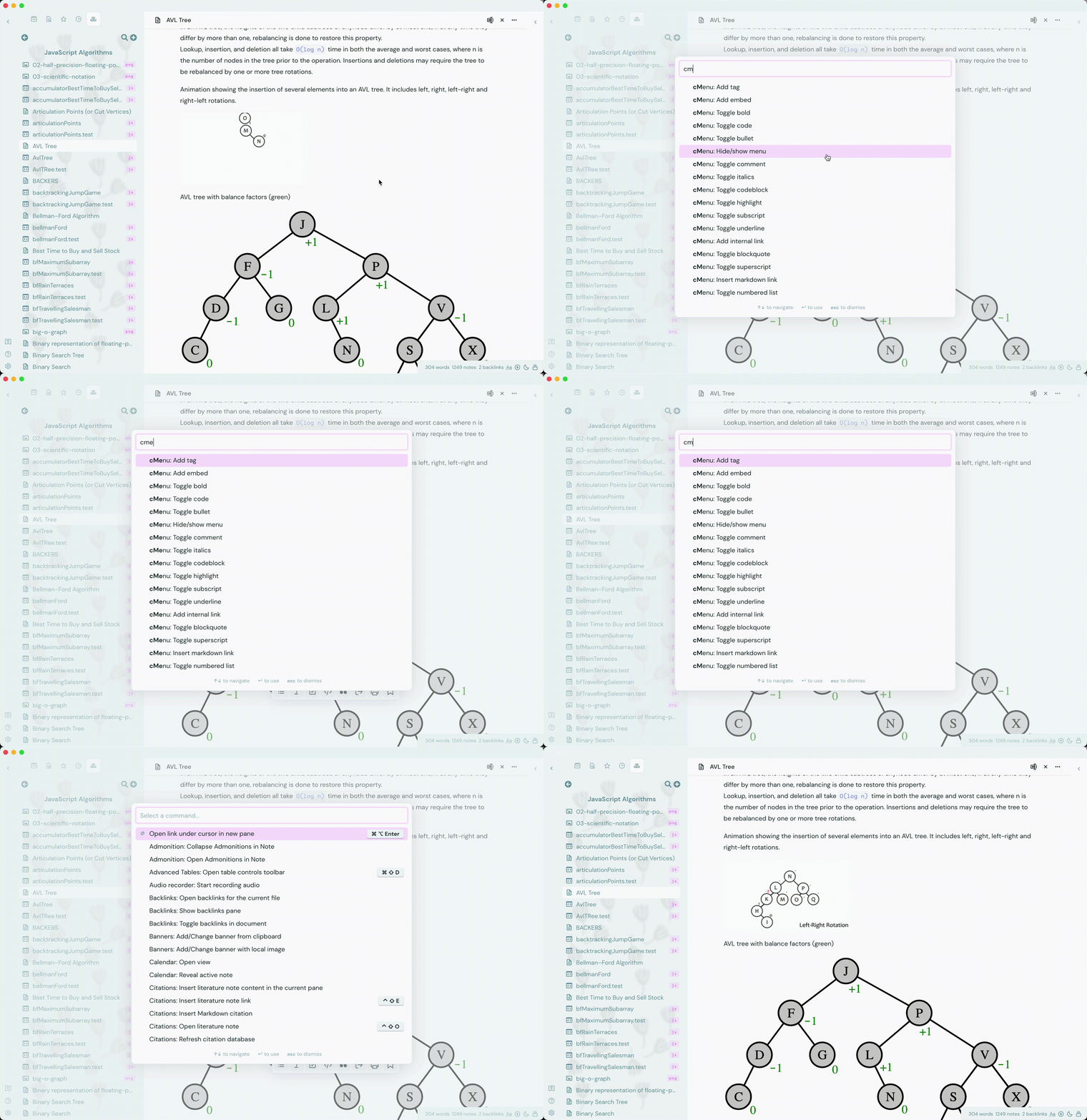
1.1.2 adds remix icons for command customization (makes it a bit slow :/), reload function (button to execute and execution after add/delete), custom columns setting, command reordering in settings, command to hide/show cMenu, and remove tags functionality.

cMenu 1 1 2

README file from

Github

cMenu Plugin

cMenu-Plugin Downloads cMenu-Plugin Releases

Status: This plugin is now available in Obsidian plugin store

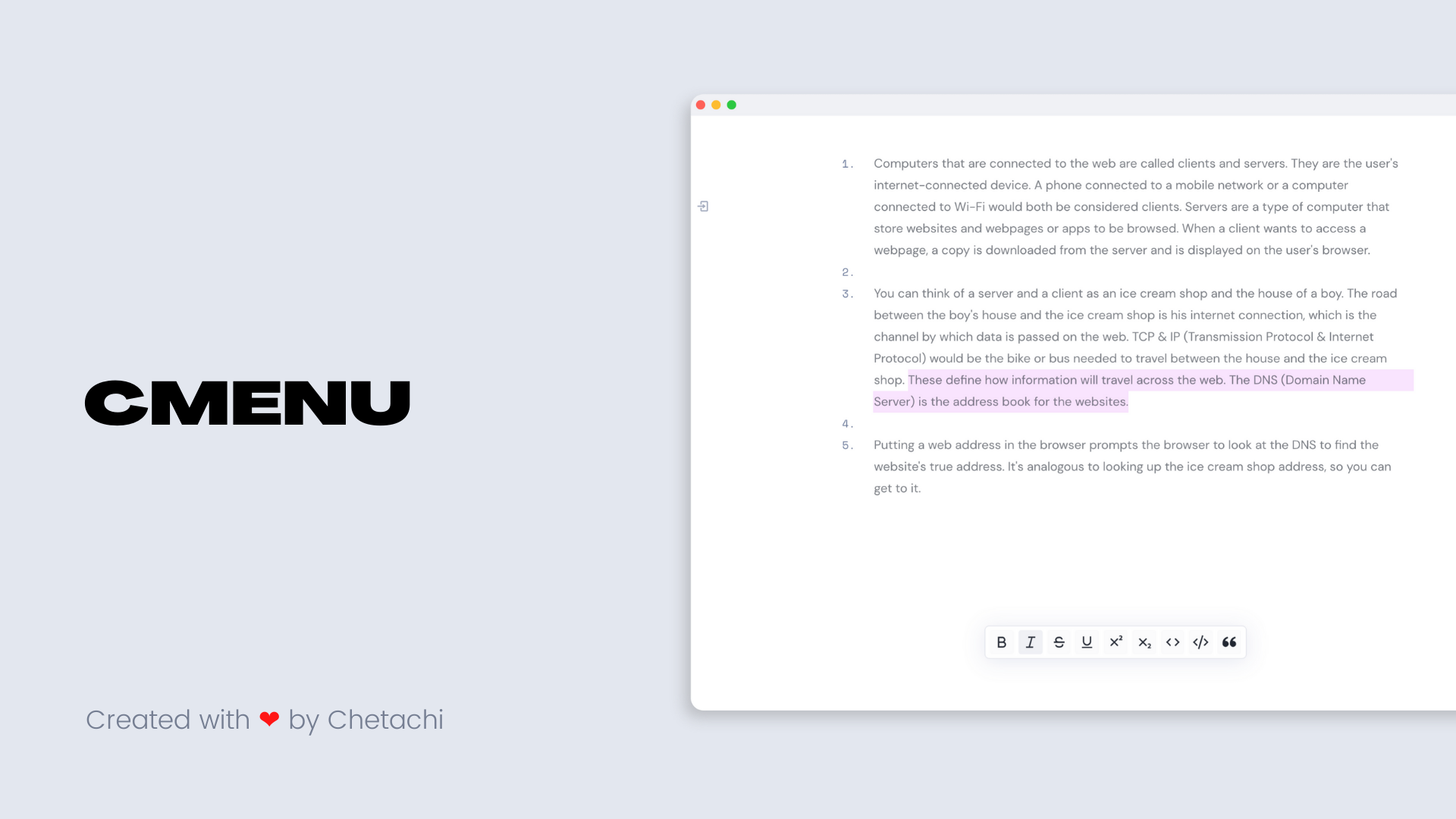
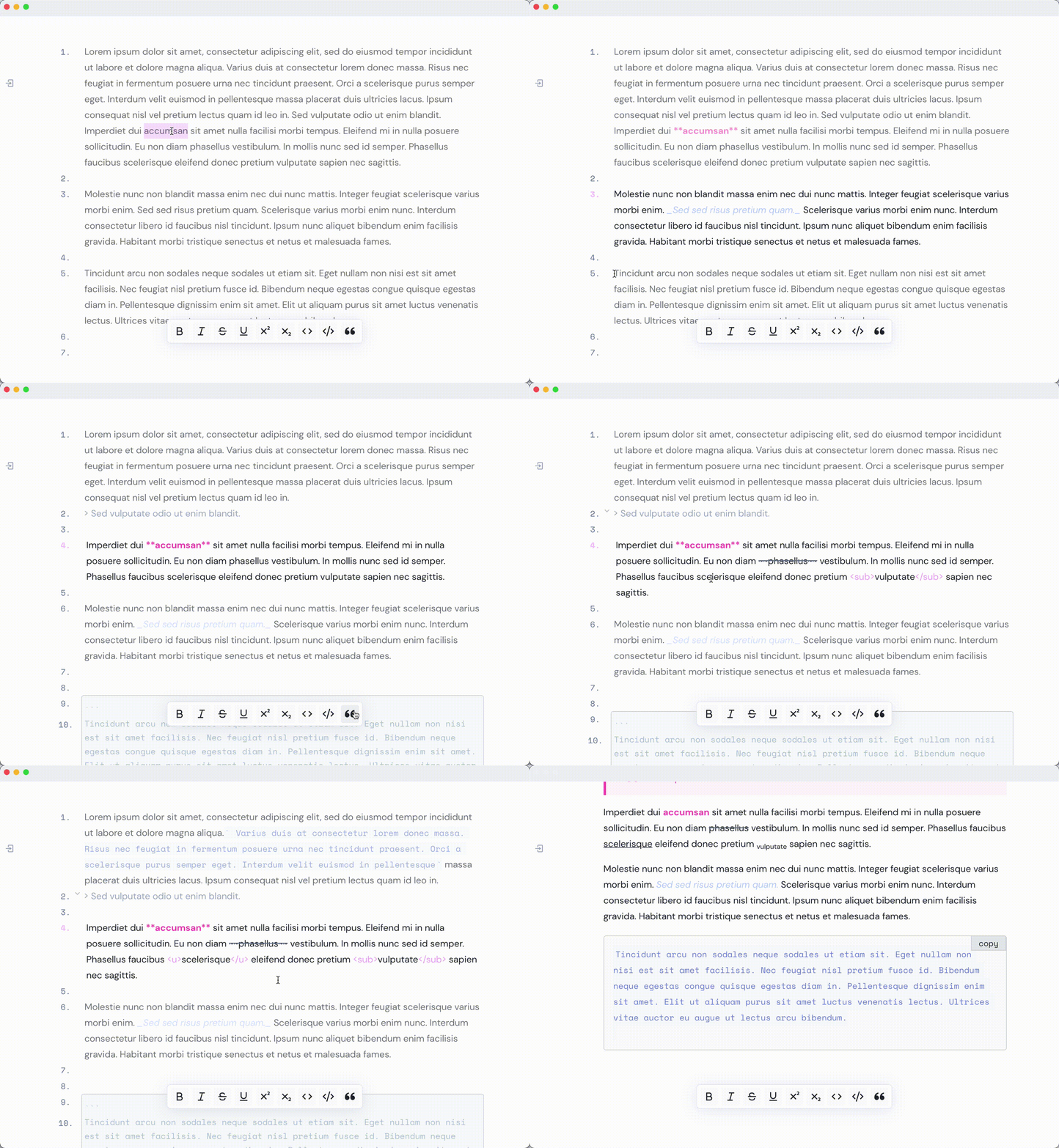
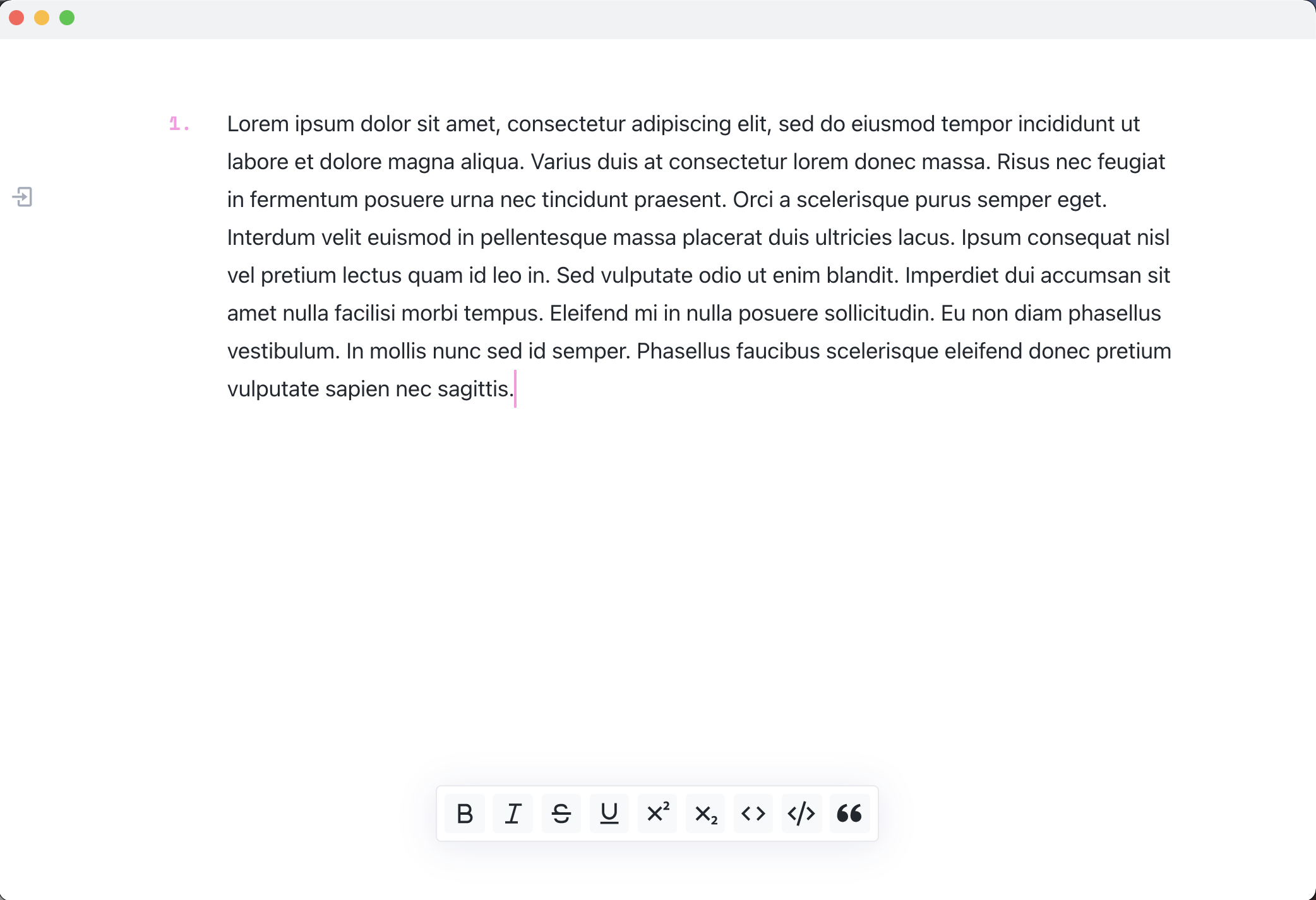
cMenu is a plugin that adds a minimal and user friendly text editor modal for a smoother writing/editing experience ✍🏽. This plugin makes text editing and firing commands easier for those that don't wish to configure a multitude of hotkeys.

Demo
Ease of Use

This plugin was specifically designed for note-takers that want to have a simple text editor to aid in marking up their notes. cMenu solves the issue of having to memorize numerous hotkeys and/or use multiple key presses to get the desired markup. When you use cMenu, you'll only have to focus on writing!

How it Works

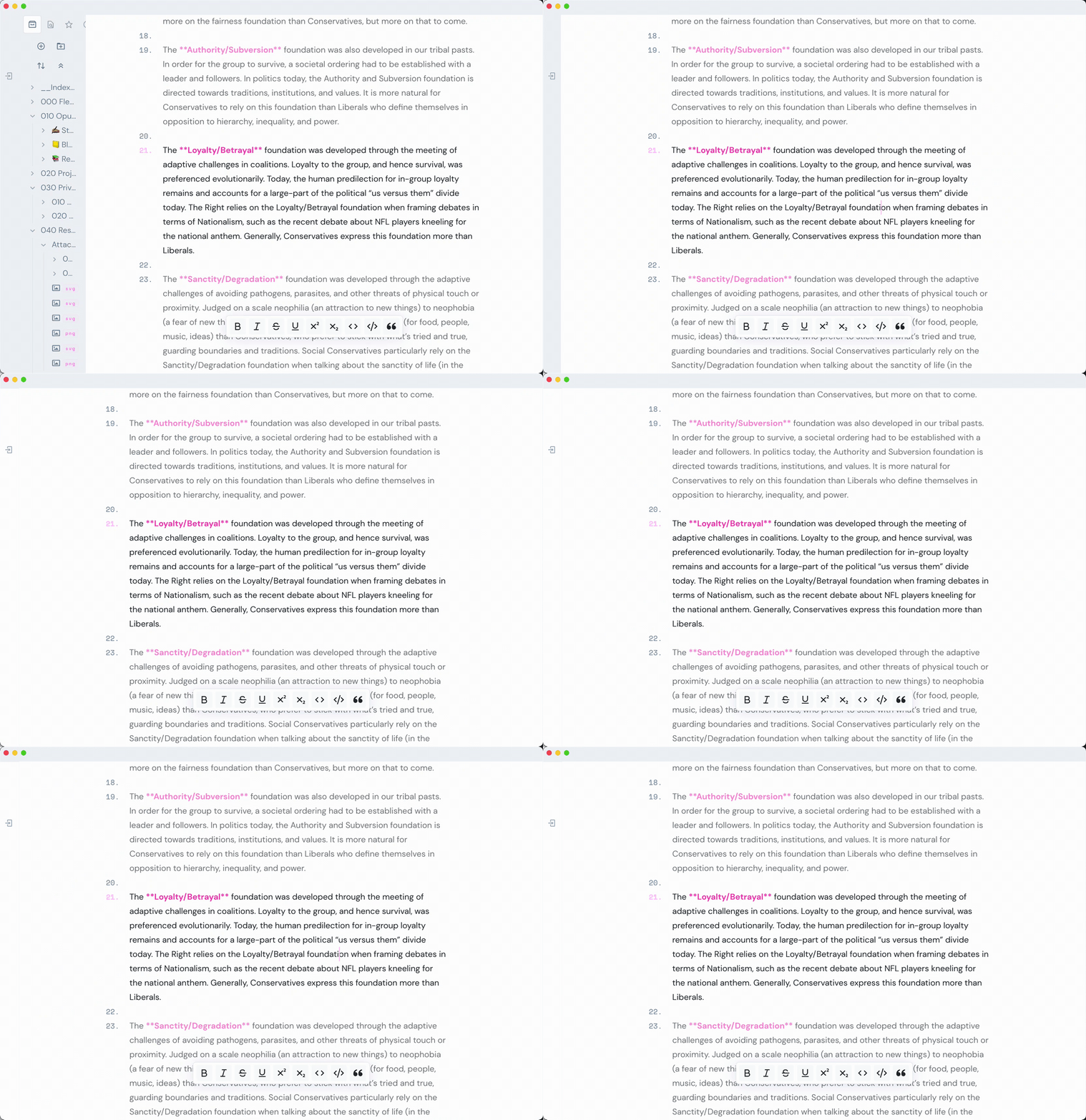
With the newest update of cMenu, you can add just about any command from Obsidian's command library onto the menu bar. By default, the menu bar will have the following commands: Toggle bold, Toggle italics, Toggle strikethrough, cMenu: Toggle Underline, cMenu: Toggle Superscript, cMenu: Toggle Subscript, Toggle code, cMenu: Toggle codeblock, and Toggle blockquote.

"menuCommands": [
    {
      id: "cmenu-plugin:editor:toggle-bold",
      name: "cMenu: Toggle bold",
      icon: "bold-glyph",
    },
    {
      id: "cmenu-plugin:editor:toggle-italics",
      name: "cMenu: Toggle italics",
      icon: "italic-glyph",
    },
    {
      id: "cmenu-plugin:editor:toggle-strikethrough",
      name: "cMenu: Toggle strikethrough",
      icon: "strikethrough-glyph",
    },
    {
      id: "cmenu-plugin:underline",
      name: "cMenu: Toggle underline",
      icon: "underline-glyph",
    },
    {
      id: "cmenu-plugin:superscript",
      name: "cMenu: Toggle superscript",
      icon: "superscript-glyph",
    },
    {
      id: "cmenu-plugin:subscript",
      name: "cMenu: Toggle subscript",
      icon: "subscript-glyph",
    },
    {
      id: "cmenu-plugin:editor:toggle-code",
      name: "cMenu: Toggle code",
      icon: "code-glyph",
    },
    {
      id: "cmenu-plugin:codeblock",
      name: "cMenu: Toggle codeblock",
      icon: "codeblock-glyph",
    },
    {
      id: "cmenu-plugin:editor:toggle-blockquote",
      name: "cMenu: Toggle blockquote",
      icon: "quote-glyph",
    }
  ],

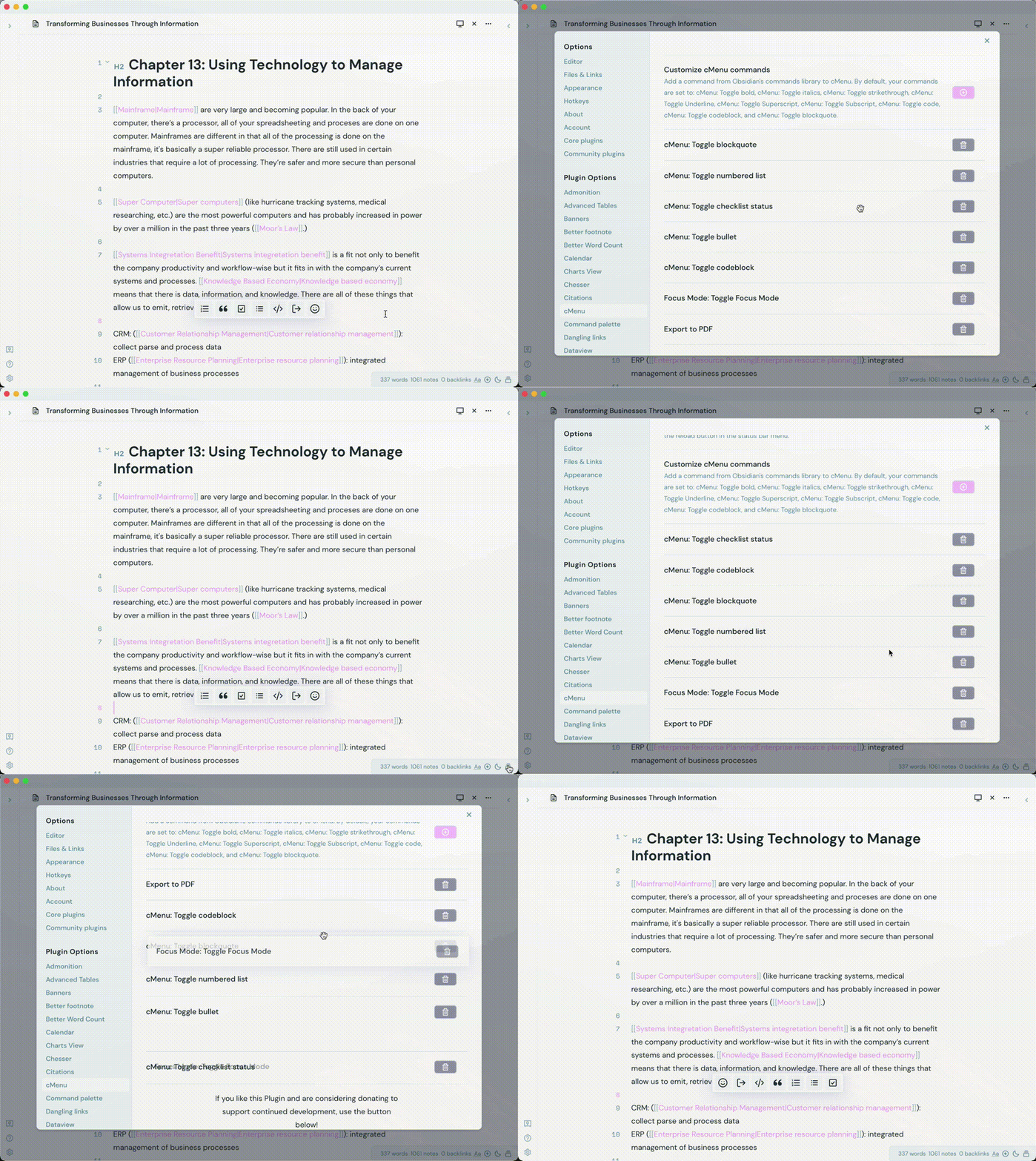
As you can see, cMenu adds four new commands to Obsidian's command library and modifies fourteen of Obsidian's text editing commands. Those commands are added to an array of commands that are then read within the generation of the cMenu modal. If you would like to remove and/or add new commands, you can do so within the cMenu settings panel. Use the bright button (your accent color) to add a new command onto the menu. And use the gret button to remove them from the menu. When you add/remove a new command, you will see a message in your console, indicating the status of said command. With the newest update 1.1.2, ycMenu will reload everytime a command is added or deleted. No need for closing out your current notes,

The plugins Templater and Hotkeys for Templates are strongly recommended to use with cMenu. For example: I have a template that spawns the chess opening "Alekhine's Defense." With Hotkeys for Templates, I can choose to add this template to Obsidian's command library. Now that it's in the command library, I can choose to append this command to cMenu. This means you can really add just about anything to cMenu now, which makes it much more powerful!
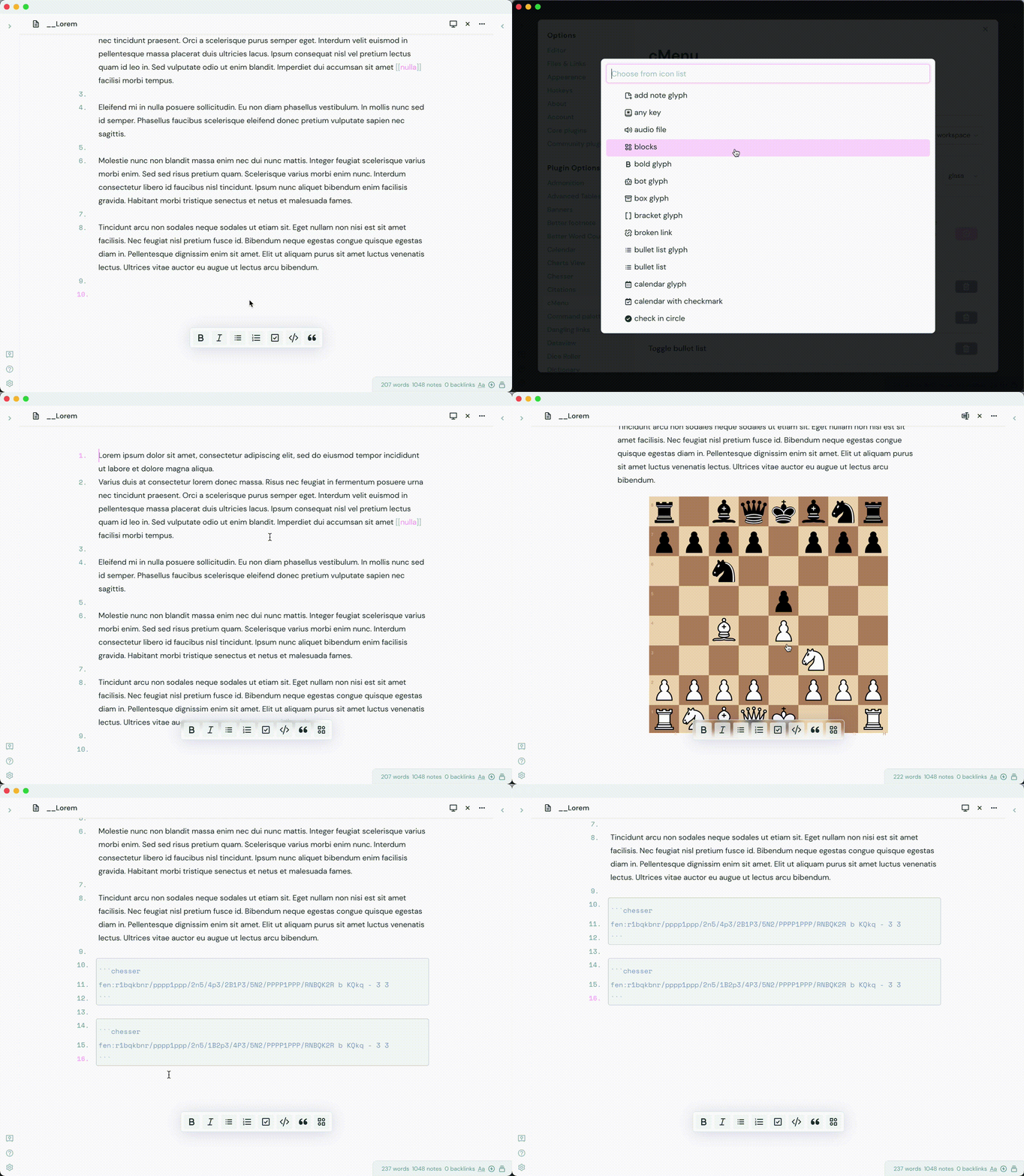
cMenu also has a few stylistic changes that are also customizeable. For those that use the plugin Sliding Panes, you can now change cMenu's append method to "body." That way, cMenu will no longer appends to the workspace area, but to the body of the app. This is a bit of a work around for the current issue with Sliding Panes but I'm actively looking into a better solution.
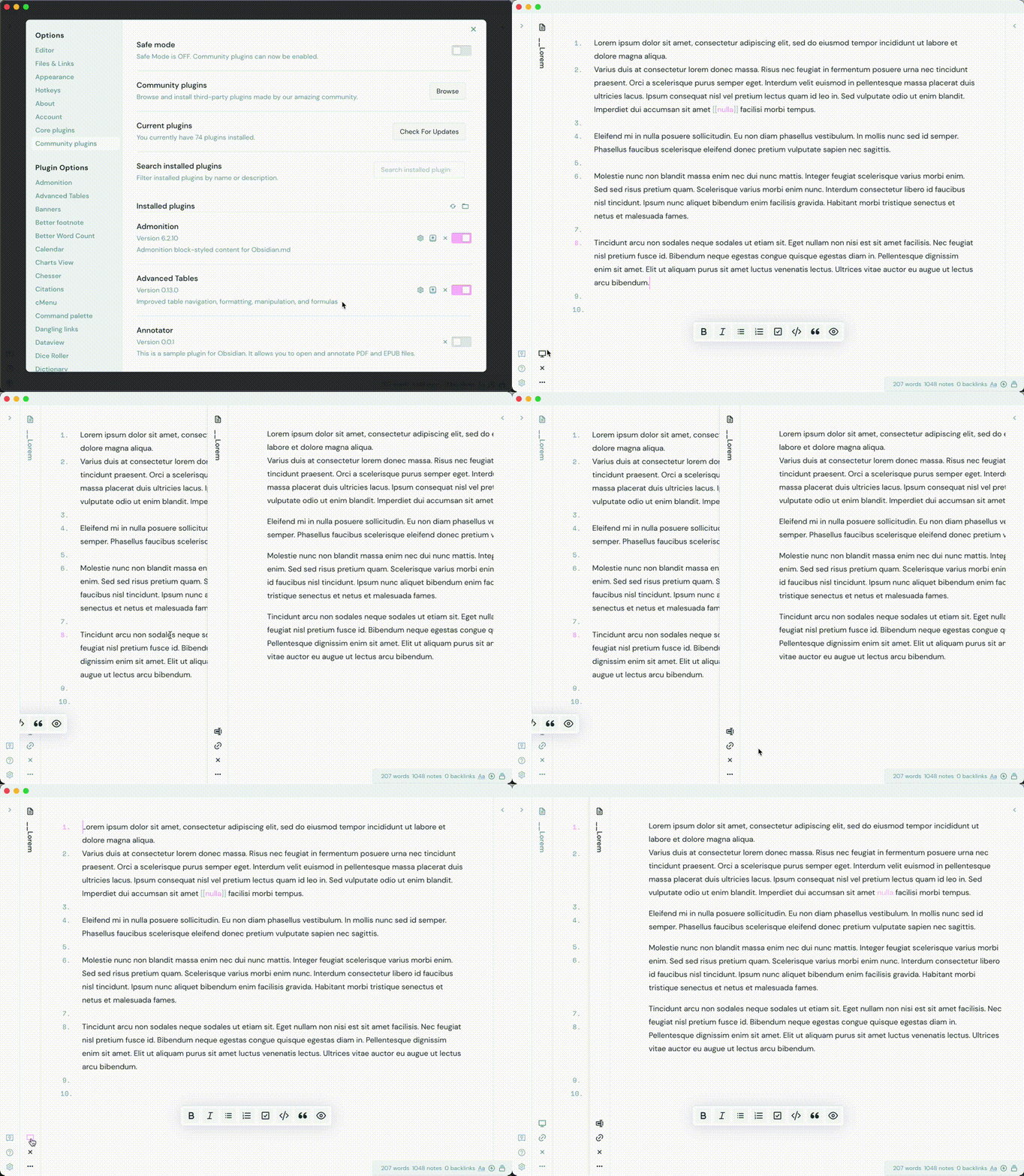
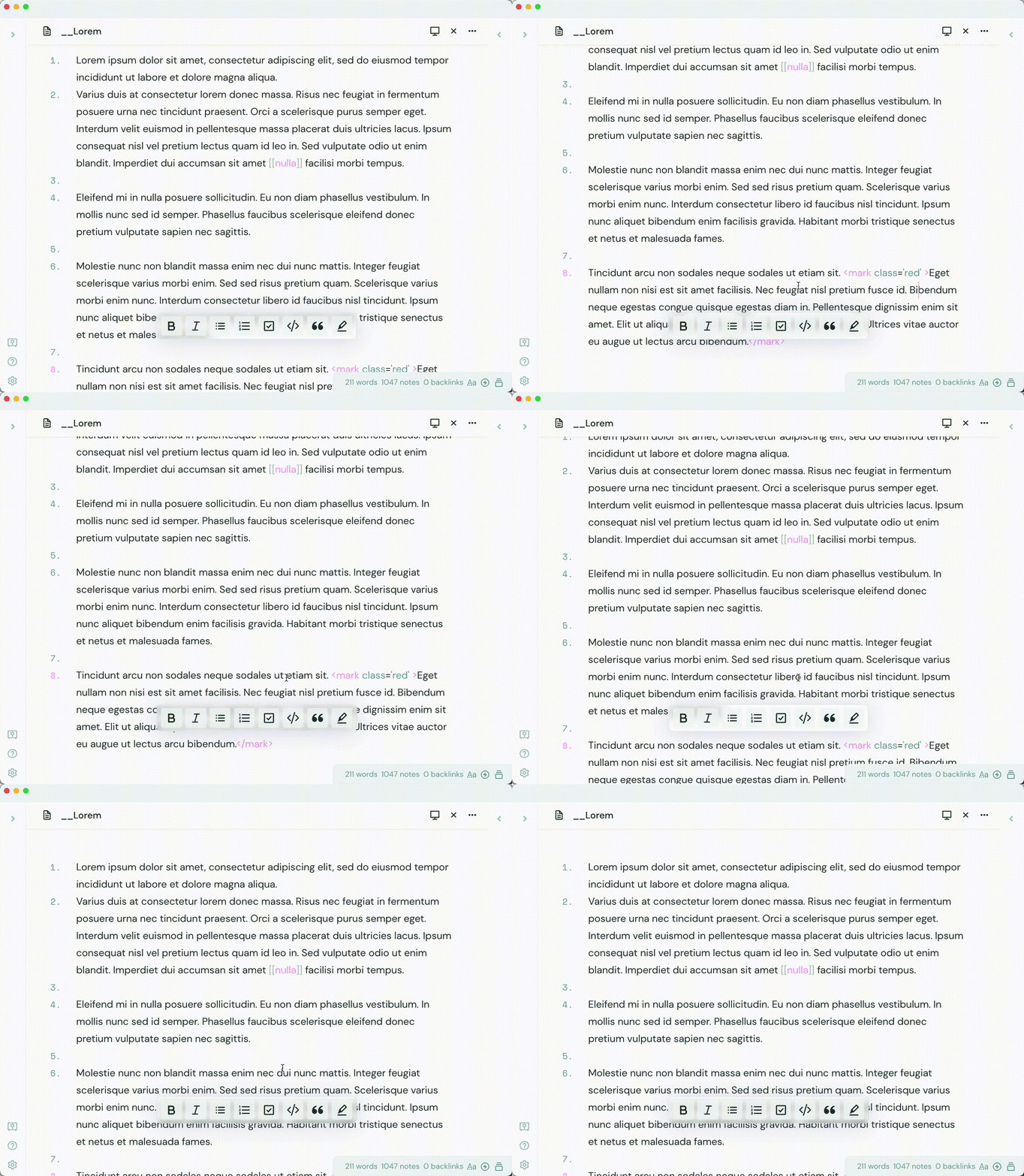
With cMenu, you can change the design aesthetic. Glass morphism is a pretty popular design trend so I thought "why not add this to cMenu?!" You can choose to have a "glass" style for cMenu, which gives it a unique look.
cMenu Status Bar Menu

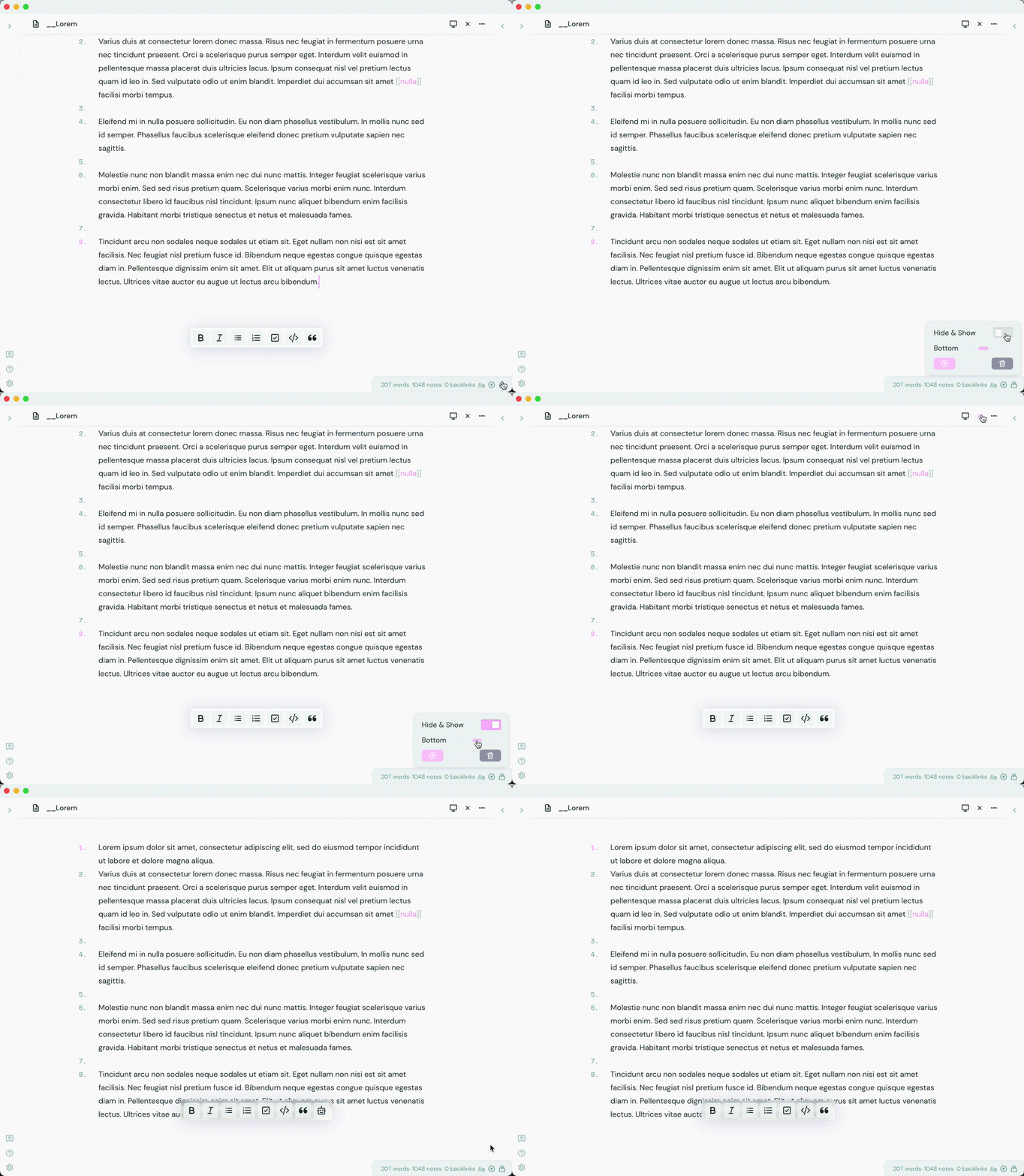
With the new 1.1.0 update, you can control to bottom value of cMenu, as well as toggle to hide cMenu and add/delete new command items. The delete button will remove the most recently added command.
Installation

This plugin is now available in the community plugin store. You can install it from there and enable it. For a manual installation, you can download the necessary files and place them within your plugins folder.


Changelog

0.1.0 - Jul 27, 2021

Changed
  • Interfaces are renamed to match plugin info
  • Now uses workspace.getActiveViewOfType(MarkdownView) instead of activeLeaf for menu creation

0.2.0 - Aug 02, 2021

Changed
  • Now uses workspace.getActiveViewOfType(MarkdownView) to store text selection
Fixed
  • cMenu appends to .mod-vertical.mod-root parent instead of body parent.
  • cMenu left positioning is set by function that finds width dynamically on menu creation.
0.3.0 - Aug 02, 2021

Fixed
  • Fixed small bug that causes an extra resize handle to be created.

1.0.0 - Aug 11, 2021

Fixed
  • Fixed issue with Sliding Panes with a toggle-able append method setting.
Added
  • Added new glass morphism setting.
  • Added new custom commands setting

1.0.1 - Aug 11, 2021

Added
  • Added more icons to command icon chooser

1.0.2 - Aug 13, 2021

Changed
  • Removed most !importants for better custom styling
Added
  • Added a few more icons
  • Added updates to UI

1.0.3 - Aug 13, 2021

Added
  • Added feather icons

1.1.0 - Aug 27, 2021

Added
  • Added new status bar menu for extra cMenu setting: Hide/Show buttons, Bottom value change
  • Added modified text editing commands
    • Commands will maintain focus in editor after execution

1.1.2 - Sep 14, 2021

Added
  • Added remix icons for command customization (makes it a bit slow :/)
  • Added reload function (button to execute and execution after add/delete)
  • Added custom columns setting
  • Added command reordering in settings
  • Added command to hide/show cMenu
  • Added remove tags functionality

Checklist

  • Glassmorphism setting
    • Setting to toggle for glass effect with cMenu
  • Fix to work with Sliding Panes (workaround)
    • Setting to toggle for cMenu to toggle to body instead of modroot
  • Add custom commands to cMenu
    • Choose icons for commands without
  • Modify text editing commands
    • Maintain focus in editor
  • Change cMenu bottom value
  • Hide/show cMenu
  • Add more command icons (Remix Icons)
  • Custom cMenu columns
    • Setting to customize cMenu columns (control number of command buttons per row on cMenu)
  • Reload cMenu
    • Add reload after new command added and command deletion functions.
    • Add general reload button (runs reload function)
  • Identify if text has been selected
  • Easy command button reordering
  • cMenu workspaces/nested menu
  • Follow the cursor setting
    • Setting to toggle for cMenu to follow mouse cursor

Support

If you like this plugin and are considering donating to support continued development, use the button below!

Created with ❤️ by Chetachi

Similar Plugins

info
• Similar plugins are suggested based on the common tags between the plugins.
Advanced Tables
6 years ago by Tony Grosinger
Improved table navigation, formatting, and manipulation in Obsidian.md
Editing Toolbar
4 years ago by Cuman
An obsidian toolbar plugin, modified from the Cmenu plugin
Admonition
5 years ago by Jeremy Valentine
Adds admonition block-styled content to Obsidian.md
Note Toolbar
2 years ago by Chris Gurney
Flexible, context-aware toolbars for your notes in Obsidian.
Smart Typography
5 years ago by mgmeyers
Converts quotes to curly quotes, dashes to em dashes, and periods to ellipses
Markdown Formatting Assistant
5 years ago by Reocin
This Plugin provides a simple WYSIWYG Editor for Markdown and in addition a command line interface. The command line interface facilitate a faster workflow.
Table Extended
5 years ago by AidenLx
Extend basic table in Obsidian with MultiMarkdown table syntax
Heading Level Indent
3 years ago by svonjoi
obsidian plugin for hierarchical structuration of document content based on heading levels
Change Case
3 years ago by David Brockman
Plugin to let you change the case (camelCase, snake_case, etc) of the current selection.
Paste Mode
5 years ago by Jacob Levernier
Obsidian Notes plugin for pasting text and blockquotes to the cursor's current level of indentation.
SupSub
3 years ago by Wjgoarxiv
::SupSub enables wrapping selected text with `<sup>` or `<sub>` tags::
Code block from selection
5 years ago by Dmitry Savosh
Obsidian plugin. Adds code block for the selected text.
Callout Integrator
3 years ago by
A plugin for Obsidian to allow the integration of long blocks of text into callouts.
Wrap with shortcuts
4 years ago by Manic Chuang
Wrap selected text in custom tags with shortcuts.
Auto pair chinese symbol
5 years ago by renmu123
中文符号自动补齐
Inline spoilers
2 years ago by logonoff
Adds Discord-like syntax for inline spoilers.
Ordered List Style
4 years ago by erykwalder
Writing
3 years ago by johackim
Write and format your next book directly from Obsidian
Multi-line Formatting
5 years ago by nmady
Format Obsidian text over an entire selection, even if that selection has paragraph breaks in the middle!
Extended Markdown Syntax
a year ago by Kotaindah55
Extend your Markdown syntax using delimiters instead of HTML tags, such as underlining, superscript, subscript, highlighting, and spoiler.
Format Hotkeys
5 years ago by Ansel Santosa
Google Docs style formatting hotkeys for Obsidian
Remove Newlines
2 years ago by Elias Jaffe
A plugin for Obsidian.md which removes newlines and blank lines from selected or pasted text.
Formatto
2 years ago by Deca
Simple, fast, and easy-to-use Obsidian Markdown formatter.
Mini Toolbar
3 years ago by AidenLx & Boninall
mini context toolbar in editor for Obsidian
Autocorrect Formatter
2 years ago by b-yp
A plugin running on Obsidian that utilizes autocorrect to format Markdown content.
Toggle Case
3 years ago by automattech
Obsidian plugin to toggle between `lowercase` `UPPERCASE` and `Title Case`
ObsidianTweaks
4 years ago by Jeppe Klitgaard
A plugin that implements a number of tweaks that should've been native to Obsidian.
Interlinear Glossing
3 years ago by Mijyuoon
An Obsidian plugin for interlinear glosses used in linguistics texts.
Blockquote Levels
4 years ago by Carlo Zottmann
A plugin for Obsidian (https://obsidian.md) that adds commands for increasing/decreasing the blockquote level of the current line or selection(s).
PopKit
2 years ago by Zhou Hua
LaTeX to unicode converter
3 years ago by fjdu
Convert LaTeX commands into unicode sequences
Paste Reformatter
a year ago by Keath Milligan
A plugin for Obsidian that reformats pasted HTML and plain text content, giving you precise control over how content is transformed when pasted into your notes.
Callout Toggles
2 years ago by Aly Thobani
An Obsidian plugin to quickly add, change, or remove callout wrappers in your notes.
Auto-\displaystyle Inline Math
2 years ago by Ryota Ushio
An Obsidian.md plugin to automatically make all inline maths \displaystyle.
Text Conversions
3 years ago by Juan D Frias
Text conversions for Obsidian
heti
2 years ago by Moeyua
Gay Toolbar
a year ago by Chas Kane
Colorful, customizable toolbar for Obsidian, designed for mobile.
Canvas Format Brush
a year ago by wenlzhang
An Obsidian plugin that allows you to copy and paste formatting attributes (size and color) between canvas elements, similar to the format painter in Word.
Image Size
a year ago by Jie Zhang
Set the default size for pasted images.
Jisage -Japanese Indentation-
2 years ago by Telehakke
Obsidian plugin.
复制图文 (Copy Image Text)
2 years ago by msgk
obsidian插件,复制笔记内容(包括文本和图片)到剪贴板
Image Helper
2 years ago by Chongmyung Park
Context menu to convert a image to another format in reading view in Obsidian.md
Better Order List
2 years ago by Boninall
Emoji Picker
a year ago by Ali Faraji
An up-to-date Emoji Picker for obisian.md, using emoji-mart.
Table Line Break Mobile
3 months ago by marcelflymark
Obsidian plugin: Insert a new line break inside a table cell using the <br> HTML element
Discord Timestamps
a year ago by Erika Gozar
Displays discord timestamps in read mode as they would appear in Discord.
Heading Toggler
2 years ago by Lord Turmoil
Toggle heading levels in Obsidian
Chat clips
a year ago by sleepingraven
Record chat in ordinary markdown list.
Keyboard Formatter
8 months ago by Lauloque
Formats keyboard text (kbd) in your Obsidian notes quickly and consistently.
Vim Marker Sharpener
a year ago by Artem Dvoryadkin
Text formatting commands in Vim mode. Supports applying styles (bold, italic, etc.). Works correctly in visual mode with selected text.
Note Placeholder
a year ago by XZSt4nce
Replaces text of note link to placeholder in view mode.
Bottom to Top
a year ago by Henry Gustafson