
README file from
GithubConvert Base64 to PNG
This plugin for Obsidian converts base64-encoded images in your notes to local PNG files. Reduce the size of your markdown files and make them more portable!
Demo
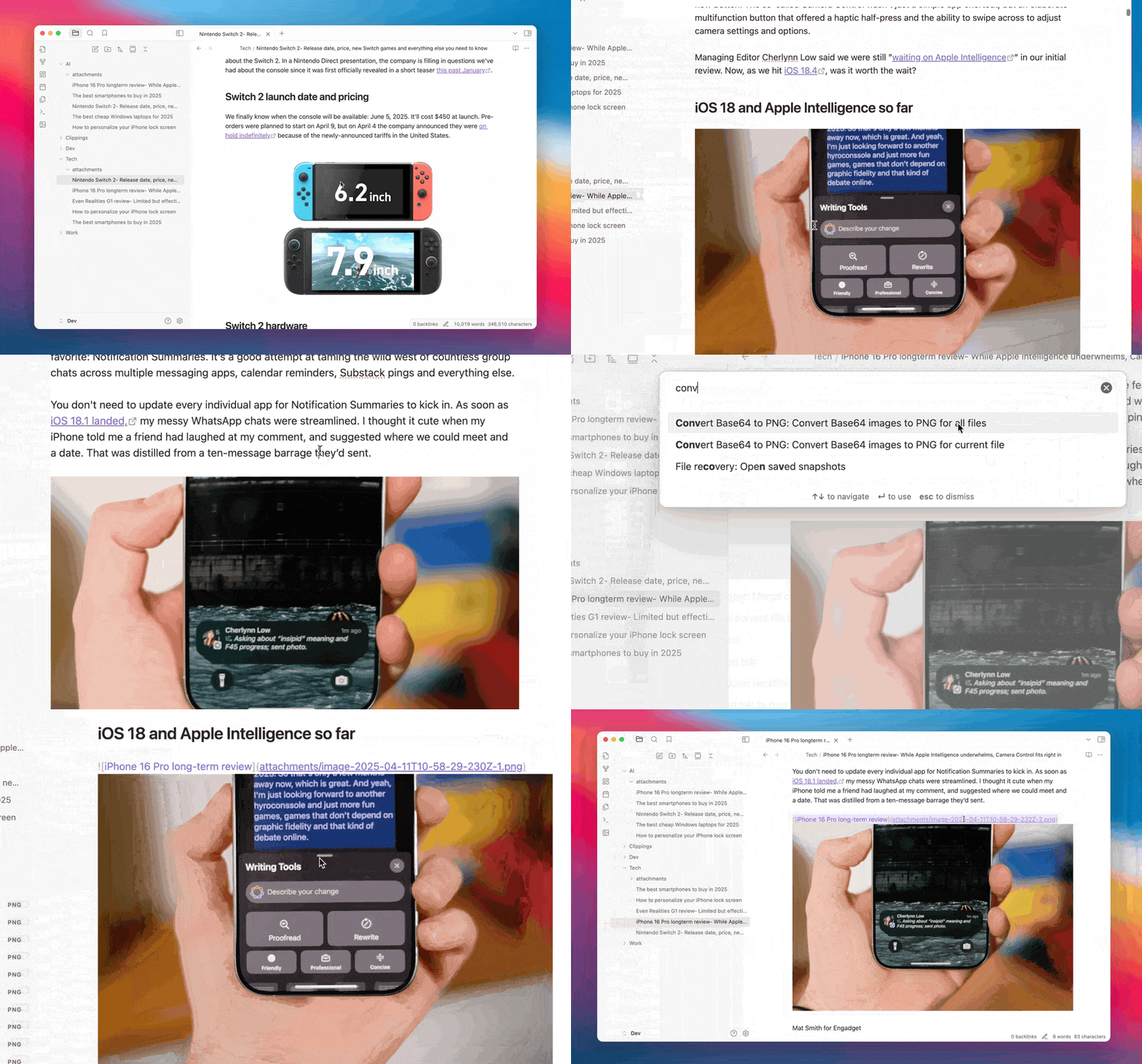
Features
- Base64 Detection: Automatically detects base64-encoded images in your notes
- Local Conversion: Converts base64 images to local PNG files
- Batch Processing: Process individual files or all files in your vault
- Customizable Storage: Configure where and how PNG files are stored
- Automatic Conversion: Option to automatically convert base64 images when pasting
How It Works
When you run the plugin:
- It scans your notes for base64-encoded images
- Decodes the base64 data to binary
- Saves the binary data as PNG files in your configured folder
- Updates the links in your notes to point to the local PNG files
This makes your notes smaller, more portable, and easier to work with.
Settings
General Settings
- Auto Convert: Automatically convert base64 images when pasting
- Output Folder: Folder where PNG files will be saved (relative to the note)
- Filename Format: Format for generated filenames with placeholders for date, index, and image type
Commands
- Convert Base64 images to PNG for current file: Process the currently active file
- Convert Base64 images to PNG for all files: Process all markdown files in the vault
Installation
From Obsidian Community Plugins
- Open Obsidian Settings
- Go to Community Plugins
- Search for "Convert Base64 to PNG"
- Click Install, then Enable
Use Cases
- Reduce File Size: Base64-encoded images can make your markdown files very large
- Improve Portability: Local PNG files are more portable and can be used outside of Obsidian
- Better Organization: Keep your images in a dedicated folder instead of embedded in your notes
- Easier Editing: Smaller markdown files are easier to edit and work with