Paste image Png to Jpeg

by musug
5
4
3
2
1
Score: 31/100

Description

Category: File Management

The Paste image Png to Jpeg plugin is a convenient tool for Obsidian users who frequently paste images into their notes. When you insert an image (in PNG or JPEG format), this plugin automatically converts it to JPEG, compresses it, and saves it in the current note's directory with a name that matches the note title plus a number. You can also customize the compression settings, allowing you to balance image quality against file size. With this plugin, you'll no longer have to worry about managing image formats or sizes, freeing up more time for your note-taking and research endeavors.

Reviews

No reviews yet.

Stats

49
stars
11,956
downloads
8
forks
1,469
days
795
days
1,166
days
7
total PRs
5
open PRs
1
closed PRs
1
merged PRs
19
total issues
13
open issues
6
closed issues
0
commits

Latest Version

3 years ago

Changelog

Fix the bug that the image movement fails when the "Auto Move Image" function is enabled when the image directory is not created

README file from

Github

obsidian-paste-png-to-jpeg

This plugin is inspired by obsidian-paste-image-rename, obsidian-paste-image-rename can be used when inserting images rename, I thought I could also compress and modify it when inserting, so I created this plugin

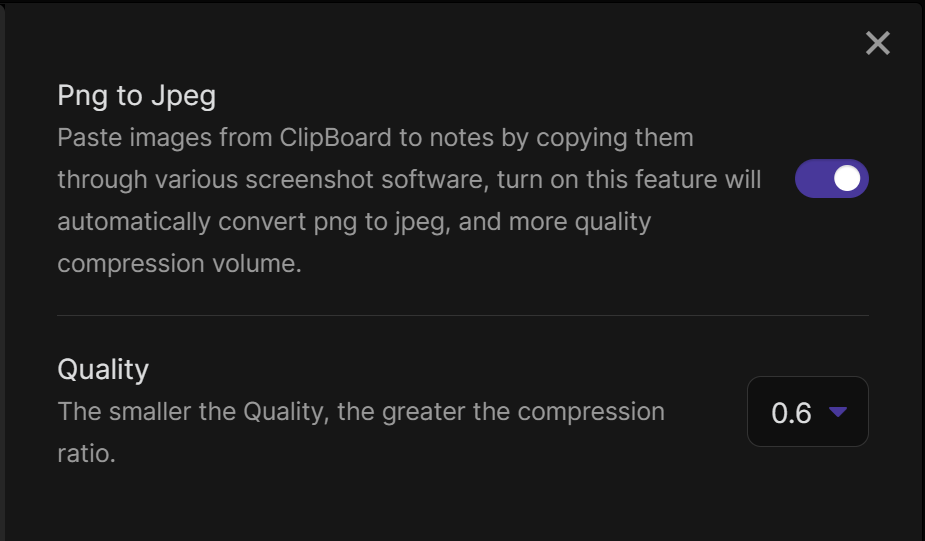
The plugin automatically handles the following when the image (png jpg jpeg) is pasted into the notes 1,Convert the image to jpeg format and compress it 2,store the image in the current notes directory in the images folder 3,Change the name of the image to the name of the current note plus a number

For example, a screenshot of hello.md will be named hello-1.jpeg... Also you can set whether to enable image compression or not and set the quality of the image, the smaller the quality, the higher the compression rate.
Similar Plugins

info
• Similar plugins are suggested based on the common tags between the plugins.