
README file from
GithubGridExplorer
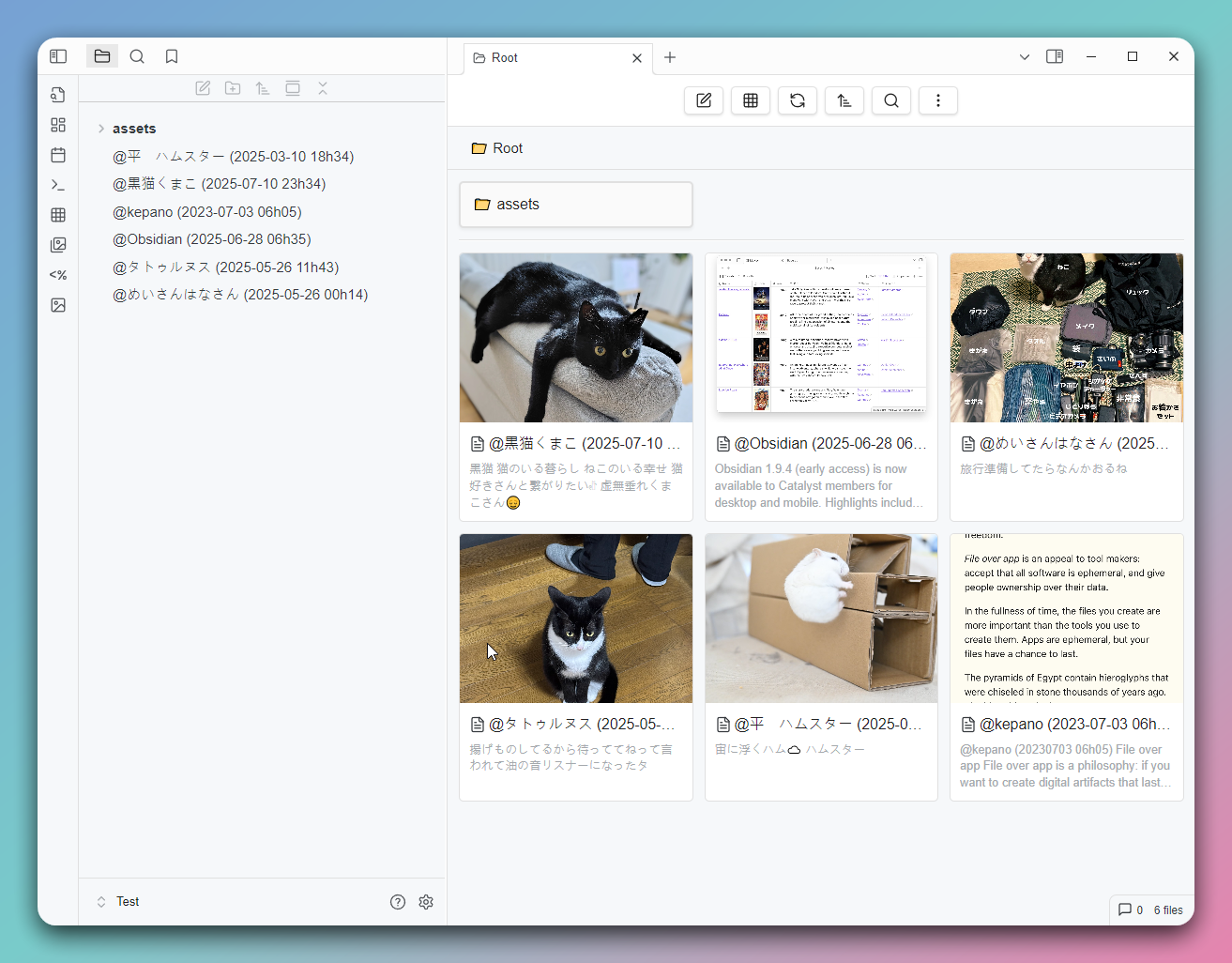
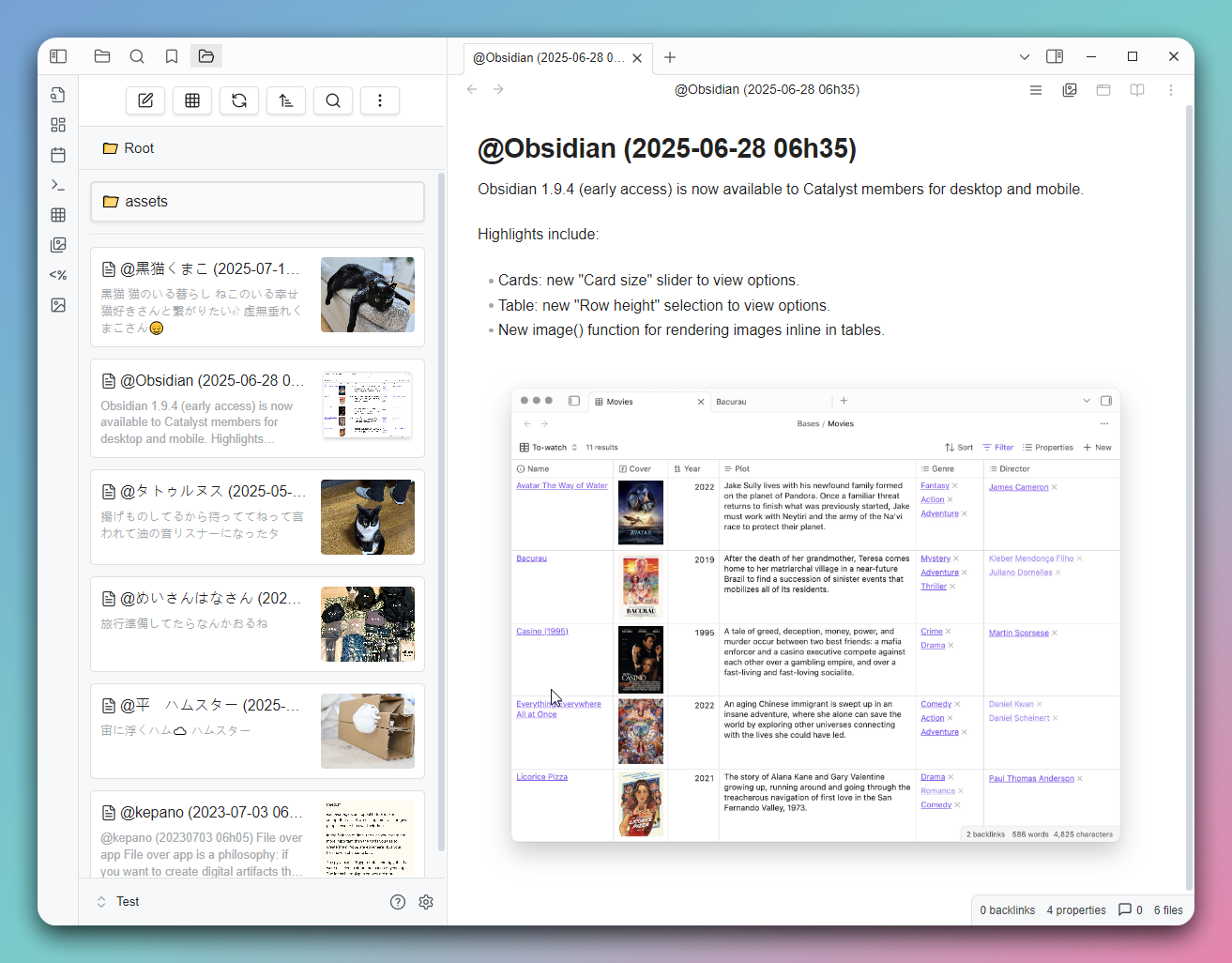
This is a grid view plugin designed for Obsidian, aimed at providing a more intuitive way to browse and manage your notes and folders.
Features
- Grid View: Displays your notes and folders in a grid format for quick browsing.
- Folder Mode: Shows notes in a folder structure, supporting entry into subfolders.
- Bookmark Mode: Allows quick access to notes in your bookmarks.
- Search Results Mode: Displays Obsidian's search results.
- Backlinks Mode: Shows notes that link to the current note.
- Outgoing Links Mode: Shows outgoing links from the current note, including media files.
- All Files Mode: Lists all files in the vault.
- Recent Files Mode: Lists the n most recently modified files.
- Random Files Mode: Randomly lists n files.
- Custom Mode: Customize the displayed file content using Dataview query syntax.
- Custom Sorting: Supports various sorting methods, including by name, modification time, random sorting, and per-folder custom sorting.
- Settings Options: Allows customization of grid item width and default sorting method.
- Multilingual Support: Currently supports English, Traditional Chinese, Simplified Chinese, and Japanese.
Installation
Find "GridExplorer" in the Community plugins through the Obsidian app.
Usage
- Click the grid icon in the toolbar to open the grid view.
- Use the right-click menu to select "Open in Grid View" on a folder.
- Use command to view the current note in the grid view (If there is no active note currently, open the root directory).
- In the grid view, you can click on notes to open them or click on folders to enter them.
Supported File Formats
Image Formats
jpg/jpegpnggifwebpavifbmpsvg
Video Formats
mp4webmmovavimkvogv
Audio Formats
flacm4amp3oggwav3gp
Document Formats
md(Markdown)pdfcanvasbasezip
Folder Notes
Create a folder note by using the right-click menu on a folder. After creation, you'll see an icon on the folder, and you can set the folder's sorting method in the note's Metadata.
---
sort: name-desc
color: red
---
Available sorting methods:
- name-asc
- name-desc
- mtime-desc
- mtime-asc
- ctime-desc
- ctime-asc
- random
Available colors:
- red
- orange
- yellow
- green
- cyan
- blue
- purple
- pink
CSS Class
| Mode/Feature | CSS Class |
|---|---|
| Custom Mode | .ge-mode-custom |
| Folder Mode | .ge-mode-folder |
| Bookmarks | .ge-mode-bookmarks |
| Search | .ge-mode-search |
| Backlinks | .ge-mode-backlinks |
| Outgoing Links | .ge-mode-outgoinglinks |
| All Files | .ge-mode-all-files |
| Recent Files | .ge-mode-recent-files |
| Random Files | .ge-mode-random-note |
| Tasks | .ge-mode-tasks |
| Folder Notes | .ge-foldernote |
| Pinned Items | .ge-pinned |
Contribution
If you have any suggestions or encounter issues, feel free to raise issues or submit pull requests.
License
This plugin follows the MIT License.