
README file from
GithubLink Formatter

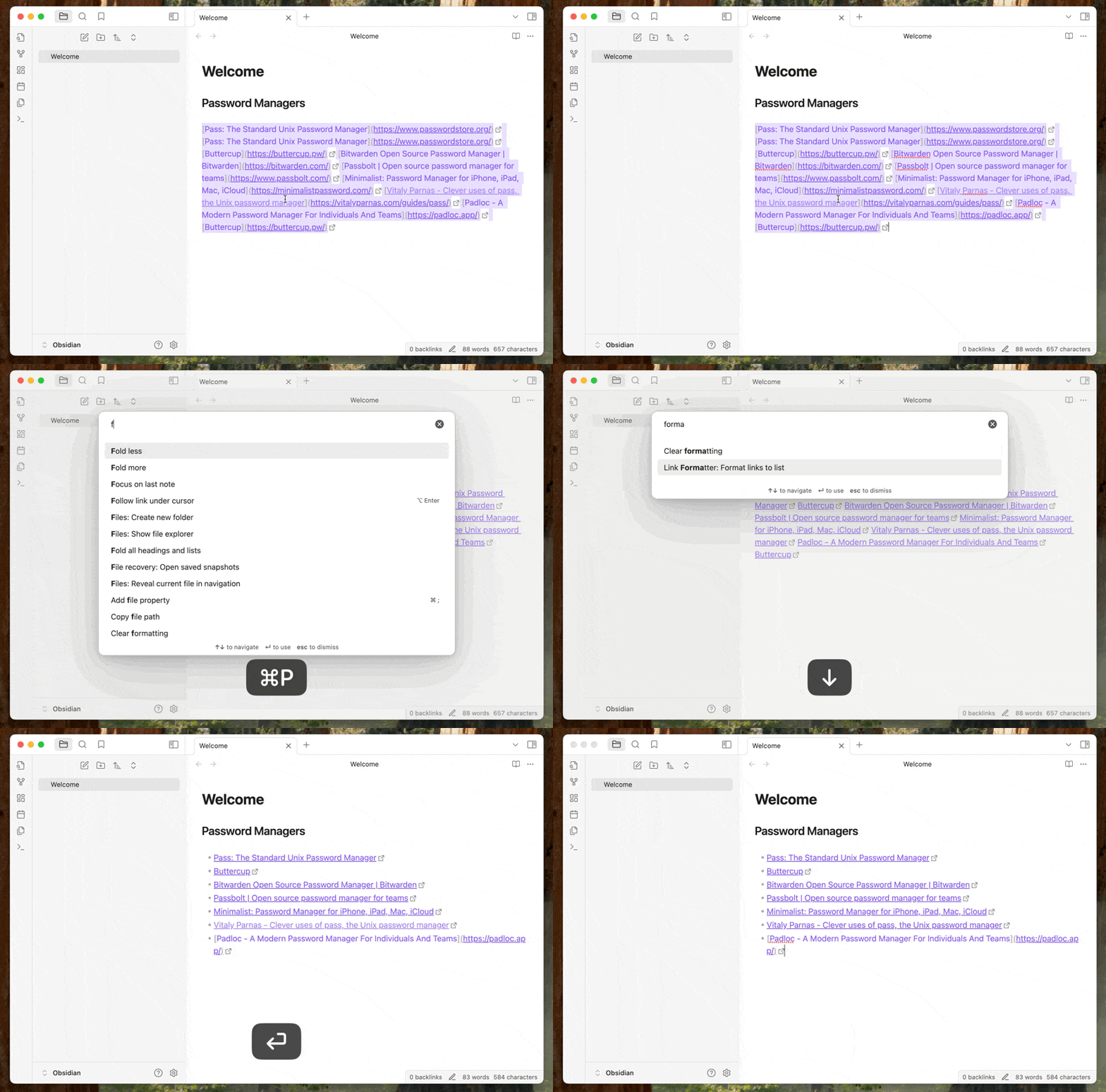
Formats a block of links into a clean markdown list in Obsidian.
Here I'm pasting links from Firefox bookmarks and formatting them.
Installing from Obsidian
- Enable Community Plugins in Obsidian settings.
- Click the Link Formatter plugin link.
- Or browse the Community Plugins list and search for "Link Formatter".
- Click "Install" to install the plugin.
- Enable the plugin in the Plugins settings.
Installing from BRAT
First install the BRAT plugin.
Then either from the BRAT settings page, or from the command palette, select "Add beta plugin". Paste the plugin URL https://github.com/dilantha/obsidian-link-formatter and then install.
How to use
Once installed select the links you want to format and search for Link Formatter: Format links to unordered list in the command pallet.
Once you select that the links will be formatted. You can also setup a hotkey for this command.
Development
This plugin uses a Makefile to streamline development tasks. Here are the available commands:
make install- Install dependencies using pnpmmake build- Build the projectmake test- Run testsmake dev- Run in development mode with auto-rebuildingmake clean- Clean build artifactsmake all- Run install, build, and test in sequence
For version management and releases:
make bump-major- Bump major version numbermake bump-minor- Bump minor version numbermake bump-patch- Bump patch version numbermake release- Release the current version (create git tag and push)
If you find this plugin useful, please consider donating to support me. Cheers!