Plotly

by Dmitriy Shulha
5
4
3
2
1
Score: 39/100

Description

Category: Data Visualization

The Plotly plugin allows users to embed interactive Plotly charts into Obsidian notes for data visualization. It supports creating static charts with YAML or JSON payloads directly within markdown blocks using a plotly block. Advanced users can leverage the DataViewJS block for JavaScript-based charts, enabling dynamic visualizations and integration with note data through the DataView API. This plugin is ideal for users who want to visualize data effectively while working within the Obsidian environment, offering flexibility for both static and dynamic charting needs.

Reviews

No reviews yet.

Stats

81
stars
9,907
downloads
3
forks
1,668
days
1,016
days
1,639
days
4
total PRs
0
open PRs
0
closed PRs
4
merged PRs
22
total issues
14
open issues
8
closed issues
0
commits

Latest Version

4 years ago

Changelog

Now user can create plot using DataViewJS block. This approach supports all examples from plotly.com.

README file from

Github

obsidian-plotly

Obsidian plugin, which allow user to embed Plotly charts into markdown notes.

Usage

Basic (using plotly block)

Use Command Palette (Ctrl-P) to add basic plotly template: Command example
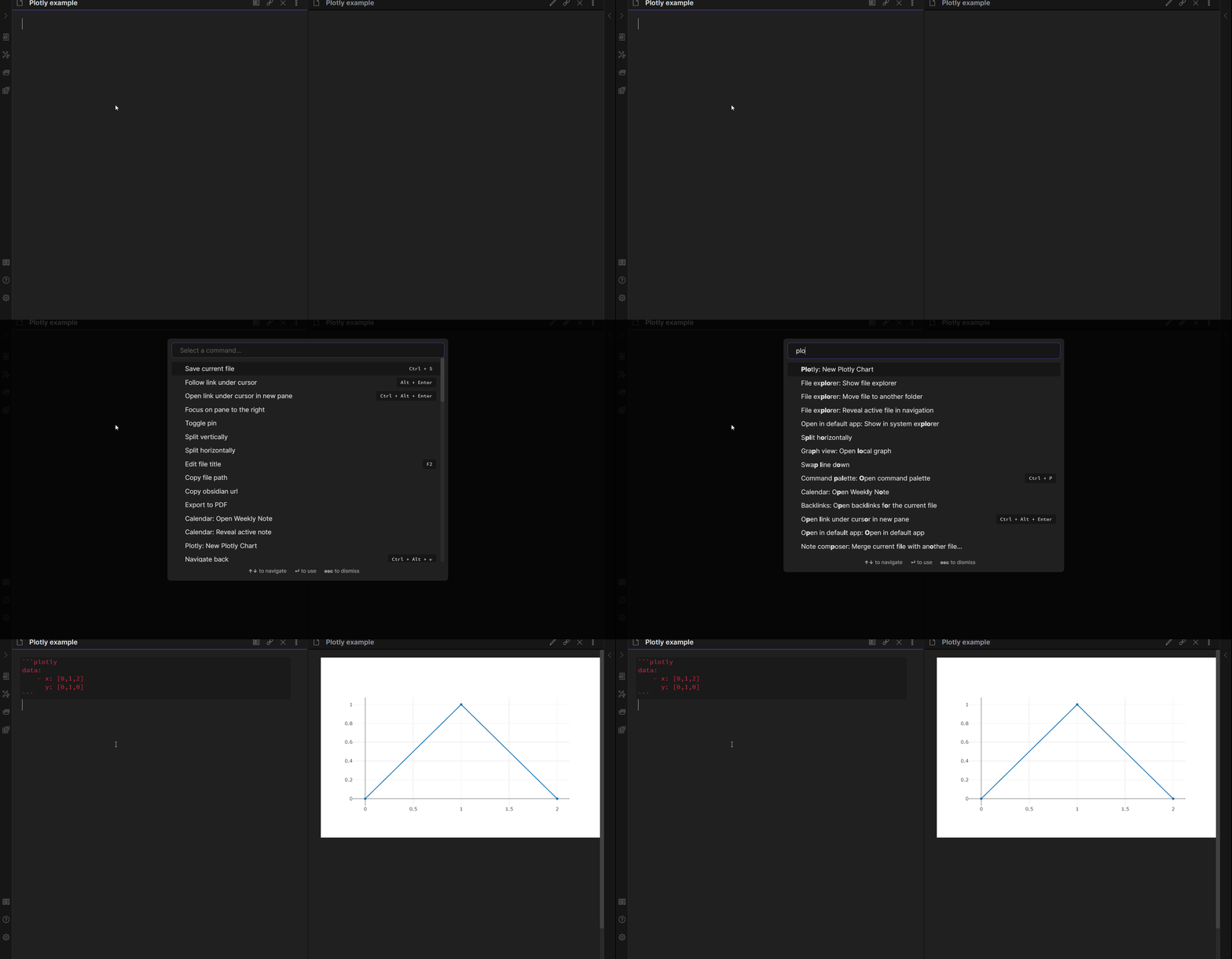
This approach allows you to create JSON or YAML inside plotly block with payload for data, layout and config objects. It does NOT support JavaScript examples from plotly.com site - it only support static payload forvarding to Plotly.newPlot function. For JavaScript support use Advanced approach with DataViewJS.

Basic example (those YAML and JSON result in identical plots):

    ```plotly
    data:
    	- x: [0,1,2]
    	  y: [0,1,0]
    ```
    ```plotly
    {
        "data": [{
            "x":[0, 1, 2],
            "y":[0, 1, 0]
        }]
    }
    ```

Advanced (using dataviewjs block)

Use Command Palette (Ctrl-P) to add plotly template: Command example
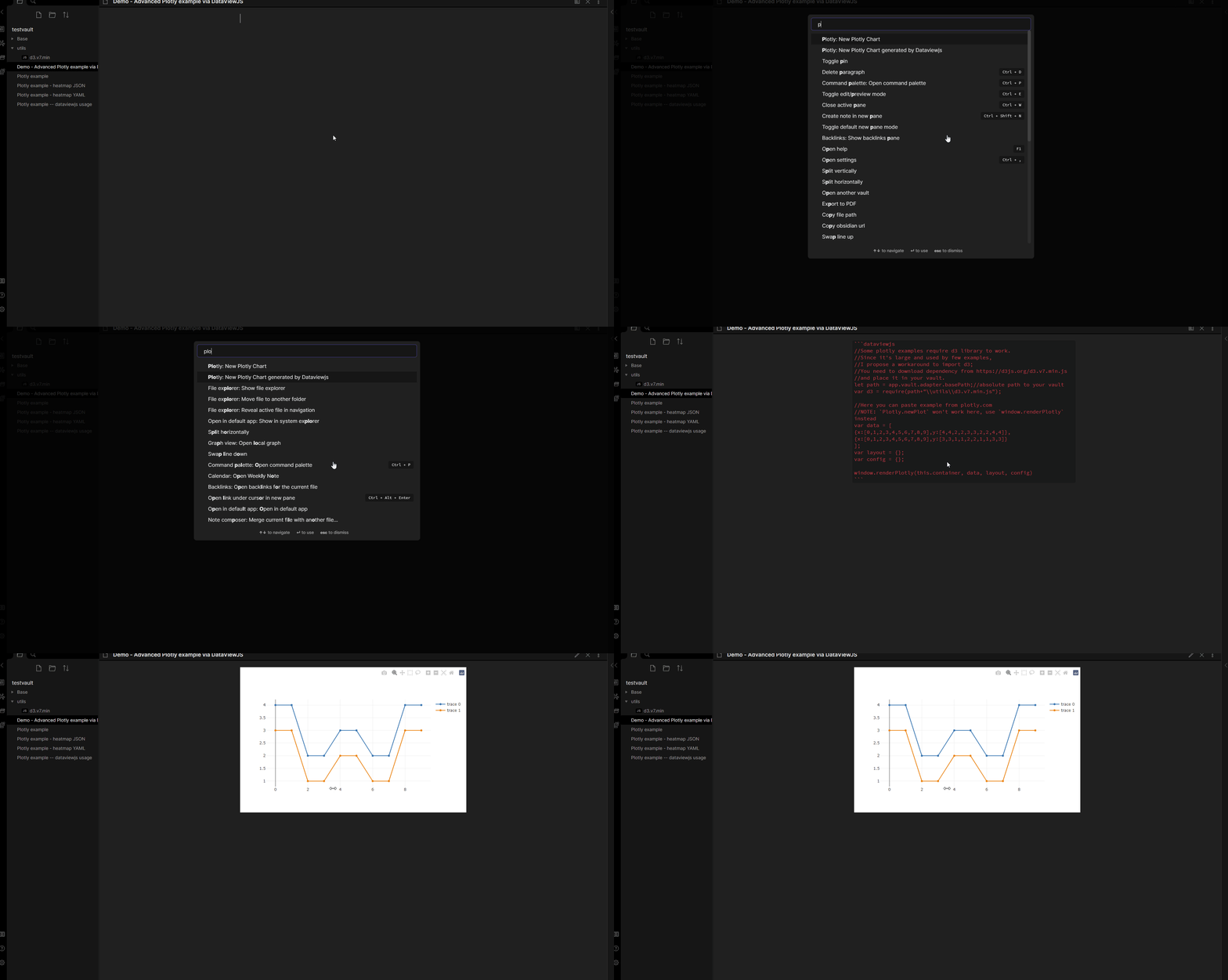
This approach DOES support any example from plotly.com. (I haven't checked them all, feel free to create issue if some aren't working). However, this approach require DataView plugin to process JavaScript. As a benefit, you can create plots based on data from you notes which you retrieve via DataView API! (By the way, this sounds similar to what obsidian-tracker plugin does).

To use it, just add DataviewJS block with Plotly command, copy desired example and paste it. NOTE: All examples use Plotly.newPlot(component, data, layout, config) to draw, and it takes some extra code to work in Obsidian. There is a wrapper function available as window.renderPlotly(this.component, data, layout, config), which will draw plot inside DataViewJS block. (Wrapper parameters should be same as in example).

A lot of examples are on Plotly official site.
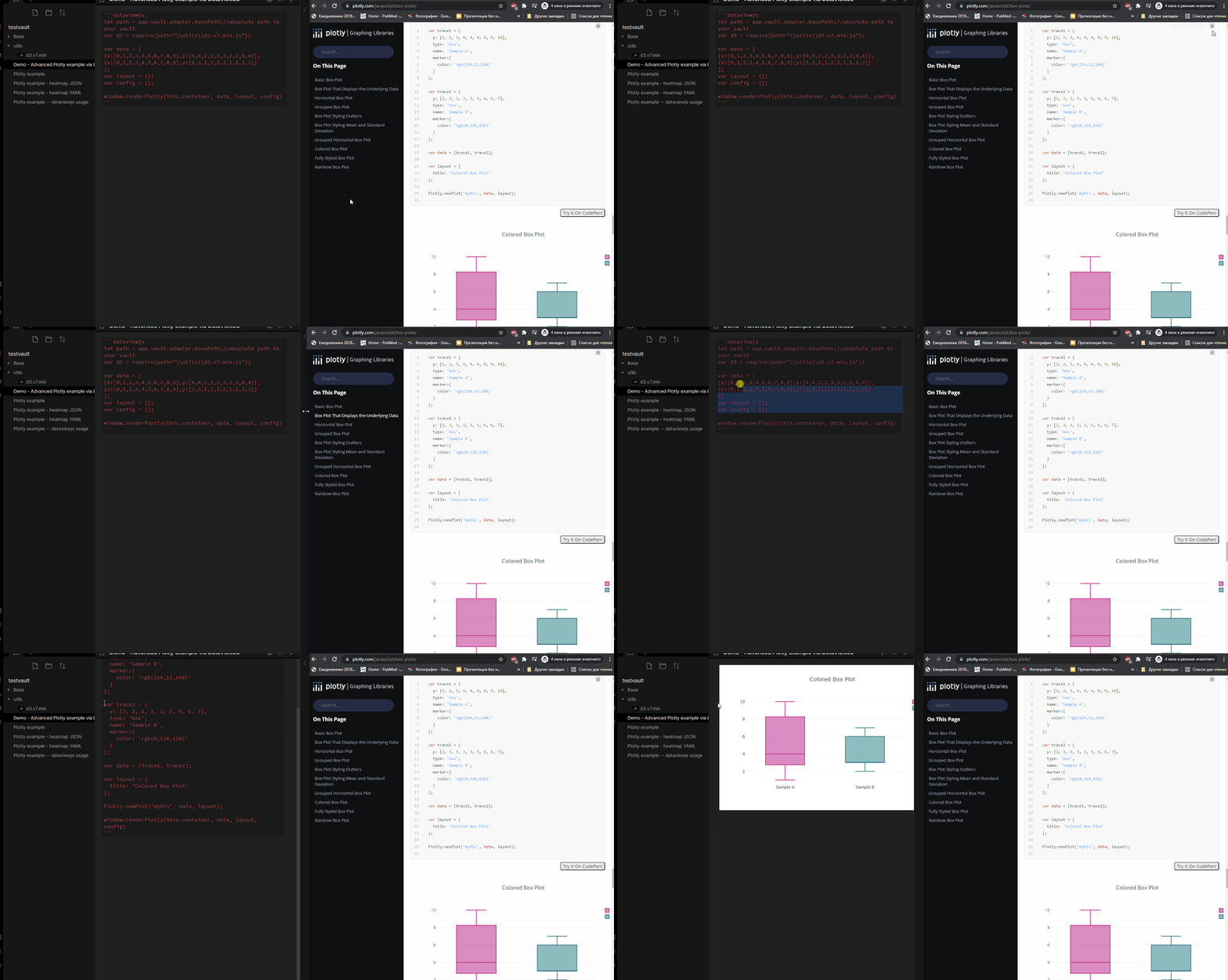
How to copy examples from plotly.com

NOTE: Some examples also require d3 library. This is large library and rarely needed. That's why I do not want to have it in plugin. If you need this library, there is a workaround: you can download d3 library from official site (Open link->Right click->Save as...), place it in your vault and import using require;

    ```dataviewjs
        //Some plotly examples require d3 library to work.
        //Since it's large and used by few examples,
        //I propose a workaround to import d3;
        //You need to download dependency from https://d3js.org/d3.v7.min.js
        //and place it in your vault.
        let path = app.vault.adapter.basePath;//absolute path to your vault
        var d3 = require(path+"\\utils\\d3.v7.min.js");

        //Replace this block with any example from plotly.com
        //NOTE: `Plotly.newPlot` won't work here, use `window.renderPlotly` instead
        var data = [
            {x:[0,1,2,3,4,5,6,7,8,9],y:[4,4,2,2,3,3,2,2,4,4]},
            {x:[0,1,2,3,4,5,6,7,8,9],y:[3,3,1,1,2,2,1,1,3,3]}
        ];
        var layout = {title:"Example in DataViewJS"};
        var config = {displaylogo:false};

        window.renderPlotly(this.container, data, layout, config)
    ```

Examples

Some more obsidian examples of this plugin here

More examples on Plotly official site.

Similar Plugins

info
• Similar plugins are suggested based on the common tags between the plugins.
April's Automatic Timelines
3 years ago by April Gras
Simple timeline generator plugin for story tellers using obsidian
Barcode Generator
2 years ago by noxonad
A barcode generator for obsidian.
Byte Field Diagrams
a year ago by natri0
Byte-field diagrams for Obsidian.
Charts
5 years ago by phibr0
Charts - Obsidian Plugin | Create editable, interactive and animated Charts in Obsidian via Chart.js
Charts View
5 years ago by caronchen
Data visualization solution in Obsidian, support plots and graphs.
Daily Note Metrics
a year ago by Andre-Diamond
Obsidian Plugin that parses Daily Notes and uses data to create charts
Datacore
8 months ago by Michael Brenan
Work-in-progress successor to Dataview with a focus on UX and speed.
echarts
4 years ago by windily-cloud && Cuman
Render echarts in obsidian,[Apache ECharts](https://echarts.apache.org/en/index.html) An Open Source JavaScript Visualization Library
Financial Doc
3 years ago by Studio Webux
Financial Documentation and Tracking using CSV format and Chart.js directly in Obsidian
Hill Charts
2 years ago by stufro
Add Hill Charts to your Obsidian notes.
QueryDash
a year ago by lwx
Reactive Notes
a year ago by Elias Noesis
Sankey
a year ago by Finn Romaneessen
An Obsidian plugin to create sankey diagrams
Siteswap
4 years ago by Tim Dresser
Size History
3 years ago by Piotr Borowski
Graph with vault size over time
SQLite DB
a year ago by Stefano Frigerio
SQLSeal Charts
a year ago by hypersphere
Charting extension for SQLSeal Obsidian Plugin. Visualise your data!
Timeline
5 years ago by George Butco
Obisdian.md plugin for creating timelines
TinyChart
2 years ago by Alin Coop
Dead simple ASCII charts for Obsidian.
Vega Visualizations
3 years ago by Justin Kim
Create Vega and Vega-Lite visualizations in https://obsidian.md/.
Workout Planner
4 months ago by Rares Spatariu