
README file from
Githubobsidian-temple

A plugin for templating in Obsidian, powered by Nunjucks.
Configuration
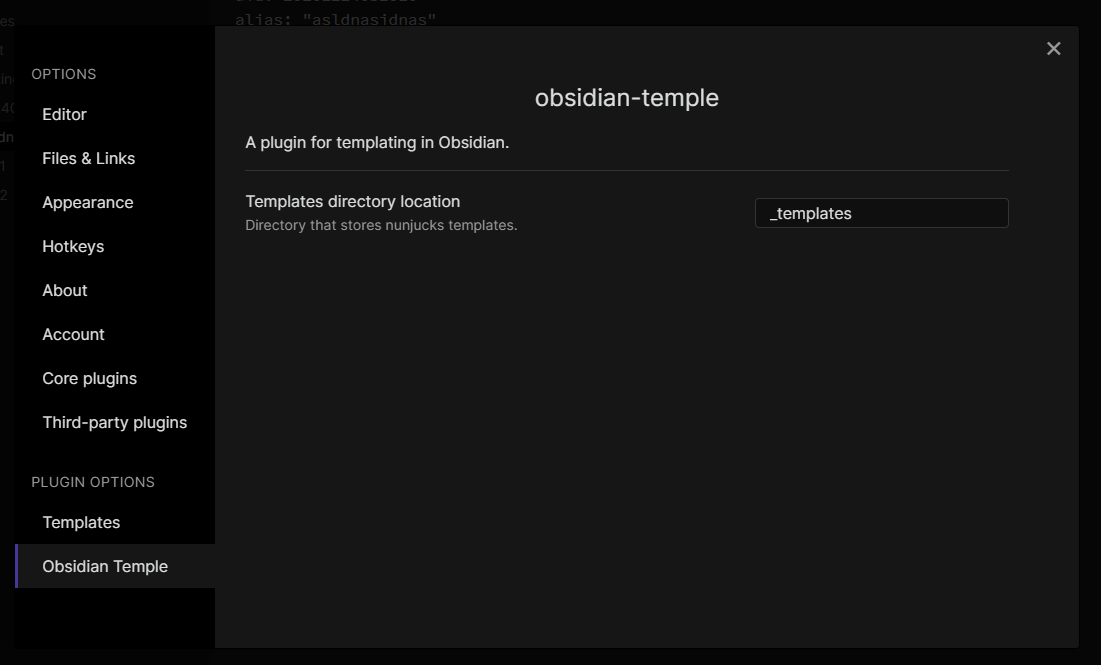
Set the directory that contains the templates to be used inside Settings:
Usages
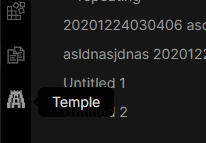
You can insert a new template by clicking on the button in the sidebar
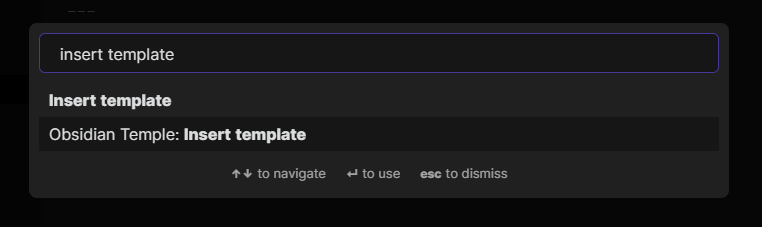
or via the Command Palette
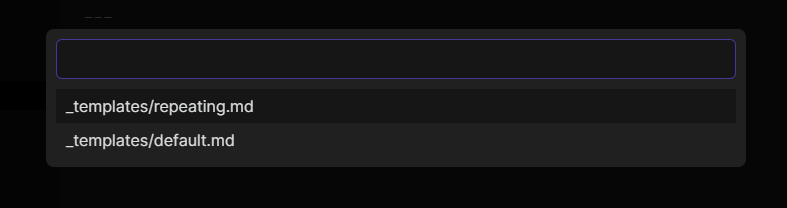
You will be prompted to choose a template if there are multiple defined
Templating
Since obsidian-temple uses nunjucks under-the-hood, you can use everything supported by nunjucks. Check the official Nunjucks documentation on how to write nunjucks template.
Example: Populating aliases based on filename with Zettelkasten ID
---
uid: "{{ zettel.uid }}"
aliases: ["{{ zettel.title }}"]
tags: []
---
If the filename is 20201224030406 title.md, then the output of the template will be:
---
uid: "20201224030406"
aliases: ["title"]
tags: []
---
It also works if you have the uid as a suffix in the filename, eg: title 20201224030406.md.
zettel is just one of the objects that are provided by obsidian-temple, see Providers for more.
Providers
obsidian-temple currently includes a few providers that can provide the context objects for nunjucks:
filezetteldatetimeclipboard
Check their respective documentation at PROVIDERS DOCUMENTATION. You can easily add more providers, see Adding new provider.
Adding new provider
You need to:
- create a new context class,
T - implements
ITempleProvider<T> - register the provider on load
For example, for the datetime provider:
- the context class is
DateTimeContext - the provider class is
DateTimeTempleProvider - the registration is at
main.ts
Alternatives
PROVIDERS DOCUMENTATION
This documentation is best viewed inside Obsidian, which can be generated by activating Command Palette > then select Obsidian Temple: Insert documentation of all providers.
file
Exposes Obsidian's internal TFile structure for templating.
Usages
path: {{ file.path }}
name: {{ file.name }}
basename: {{ file.basename }}
extension: {{ file.extension }}
outputs:
path: Untitled 20210103181939.md
name: Untitled 20210103181939.md
basename: Untitled 20210103181939
extension: md
datetime
Returns the current date and time as Luxon DateTime.
Usage
now: {{ datetime.now }}

day: {{ datetime.now.day }}
month: {{ datetime.now.month }}
year: {{ datetime.now.year }}

hour: {{ datetime.now.hour }}
minute: {{ datetime.now.minute }}
second: {{ datetime.now.second }}
outputs:
now: 2021-01-03T22:21:36.585+08:00

day: 3
month: 1
year: 2021

hour: 22
minute: 21
second: 36
Formatting with dateFormat filter
dateFormat uses Luxon under-the-hood for date formatting. For example:
now: {{ datetime.now | dateFormat("ffff") }}
outputs:
now: Sunday, January 3, 2021, 10:21 PM Singapore Standard Time
See Luxon's documentation for a complete list of formatting tokens that can be used.
Settings
You can override the default locale and timezone under Settings.
zettel
Extracts uid and title from notes that have the Zettelkasten ID.
Usages
Given a file named 20201224030406 title.md, the following template
uid: {{ zettel.uid }}
title: {{ zettel.title }}
outputs:
uid: 20201224030406
title: title.md
Works even if the uid is used as a suffix, eg. title 20201224030406.md.
Settings
You can override the extraction regex under Settings.
clipboard
Extracts data from your system clipboard. Uses sindresorhus/clipboardy.
Usages
text: {{ clipboard.text }}
outputs:
text: content