Prompt

by Hung-Su Nguyen
5
4
3
2
1
Score: 43/100

Description

Category: Note Enhancements

The Prompt plugin for Obsidian is a simple yet effective tool that can help spark creativity and productivity. This plugin displays a random text prompt from a file of your choice in your Obsidian vault, giving you a fresh idea or inspiration whenever you need it. With the ability to customize the file and prompts, you can tailor the experience to fit your writing style and goals. The plugin also offers multiple ways to access the prompt, including a sidebar button, command palette option, and hotkey assignment, making it easy to incorporate into your workflow.

Reviews

No reviews yet.

Stats

25
stars
5,546
downloads
2
forks
1,655
days
1,126
days
1,126
days
1
total PRs
0
open PRs
0
closed PRs
1
merged PRs
7
total issues
4
open issues
3
closed issues
0
commits

Latest Version

3 years ago

Changelog

Allow users to specify how long the prompt remains on screen using a slider, from 1 second to 30 seconds.

README file from

Github

Prompt for Obsidian

This plugin for Obsidian shows you a random text prompt, from a file in your vault, of your choice.
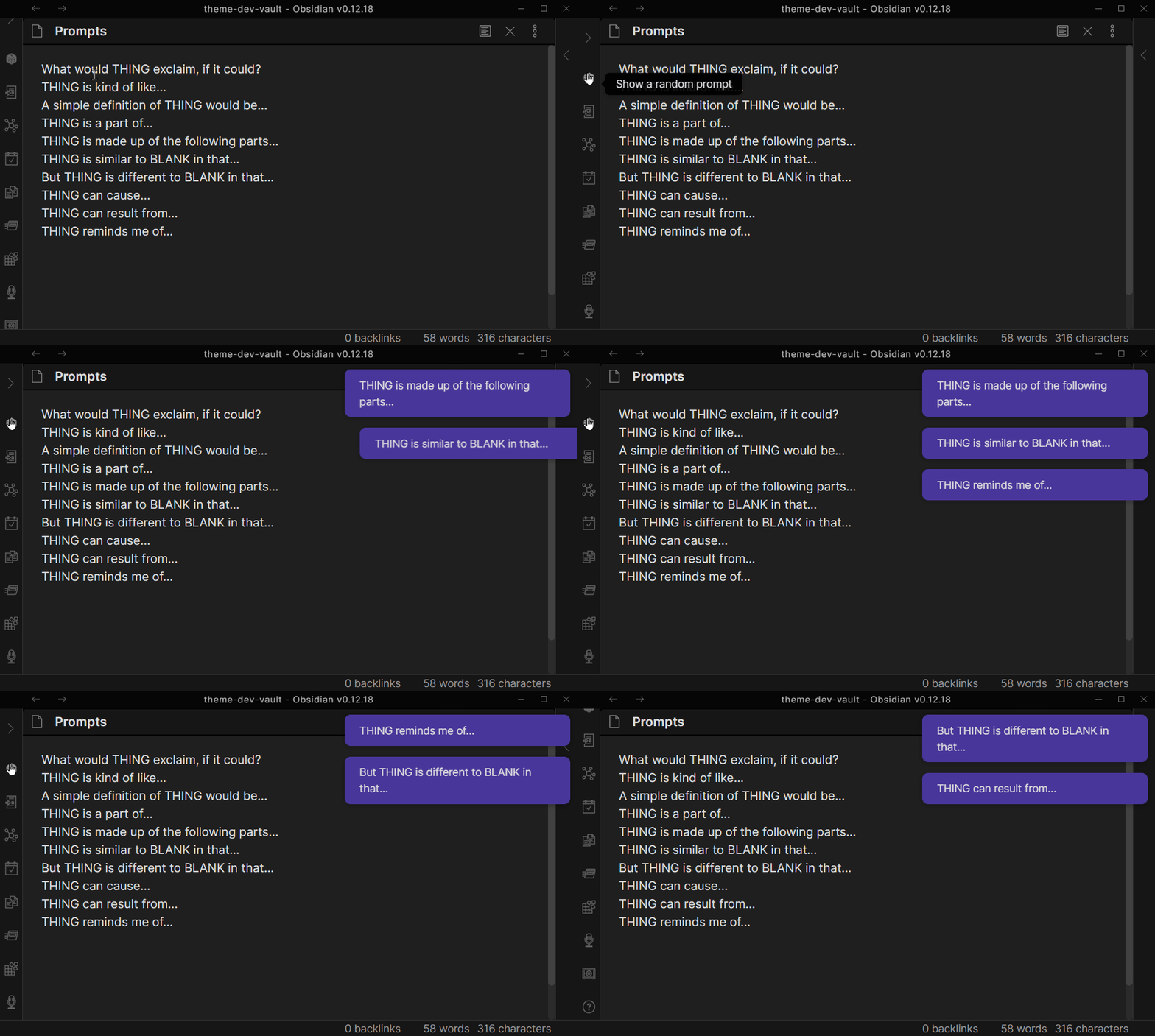
prompt in use with mouse

Setup

  • Create a file in your vault that will contain Prompts, if you do not have one already.
  • Add prompts to that file that you'd like to show yourself. A Prompt should be pure text, no markdown, and fit on a single line.
  • In Obsidian Settings, find Prompt. Choose the file you created.
  • In Obsidian, show yourself a prompt by either:
    • clicking the Sidebar button,
    • Opening Command Palette and choosing Show Random Prompt
    • Assigning a Hotkey to the Show Random Prompt

Similar Plugins

info
• Similar plugins are suggested based on the common tags between the plugins.