PromptCrafter

by Fabrice Hong
5
4
3
2
1
Score: 32/100

Description

Category: Note Enhancements

The PromptCrafter plugin is a great tool for Obsidian users who frequently work with language models and want to streamline prompt creation. It lets users create modular, reusable prompts directly within their Obsidian notes, using placeholders to pull in data from other parts of their vault. This is particularly useful for complex projects where different aspects, like project descriptions or brainstorming ideas, need to be incorporated into various prompts without redundancy. With PromptCrafter, you can set up customizable prompts by using simple pc code blocks and mustache-style placeholders, making it easy to build and reuse high-quality prompts efficiently. This plugin is ideal for anyone looking to manage LLM workflows in a structured, organized way right from their knowledge base.

Reviews

No reviews yet.

Stats

18
stars
676
downloads
2
forks
547
days
553
days
553
days
0
total PRs
0
open PRs
0
closed PRs
0
merged PRs
1
total issues
1
open issues
0
closed issues
6
commits

Latest Version

2 years ago

Changelog

fix after PR comments

README file from

Github

PromptCrafter for Obsidian

Writing effective prompts for language models can be challenging, especially when your prompts include data that is reusable, like project details or key facts. For example, you might have a note with a project's key specifications that can be easily pulled into different prompts without rewriting. This helps structure your prompts in a more meaningful and consistent way.

To address this need, PromptCrafter allows you to create modular, reusable prompts directly within your Obsidian notes, making it easy to repurpose your knowledge for multiple scenarios without starting from scratch. By connecting different pieces of your knowledge base, you can easily generate prompts that draw on existing information, making your workflow more efficient and your knowledge more organized.

This turns your Obsidian vault into a powerful tool for managing and creating high-quality prompts for LLMs.

How it works

  1. Create a prompt using a pc code block and parameterize it with {{mustache placeholders}}.
  2. Define the value of the placeholders in your frontmatter section. These can be either static values or links within your Obsidian vault.
  3. Copy the resolved pc block and paste it into ChatGPT or another LLM.
  • If you put an [[Obsidian link]] as value of the variables in frontmatter section, the content of the linked note will be resolved.
  • You can target a specific section in your file by using #. Example: [[my file#header1]].
  • If the resolved content is another pc block, this new pc block is resolved again using the frontmatter of the host note.

Video
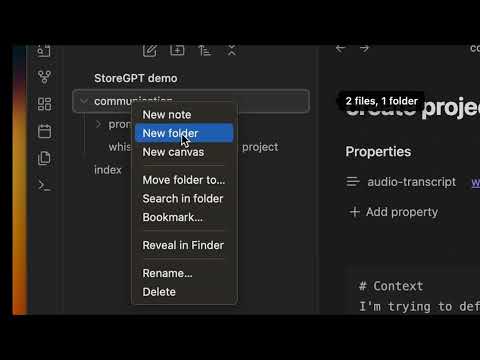
PromptCrafter demo

Examples

Step 1:

---

audio-transcript: [[project-x/my-whisper-transcript]]

---

# Context
I'm trying to define the essence of my project. I did it by recording a 15 min audio of myself.

# Your task
Transform my AudioTranscript into a structured documentation and produce a markdown document using the following structure: context, problematic, solution, main features.

# AudioTranscript
{{audio-transcript}}

Then enrich your Obsidian Vault with the new documentation project description.md.

Step 2:

---

project-description: [[project-x/project description]] cool-names: [[project-x/brainstormings#best names]]

---

# Context
I'm looking for a name for my project.

## Project description
{{project-description}}

# Your task
Your brainstorm 5 project name proposition, I give you quick feedback for your next propositions, we reiterate in an infinite loop. Inspire your propositions on the ProjectNameIdeas that I've liked so far.

# ProjectNameIdas
{{cool-names}}

Then enrich your "best-names.md" files in order to refine your brainstorming for later use.

Continue iterating on your project for:

  • Communications based on project description
    • metaphor research
    • linkedin posts
    • pitches
  • Specifications based on project description
    • feature descriptions / stories
    • use cases brainstorming
  • Programming based on project description and feature descriptions
    • generate code for a specific feature
    • discuss solution designs

PromptCrafter's approach to LLM usage

  • Avoid repeating yourself when prompting: Same project, same LLM resources. Keep your LLM assets in a versionable project repository and share them with your team.
  • Future-Proof Knowledge: Adopt an approach to using LLMs that emphasizes creating structured knowledge and prompts for your projects. Importantly, store this information in an open, sustainable format that will be compatible with any future AI systems.
  • Simplify prompt design: Utilize placeholders to make the structure of your prompts clutter-free, readable, and reusable.
  • Controlled Context for Better Performance: Gain precise control over the information you introduce into your LLM context to optimize performance. Automatic methods like Retrieval-Augmented Generation don’t offer the necessary control to fully harness your LLM’s potential.

Similar Plugins

info
• Similar plugins are suggested based on the common tags between the plugins.
Text Dataset Aid Plugin
3 years ago by Conner Ohnesorge
This is a obsidian plugin to help with the creation of personal jsonl datasets for text generation models.
GPT-3 Notes
3 years ago by micahke
An Obsidian plugin to generate notes based on GP3 output.
Flashcards LLM
3 years ago by Marco Pampaloni
Use Large Language Models (such as ChatGPT) to automatically generate flashcards from obsidian notes
BMO Chatbot
3 years ago by Longy2k
Generate and brainstorm ideas while creating your notes using Large Language Models (LLMs) from Ollama, LM Studio, Anthropic, Google Gemini, Mistral AI, OpenAI, and more for Obsidian.
AI Editor
3 years ago by Zekun Shen
Cannoli
3 years ago by blindmansion
Cannoli allows you to build and run no-code LLM scripts using the Obsidian Canvas editor.
Ollama Chat
2 years ago by Brumik
A plugin for chatting with you obsidian notes trough local Ollama LLM instead of Chat GTP.
Daily Prompt
2 years ago by Erl-koenig
Local LLM Helper
2 years ago by Mani Mohan
An Obsidian plugin to process text, chat with AI, and semantically search your notes — works with any OpenAI-compatible LLM server (Ollama, LM Studio, vLLM, and more).
Simple Prompt
2 years ago by David Zachariae
Simple Prompt Plugin is a plugin for Obsidian that allows you generate content in your notes using LLMs.
Caret
2 years ago by Jake Colling
Caret, an Obsidian Plugin
Prompt
5 years ago by Hung-Su Nguyen
Obsidian plugin to show text prompts, for a quick kick of writing inspiration!
LLM Summary
2 years ago by QSun
wip
Three Noun Prompts
a year ago by jamespeachh
Use TOPT algorithm to get daily writing prompts!
LLM workspace
a year ago by Olivér Falvai
LLM Tagger
a year ago by David Jayatillake
LLM Test Generator
a year ago by Aldo E George
Large Language Models
a year ago by eharris128, r-mahoney, & jsmorabito
The LLM plugin gives Obsidian users access to local and web-based, large language models via several chat interfaces: modal, widget, FAB window, and commands.
Pure Chat LLM
a year ago by Justice Vellacott
Turn notes into conversations with chatGPT or better yet Ollama
LLM docs
a year ago by Shane Lamb
Chat with LLM in regular markdown files in Obsidian
Similar Notes
10 months ago by Young Lee
LLM Shortcut
9 months ago by Viktor Chernodub
A plugin for Obsidian that provides a way to create shortcuts for commands powered by LLM capabilities.
Canvas LLM
7 months ago by Mike Farlenkov
A canvas-like UI to talk with LLMs in Obsidian.
Steward
6 months ago by Dang Nguyen
A vault-specific agent equipped with agentic capacity, fast search, flexible commands, vault management, and terminals to "jump" into other CLI agents, such as Claude, Gemini, etc.
YOLO
4 months ago by Lapis0x0
Smart, snappy, and multilingual AI assistant for your vault.
Smart Export
2 months ago by Iván Sotillo
Plugin that follows wikilinks to a configurable depth, joining the notes into a single export.