
README file from
GithubSimple Colored Folder
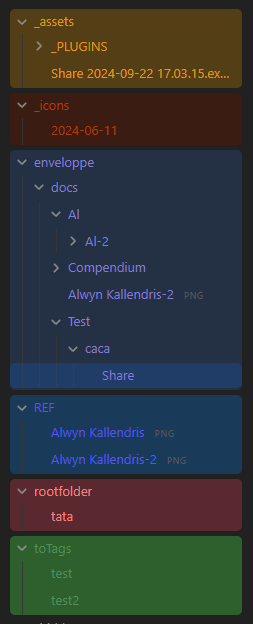
Automagically add color to roots folders, and customize them with Style Settings.
📦 Features
- Automatically applies variables & colors to root-level folders in your vault
- Customizable colors for each folder through style settings
- Custom styling options through template
- Folder style changes update in real-time
- Supports both light & dark themes
- Support for renaming folder while keeping styling
[!warning] This plugin requires the Style Settings plugin to customize folder colors. You'll see a warning if Style Settings isn't installed.
⚙️ Usage
- Install the plugin
- Make sure you also have the Style Settings installed & enabled.
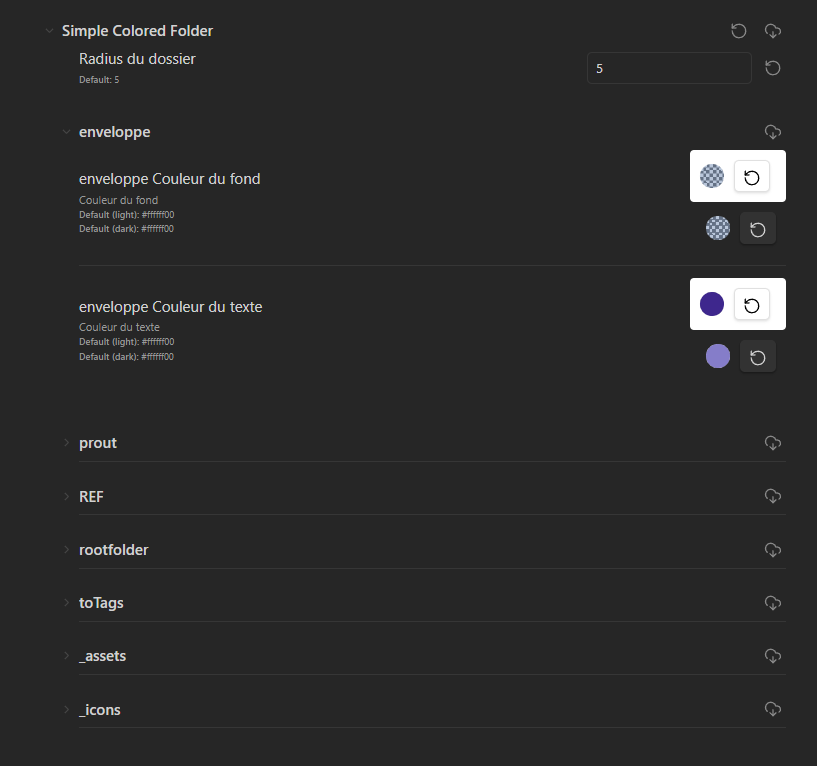
- Access Style settings to customize your folder color.
- Under the "Simple Colored folder" section, you can change colors for each root folder.
🎨 Configuration
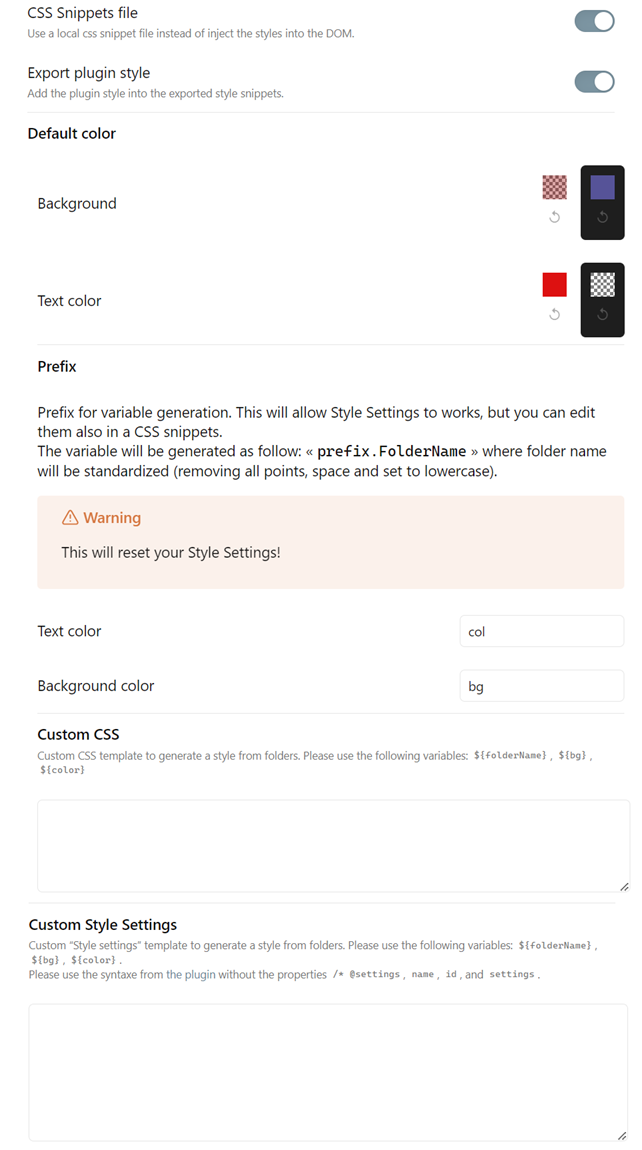
In the plugin settings, you can customize :
- Export to a css snippets (instead of inject into the DOM)1
- Default colors (when creating new folders)
- Folder name prefix for CSS variable
- Custom CSS and Style Settings templates
[!NOTE] You can see some example of css template here
📥 Installation
- From Obsidian's community plugins
- Using BRAT with
https://github.com/Mara-Li/obsidian-simple-colored-folder - From the release page:
- Download the latest release
- Unzip
simple-colored-folder.zipin.obsidian/plugins/path - In Obsidian settings, reload the plugin
- Enable the plugin
🎼 Languages
- English
- French
To add a translation:
- Fork the repository
- Add the translation in the
src/i18n/localesfolder with the name of the language (ex:fr.json).- You can get your locale language from Obsidian using obsidian translation or using the commands (in templater for example) :
<% tp.obsidian.moment.locale() %> - Copy the content of the
en.jsonfile in the new file - Translate the content
- You can get your locale language from Obsidian using obsidian translation or using the commands (in templater for example) :
- Edit
i18n/i18next.ts:- Add
import * as <lang> from "./locales/<lang>.json"; - Edit the
ressourcepart with adding :<lang> : {translation: <lang>}
- Add
Footnotes
-
Some styles can be broken while disabling the plugin, as it injects the folder path into
tree-item.nav-folderto improve performance, instead to use:has. ↩