Source Mode Styling

by Chris Howard
5
4
3
2
1
Score: 50/100

Description

Category: Customization & UI

The Source Mode Styling plugin transforms source mode into a genuine raw text editor with monospace fonts and customizable styling options. It creates clear visual separation from Live Preview by applying developer friendly aesthetics. The plugin automatically detects monospace fonts installed on your system (Source Code Pro, Fira Code, JetBrains Mono, etc.) and lets you control font weight, size, color, line height and background.

Reviews

No reviews yet.

Stats

13
stars
589
downloads
0
forks
88
days
105
days
105
days
0
total PRs
0
open PRs
0
closed PRs
0
merged PRs
0
total issues
0
open issues
0
closed issues
0
commits

Latest Version

4 months ago

Changelog

[0.2.31]

  • bump version to fix release mismatch

Full Changelog: https://github.com/chrishoward-projects/sourcemode-styling/compare/0.2.30...0.2.31

README file from

Github

Source Mode Styling

Differentiate your Obsidian source mode from Live Preview edit mode with a raw text like aesthetic using customizable monospace fonts and styling options.

Overview

Source Mode Styling enhances Obsidian's source mode editor by applying monospace fonts and customizable styling that's familiar to developers and text editor users. While Obsidian's default source mode shows markdown syntax but retains most visual formatting, this plugin gives you an authentic "raw" editing experience providing greater differentiation with the Live Preview editor mode.

Key Benefits:

  • Full control over source mode appearance
  • Monospace font detection - automatically finds available fonts on your system
  • Real-time preview - changes apply instantly
  • Theme-aware - respects your theme's colours when desired
  • Cross-platform - works on desktop and mobile

Installation

  1. Open Obsidian Settings
  2. Go to Community plugins and disable Safe mode
  3. Click Browse and search for "Source Mode Styling"
  4. Install and enable the plugin

Manual Installation

  1. Download the latest release from GitHub Releases
  2. Extract the files to your vault's .obsidian/plugins/sourcemode-styling/ directory
  3. Reload Obsidian or restart the application
  4. Enable the plugin in Settings → Community plugins

Usage

Quick Start

  1. Open any markdown file in source mode
  2. Go to Settings → Community plugins → Source Mode Styling
  3. Customize your font and styling preferences

Configuration Options

Setting Description Options
Monospace font Choose your preferred coding font Auto-detected system fonts + theme default
Font weight Control text thickness Normal, Light, Semi-bold, Custom (100-900)
Font size Adjust text size for readability Custom or theme default
Font colour Set font custom colour Custom colour picker or theme default.
Line height Adjust vertical spacing Custom or theme default
Heading colour Set custom headings colour. Custom colour picker or theme default
Background colour Set editor background Custom colour picker or theme default

Font Detection

The plugin automatically detects monospace fonts installed on your system, including popular options like:

  • Source Code Pro
  • Fira Code
  • JetBrains Mono
  • Consolas
  • Monaco
  • And many more...

Examples

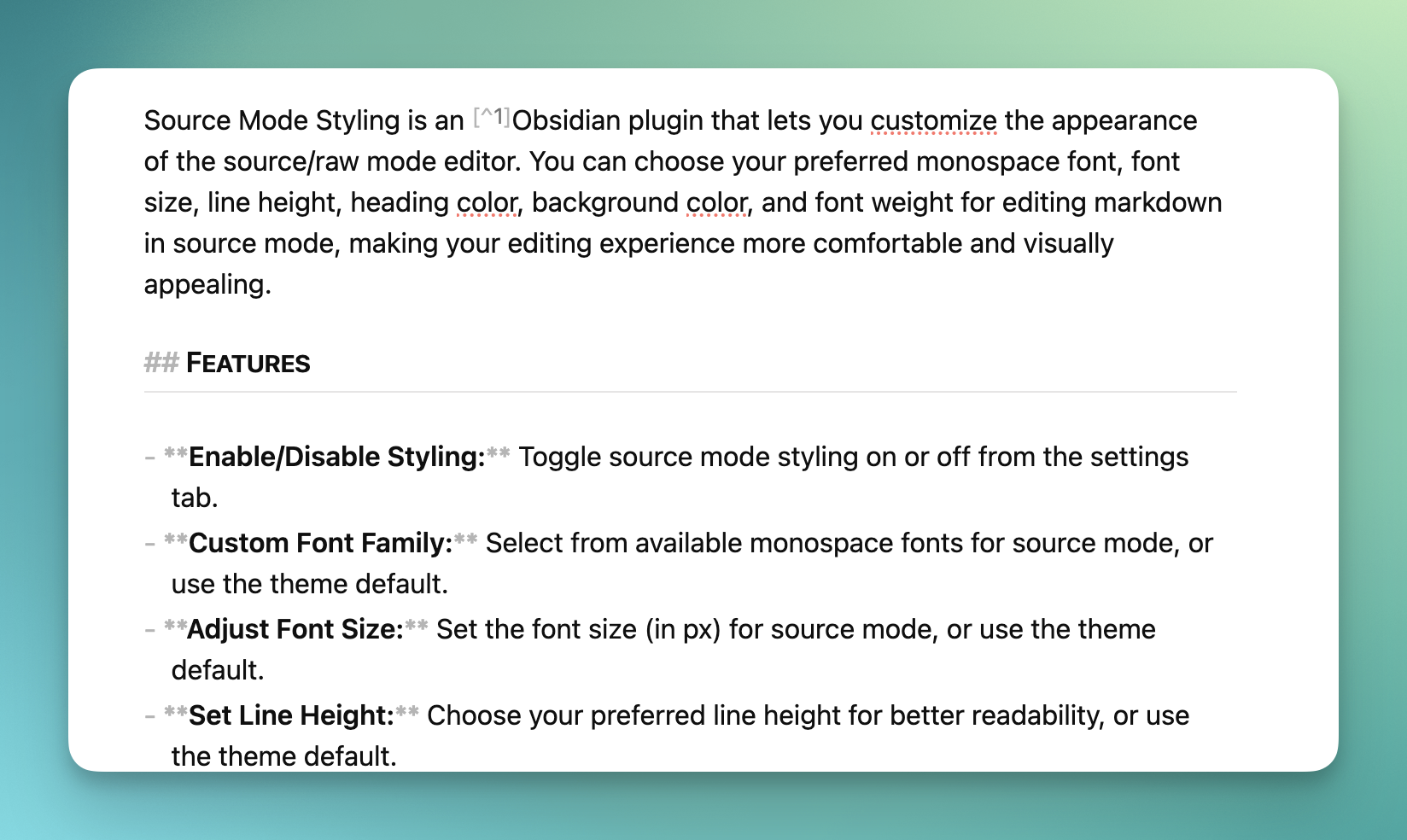
Obsidian Live Preview mode Obsidian Live Preview
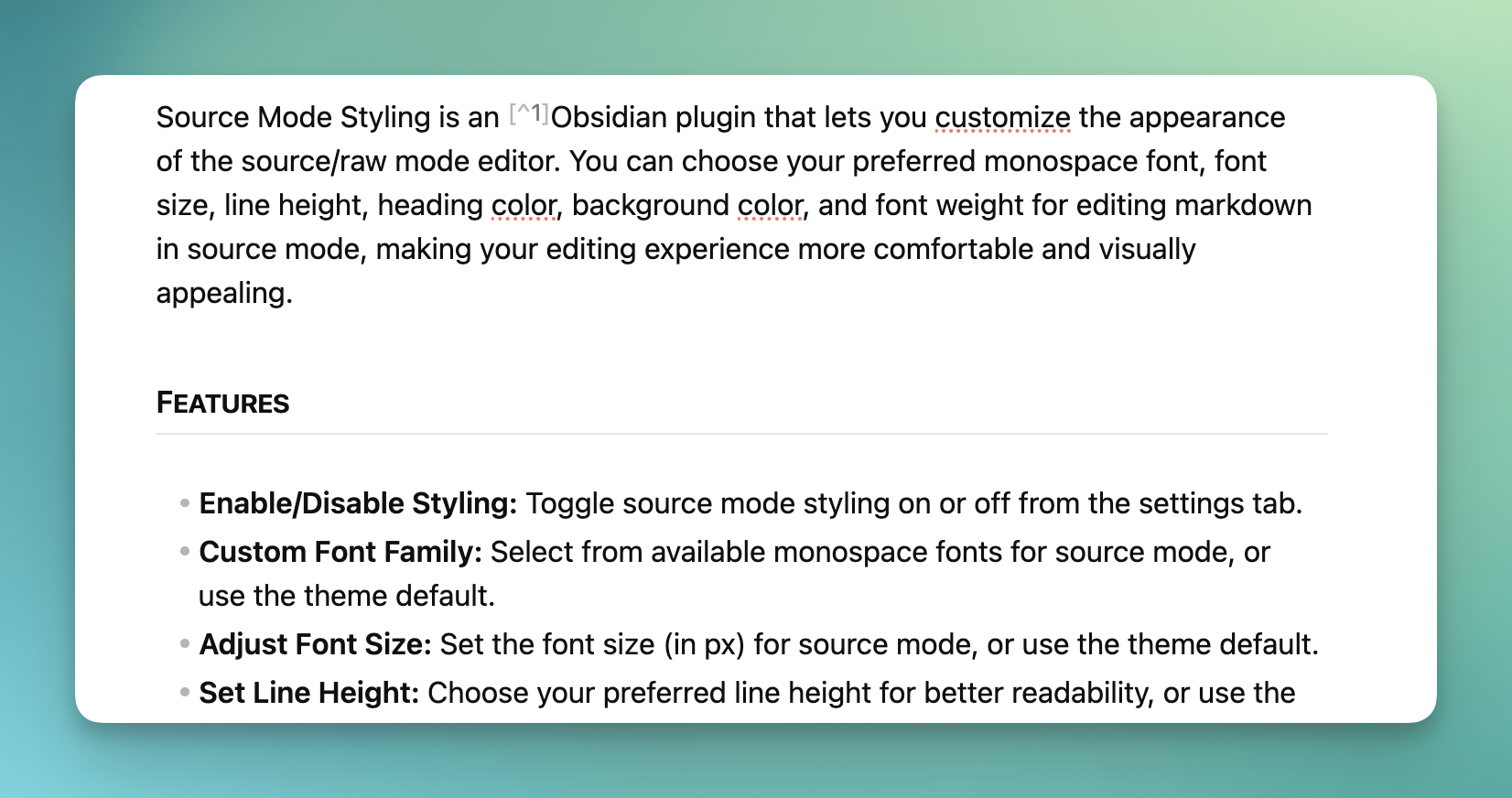
Before vs After

Default Obsidian Source Mode:

  • Displays formatting syntax with theme styling
  • Minimal visual differentiation from Live Preview mode
  • Variable-width fonts
  • Theme-dependent appearance

1.00

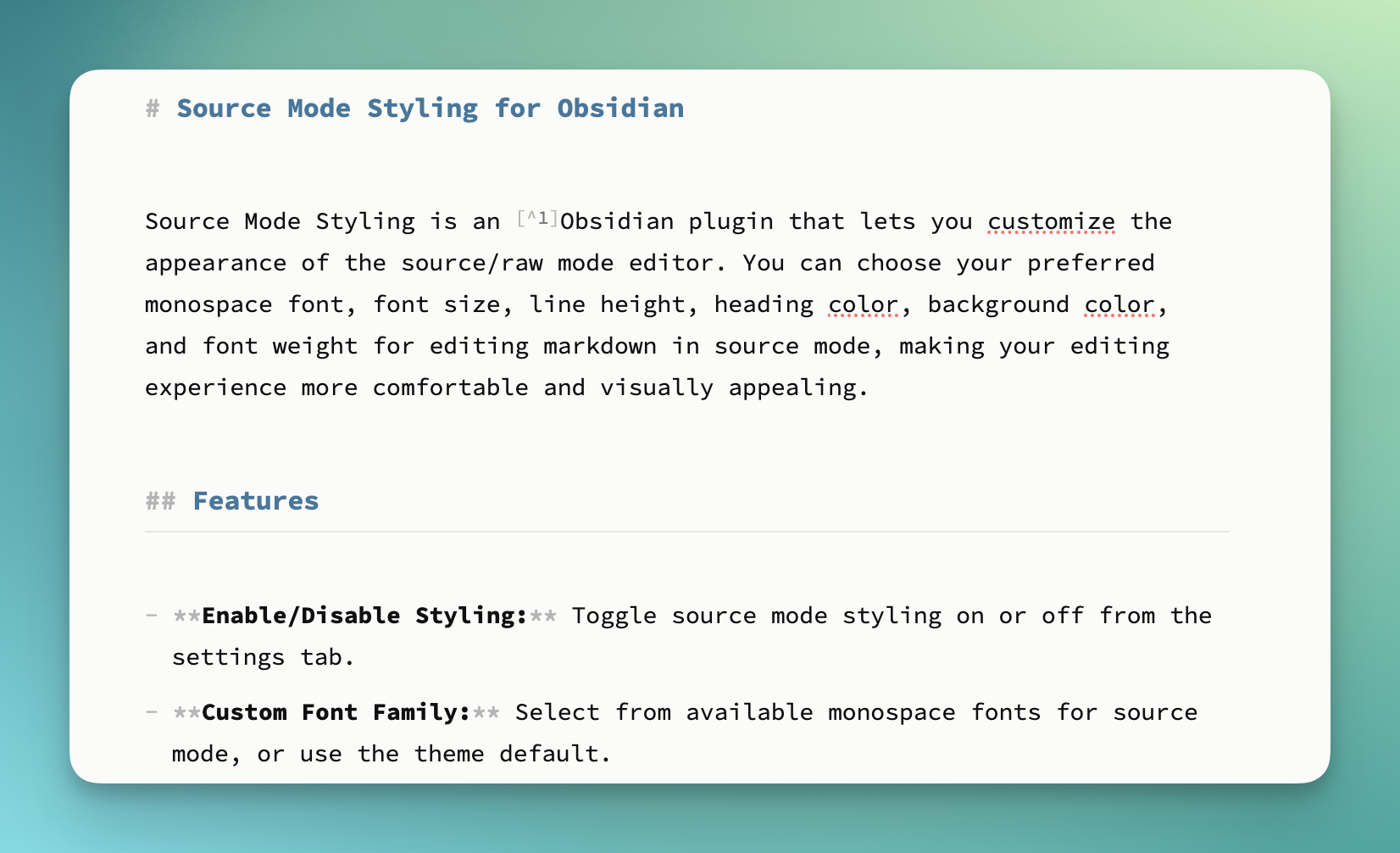
With Source Mode Styling:

  • Clean, monospace text rendering
  • Uses theme colours and styling
  • Customizable colours and sizing
  • True "raw" editor look and feel
  • Clear differentiation from Live Preview editing
1.00

Advanced Usage

Theme Integration

The plugin works seamlessly with Obsidian themes:

  • Use "Theme default" options to maintain theme consistency
  • Override specific elements (fonts, colours) while keeping theme aesthetics
  • Custom settings persist across theme changes

CSS Customization

For advanced users, the plugin adds a class .source-mode-raw and generates CSS that can be further customized:

/* All text */
.source-mode-raw .markdown-source-view.mod-cm6 .cm-scroller {
   /* Your styles */
}

/* Headings */
.source-mode-raw .markdown-source-view.mod-cm6 .cm-header {
  /* Your styles */
}

Compatibility

  • Obsidian Version: 1.9.14+
  • Platforms: Windows, macOS, Linux, iOS, Android
  • Themes: Compatible with all Obsidian themes
  • Other Plugins: No known conflicts

Troubleshooting

Font Not Appearing?

  • Ensure the font is properly installed on your system
  • Try refreshing the plugin settings
  • Check if the font supports monospace character spacing

Settings Not Applying?

  • Make sure you're in source mode (not live preview)
  • Try toggling the plugin off and on
  • Restart Obsidian if issues persist

Mobile Issues?

  • Font selection is limited to system fonts on mobile
  • Some advanced features may not be available on mobile platforms

Contributing

Contributions are welcome! Please see our development documentation for setup instructions.

Development Setup

  1. Clone the repository
  2. Run npm install to install dependencies
  3. Run npm run dev for development with hot reload
  4. Run npm run build to build for production

Changelog

See CHANGELOG.md for version history and release notes.

Requirements

  • Minimumum verified on Obsidian 1.9.x

License

MIT License © Chris Howard 2025

Buy me a coffee

Similar Plugins

info
• Similar plugins are suggested based on the common tags between the plugins.
Admonition
5 years ago by Jeremy Valentine
Adds admonition block-styled content to Obsidian.md
Asciidoctor editor
2 years ago by dzruyk
Obsidian asciidoc editor plugin
Auto Split
4 years ago by James Sartelle
Open notes with side-by-side editor & preview
Base Tag Renderer
3 years ago by Darren Kuro
A lightweight obsidian plugin to render the basename of tags in preview mode.
Better Word Count
6 years ago by Luke Leppan
Counts the words of selected text in the editor.
Checkbox styling helper
2 years ago by JaewonE
Helps you styling checkboxes in preview mode.
Code Styler
3 years ago by Mayuran Visakan
A plugin for Obsidian.md for styling codeblocks and inline code
Contextual Typography
5 years ago by mgmeyers
CookLang Editor
4 years ago by death_au/cooklang
Edit and display Cooklang recipes in Obsidian
CSS Inserter
2 years ago by Erika Gozar
Inserts user-defined css snippets into the selected text.
css snippets
5 years ago by Daniel Brandenburg
Obsidian plugin for css snippets
Custom Classes
3 years ago by Lila Rest
A minimal Obsidian plugin that allows you to add your own HTML classes to chosen Markdown elements directly from your notes.
Custom Font Loader
3 years ago by Amir Pourmand
A plugin to set custom font for obsidian
Custom Frames
4 years ago by Ellpeck
An Obsidian plugin that turns web apps into panes using iframes with custom styling. Also comes with presets for Google Keep, Todoist and more.
Daily Notes Editor
3 years ago by boninall
A plugin for you to edit a bunch of daily notes in one page(inline), which works similar to Roam Research's default daily note view.
Easy Fonts
a year ago by Jose Elias Alvarez
Easily load custom fonts, even on mobile.
Editor Autofocus
2 years ago by Mgussekloo
Emoji Toolbar
5 years ago by oliveryh
An Obsidian plugin to quickly add emojis into your notes
Font Size Adjuster
2 years ago by Ryota Ushio
An Obsidian.md plugin to adjust font size via commands.
Fontsource
2 years ago by Ayuhito
A plugin to load custom fonts from Fontsource into Obsidian.
Formatto
2 years ago by Deca
Simple, fast, and easy-to-use Obsidian Markdown formatter.
Frontmatter to HTML Attributes
2 months ago by Tarek Saier
Makes YAML frontmatter available as data-* attributes in HTML, enabling metadata based CSS styling.
Hover Editor
4 years ago by NothingIsLost
Transform the Page Preview hover into a working editor instance
Image in Editor
5 years ago by Ozan Tellioglu
This Obsidian plugin to view Images, Transclusions, iFrames and PDF Files within the Editor without a necessity to switch to Preview.
Kill and Yank
3 years ago by INOUE Takuya
Obsidian plugin to enable kill and yank in editor
Markdown Tags
a year ago by John Smith III
Enhance your Markdown documents with custom tags. Use predefined or custom labels, customizable colors, and arrow indicators to visually track tasks and statuses.
MathLive in Editor Mode
2 years ago by MizarZh
MathLive input in editor mode.
Min3ditorHotkeys
5 years ago by Davor Sauer
Obsidian plugin adding minimal editor hotkeys
Minimal Theme Settings
5 years ago by @kepano
Settings plugin to control colors and fonts in Minimal Theme
Mode manager
a year ago by dk949
Better management of reading/editing modes in obsidian
Negative Heading
2 months ago by Ashan Devine
Render Discord-style "-#" lines as compact headings in reading view and the editor.
NerdFont Icon Picker
a year ago by Xaver Wenhart
a simple nerdfont icon picker for obsidian
Obsidian Stylist
3 years ago by ixth
Obsidian plugin that allows to add classes and styles on markdown blocks
Relative Line Numbers
5 years ago by Nadav Spiegelman
Reset Font Size
5 years ago by luckman212
Plugin for Obsidian that adds shortcuts for resetting the font size (zoom level).
Sheets Extended
3 years ago by NicoNekoru
Plugin that adds features to tables in obsidian including merging, vertical headers, and custom css
Tailwind Snippet
2 years ago by Nicholas Wilcox
An Obsidian plugin that enables usage of Tailwind CSS.
Typewriter Scroll
5 years ago by death_au
Typewriter Scroll Obsidian Plugin