DataCards

by Sophokles187
5
4
3
2
1
Score: 49/100

Description

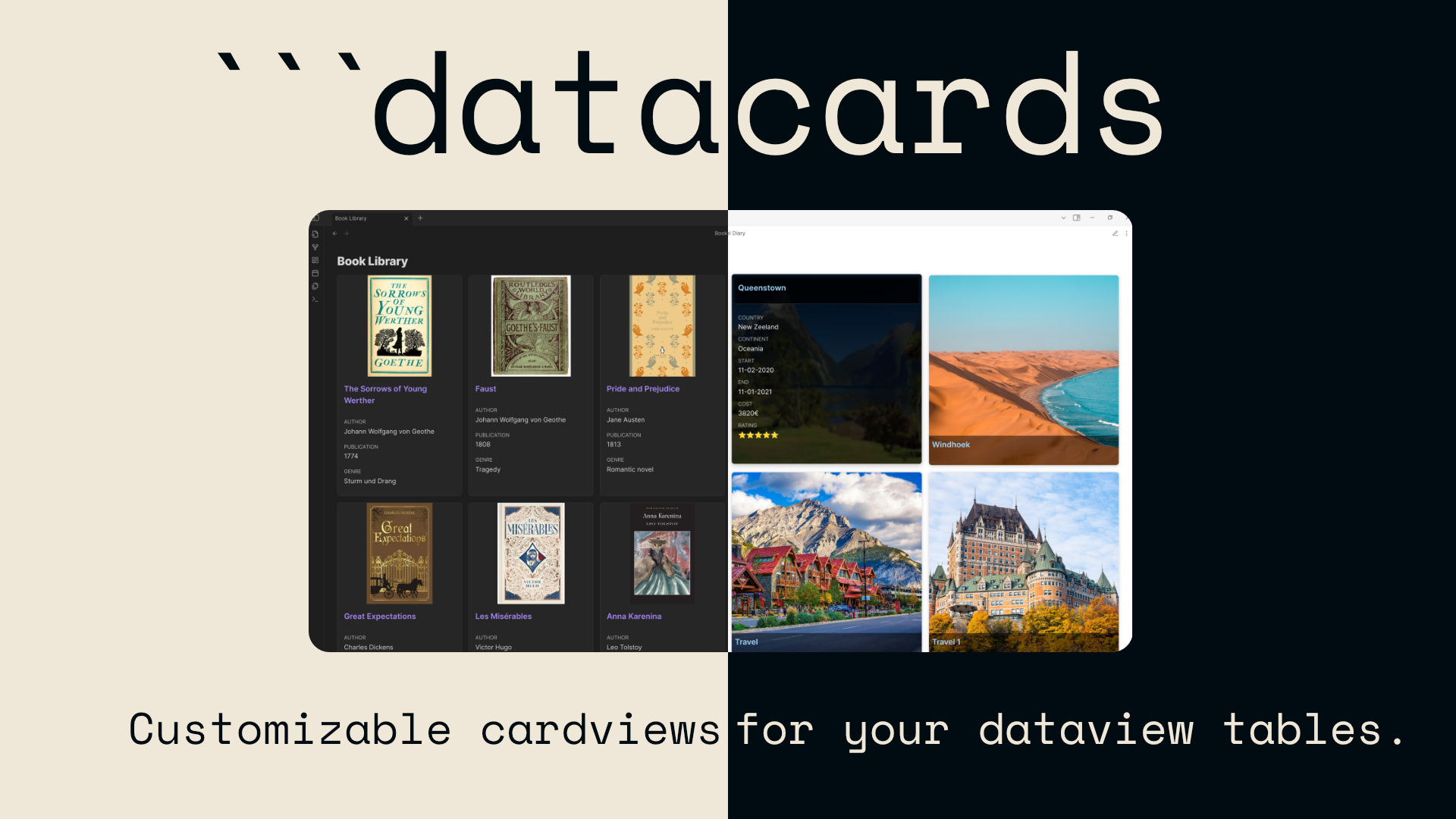
The DataCards plugin transforms Dataview query results into elegant, customizable card layouts, offering a more visual and user-friendly way to present structured note data. Instead of plain tables, users can display content like books, tasks, or any tagged data as cards with properties such as images, ratings, and excerpts. It supports multiple layout presets like portrait, compact, and grid, along with mobile-friendly settings and lazy loading for better performance. Each code block can be fine-tuned with its own display settings, giving users flexibility to design card views tailored to their vault content.

Reviews

No reviews yet.

Stats

137
stars
25,920
downloads
4
forks
367
days
238
days
322
days
24
total PRs
0
open PRs
1
closed PRs
23
merged PRs
35
total issues
11
open issues
24
closed issues
0
commits

Latest Version

a year ago

Changelog

Changelog 1.0.5

  • Refresh Button: Added an option to disable the button
  • Refresh Button: Implemented measures to prevent themes from interferring with the buttons styles.
  • NEW FEATURE: Kanaban
  • Use the Kanban preset to turn notes into Kanban boards
  • customizable color coding and statuses
  • create new Taks/notes directly from datacards plugins, with cusomizable task tempaltes and file path definiton

README file from

Github

DataCards for Obsidian

Transform Dataview query results into visually appealing, customizable card layouts.

Documentation

Quick Start

  1. Enable: Activate the plugin in Obsidian's Community Plugins settings
  2. Use: Create a code block with the datacards language and write a Dataview query:
```datacards
TABLE author, rating, cover FROM #books
SORT rating DESC

// Settings
preset: portrait
imageProperty: cover
```

Or create a kanban board:

```datacards
TABLE file.link as "Task", priority, status FROM #tasks
SORT status ASC

// Settings
preset: kanban
```

That's it! Your Dataview results will now display as beautiful cards or interactive kanban boards.

Features

  • Custom Code Block: Use datacards code blocks with Dataview query syntax
  • Kanban Boards: Interactive task boards with inline editing, new task creation, and automatic organization
  • Flexible Presets: Multiple card preset options (grid, portrait, square, compact, dense, kanban) optimized for different use cases
  • Highly Customizable: Adjust nearly all settings per code block, mixing and matching preset characteristics, including property display and font size options
  • Advanced Image Support: Display images from frontmatter properties with support for wiki links, embedded wiki links (![[image.jpg]]), and markdown syntax
  • Refresh Button: Manual refresh button for reliable updates in both reading and editing modes
  • Dynamic & Fixed Columns: Choose between responsive dynamic columns or fixed column layouts with unlimited column support
  • Smart Settings Hierarchy: Per-block settings properly override global settings with clear priority rules
  • Global Settings: Default configuration with per-block overrides
  • Mobile Optimization: Dedicated mobile settings for better display on small screens
  • Performance Enhancements: Lazy loading for images to improve loading times

Documentation

Visit the documentation site for complete guides, examples, and reference materials:

Requirements

Installation

Community Plugins

Note: DataCards is not yet available in the Community Plugins store. Please use BRAT or manual installation until then.

  1. Open Obsidian Settings
  2. Go to Community Plugins
  3. Click "Browse" and search for "Data Cards"
  4. Click "Install", then "Enable"

Example Usage

Create a datacards code block with a Dataview query and optional settings:

```datacards
TABLE author, rating, genre, cover FROM #books
SORT rating DESC
WHERE rating >= 4

// Settings
preset: portrait
columns: 8
imageProperty: cover
properties: [author, rating, genre]
```

Important: You must explicitly include all properties you want to display in your Dataview query (including the image property).

See the documentationok for more detailed examples.

Support Development

If you find DataCards useful and would like to support its development, consider buying me a coffee:

Support on Ko-fi

License

GNU General Public License v3.0 (GPL-3.0)

This project is licensed under the GNU General Public License v3.0 - see the LICENSE file for details.

Acknowledgments

Similar Plugins

info
• Similar plugins are suggested based on the common tags between the plugins.
Heatmap Calendar
4 years ago by Richard Slettevoll
An Obsidian plugin for displaying data in a calendar similar to the github activity calendar
Release Timeline
4 years ago by cakechaser
Table to CSV Exporter
4 years ago by Stefan Wolfrum
An Obsidian Plugin that allows to export tables from a pane in reading mode to CSV files.
Habit Tracker
4 years ago by David Moeller
A Plugin to display a Habit Tracker in Obsidian.
Simple Note Review
4 years ago by dartungar
Simple, customizable plugin for easy note review, resurfacing & repetition in Obsidian.md.
Better Inline Fields
4 years ago by David Sarman
Obsidian plugin to enhance Dataview style inline fields
Page Gallery
3 years ago by Nathan Clark
Generates a gallery based on selected page contents.
Double Colon Conceal
3 years ago by Michal Srch
Obsidian plugin to display double colon (i.e. Dataview inline fields) as a single colon for more natural reading experience.
Habit Calendar
3 years ago by Hedonihilist
Monthly Habit Calendar for DataviewJS. This plugin helps you render a calendar inside DataviewJS code block, showing your habit status within a month.
Meld Build
3 years ago by meld-cp
Write and execute (sandboxed) JavaScript to render templates, query DataView and create dynamic notes.
HackerOne
3 years ago by neolex
A plugin to get our hackerone reports data into obsidian
Query all the things
3 years ago by Sytone
Query all your data stored in Obsidian, this plugin allows SQL based queries against the data collections available in Obsidian and Dataview. Output can then be rendered by Handlebars
Bulk Exporter
3 years ago by symunona
Bulk export Markdown filtered, renamed and sorted by front matter metadata into a new structure.
Link Tree
3 years ago by Joshua Tazman Reinier
A sidebar foldable list of Obsidian link hierarchies.
moviegrabber
3 years ago by Leon Holtmeier
obsidian.md plugin to grab data from public movie Databases and make them into a note that can be used with dataview querries
Run
2 years ago by Hananoshika Yomaru
Generate markdown from dataview query and javascript.
Feeds
2 years ago by LukeMT, pashashocky, madx
Magic feeds dataview query for obsidian
Reason
2 years ago by Joshua Pham
Digest your Obsidian notes
View Count
2 years ago by Trey Wallis
Add view count tracking to your Obsidian vault
Dataview Serializer
2 years ago by Sébastien Dubois
Obsidian plugin that gives you the power of Dataview, but generates Markdown, making it compatible with Obsidian Publish, and making the links appear on the Graph.
Dataview Publisher
2 years ago by UD
Output markdown from your Dataview queries and keep them up to date. You can also be able to publish them.
Pug Templates
2 years ago by Nicholas Wilcox
An Obsidian plugin that enables the usage of Pug templates.
Dataview
5 years ago by Michael Brenan
A data index and query language over Markdown files, for https://obsidian.md/.
Charts View
5 years ago by caronchen
Data visualization solution in Obsidian, support plots and graphs.
MOC Link Helper
2 years ago by Bogdan Codreanu
This obsidian plugins allows you to quickly see which notes you need to include in your MOC.
Dataview Autocompletion
a year ago by Daniel Bauer
Every Day Calendar
a year ago by QuBe
Obsidian plugin to create calendars inspired by Simone Giertz's Every Day Calendar
Tier List
a year ago by Mox Alehin
Obsidian plugin for visual ranking and organizing content into customizable Tier Lists.
CSV All-in-One
a year ago by hihangeol
Tagvis
a year ago by Mason Bryant
Smart ChatGPT
a year ago by 🌴 Brian
Kanban Status Updater
a year ago by Ankit Kapur
Obsidian plugin that automatically updates the note property when card is moved to a column.
Easy Keep View
a year ago by @tazihad
Google Keep style view plugin for Obsidian
Virtual Footer
a year ago by Signynt
Display markdown text (including dataview queries or Obsidian bases) at the bottom or top of all notes which match a specified rule, without modifying them.
Log Keeper
a year ago by James Sonneveld
Generates times stamps automatically as changes are made to a note.
Slash snippets
10 months ago by echo-saurav
Insert snippet of text with slash command
Dataview (to) Properties
10 months ago by Mara-Li
Sync inline Dataview to properties (YAML frontmatter)
Move Cursor On Startup
8 months ago by Jared Kelnhofer
Obsidian plugin to move the cursor to the right and back to the left when starting up. Why? To keep DataView expressions from not running on the first load of, say, your Home file.
Tasks Map
7 months ago by NicoKNL
A graph view of your tasks.
TikToker
2 months ago by ameyxd
Save TikTok videos as markdown notes with embedded content and metadata extraction.
Card Forge
2 months ago by Carl Sverre
Convert notes into printable cards.