Password Audit

by Sai Prashanth Pulisetti
5
4
3
2
1
Score: 42/100

Description

Category: Privacy & Security

The Password Audit Plugin for Obsidian is an essential tool for users who value digital security. This plugin offers a seamless way to evaluate the strength of your passwords, check if they've been exposed in known data breaches via Have I Been Pwned, and generate secure passwords on the fly. Its straightforward interface ensures quick access to these features directly within Obsidian, making password management less of a hassle.

With the ability to create highly customizable passwords and copy them instantly to the clipboard, it's a handy addition for anyone managing sensitive accounts or workflows. However, it's important to note that this plugin is designed for password analysis and generation, not storage-users should rely on dedicated password managers for storing credentials securely. If you're looking to reinforce your digital safety, this plugin is a practical and user-friendly choice.

Reviews

No reviews yet.

Stats

6
stars
489
downloads
0
forks
534
days
536
days
537
days
5
total PRs
0
open PRs
0
closed PRs
5
merged PRs
2
total issues
1
open issues
1
closed issues
34
commits

README file from

Github

🔒 Password Audit Plugin

A powerful Obsidian plugin designed to analyze password strength, check for security breaches, and generate secure passwords with ease.


✨ Features

  • 🔑 Password Strength Analysis: Get detailed feedback on the strength of any password.
  • 🌐 Breached Password Check: Verify if a password has been compromised in known data breaches using Have I Been Pwned.
  • 🔐 Secure Password Generation: Easily generate strong, secure passwords with customizable lengths.
  • 📋 Clipboard Support: Copy generated passwords to the clipboard with just one click.

📥 Installation

  1. Open Settings in Obsidian.
  2. Navigate to Community Plugins.
  3. Click Browse and search for Password Audit Plugin.
  4. Install the plugin and enable it.

🛠️ Usage

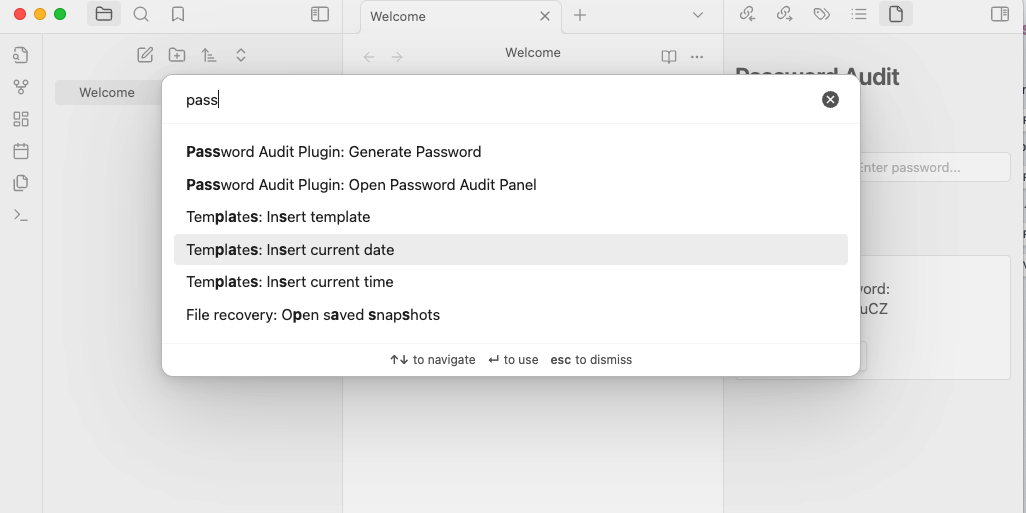
  1. Open the Password Audit panel via the command palette (Ctrl+P or Cmd+P) and select "Open Password Audit Panel".
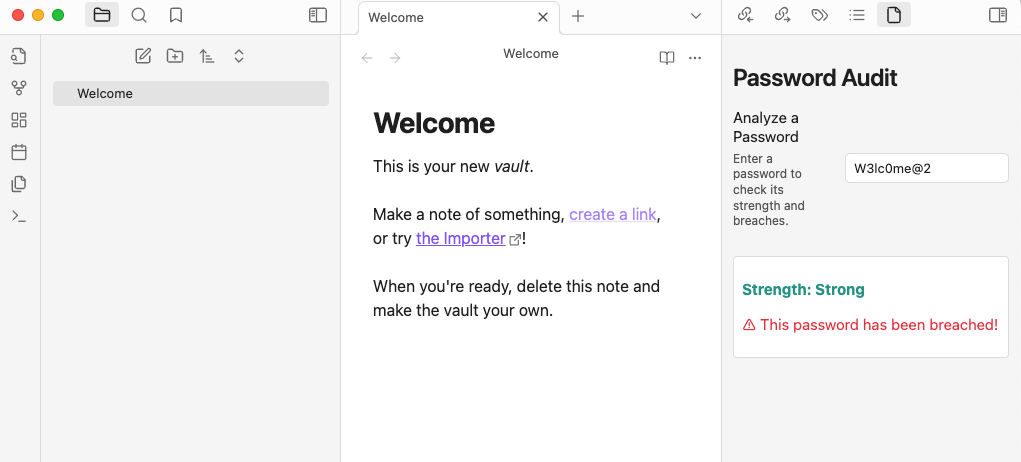
  2. Analyze a Password:
    • Enter a password into the text box to check its strength and verify if it has been breached.
  3. Generate a Password:
    • Use the Generate Secure Password command to create a strong password.
    • Click Copy Password to copy the generated password to your clipboard.

📸 Screenshots

Access the Plugin

Command Panel

Password Strength Analysis

Password Strength Analysis

Generate Secure Passwords
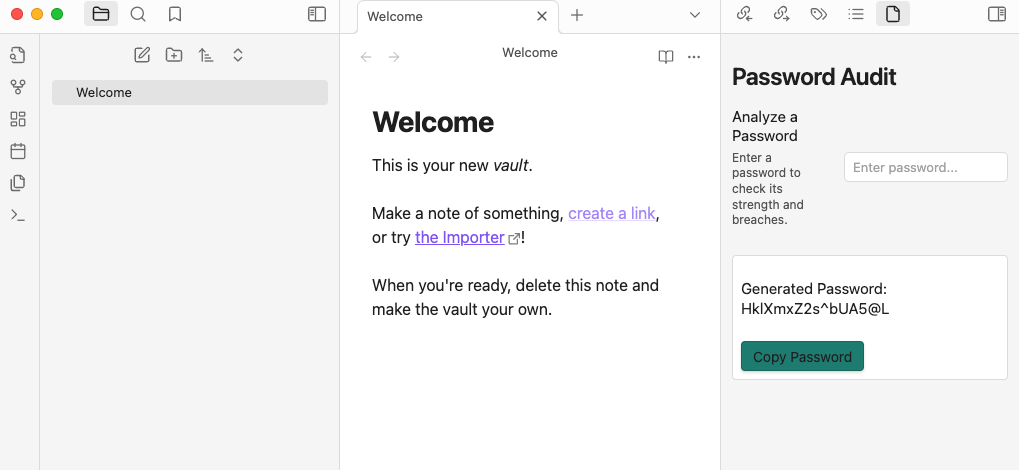
Generated Passwords


💻 Development Setup

If you'd like to contribute or test the plugin locally, follow these steps:

  1. Clone the repository:
git clone https://github.com/pulisettis/Password-Audit-Plugin.git
cd Password-Audit-Plugin
  1. Install Dependencies
npm install
  1. Build the Plugin
npm run build
  1. Copy the compiled files to your .obsidian/plugins folder to test it locally.

🤝 Contributing

Contributions are welcome! If you have ideas for improvement or new features, feel free to fork the repository, make your changes, and submit a pull request. Let's make this plugin even better!

📢 Disclaimer

⚠️ Important: Obsidian is not designed for securely storing sensitive information like passwords. Use this plugin only for auditing and generating passwords, not for storing them. Always use a dedicated password manager for secure storage.

🌟 Stay Connected

  • Follow me on Twitter: @pulisettis
  • Check out my other projects on GitHub.

Similar Plugins

info
• Similar plugins are suggested based on the common tags between the plugins.
Meld Encrypt
5 years ago by meld-cp
Hide secrets in your Obsidian.md vault
Remotely Secure
3 years ago by sboesen
fork of remotely-save with security upgrades
Password Protection
2 years ago by Qing Li
This is a password plugin for protecting your private notes and diary, no encrypt, no decrypt.
Cryptsidian
5 years ago by triumphantomato
Encrypt all files in your Obsidian.md Vault with a password.
Global Proxy
2 years ago by windingblack
🚀 Obsidian Global Proxy is an Obsidian plugin that makes it easy to configure web proxies and use proxies throughout Obsidian.
Lock Screen
4 years ago by Eric Biewener
Differential ZIP Backup
2 years ago by vorotamoroz
Protected Note
2 years ago by Mikail Gadzhikhanov
Plugin for Obsidian
gpgCrypt
3 years ago by Tjado Mäcke
Seamlessly encrypts your notes using GPG. Supports smartcards for enhanced security! 🔒📝📎
Garble Text
5 years ago by kurakart
Obsidian plugin for exposing Obsidian's garbleText() function
Global Markdown Encryption
3 years ago by shlemiel
a plugin for encrypting obsidian markdowns in-memory, single password based.
HackerOne
3 years ago by neolex
A plugin to get our hackerone reports data into obsidian
GPG Encrypt
2 years ago by Luis Jaramillo
Obsidian Plugin GPG Inline Encrypt
Evernote Decryptor
2 years ago by rcmdnk
Obsidian Plugin for encrypted data imported from Evernote
Crypt It
2 years ago by fyears
Obsidian plugin allowing users to right click on a file to generate an encryption version of the file using a password.
Blur Mode
a year ago by dangehub
Blur Mode - Blur elements on the obsidian interface for presentations or screenshots|模糊模式 - 对obsidian界面上的元素进行模糊处理以便演示或截图
Age Encrypt
a year ago by Metin Ur
A plugin for Obsidian that provides age-based encryption for your notes.
Peekaboo
2 years ago by Wang Guoshi
An Obsidian plugin protects your privacy by setting a password to hide notes.
Private Mode
a year ago by markusmo3
Simple Steam Auth
3 months ago by dreamscached
🔑 Generate Steam Guard codes right in your Obsidian vault.