Learnie

by tankh99
5
4
3
2
1
Score: 62/100

Description

The Learnie plugin helps learners reinforce knowledge through active recall and spaced repetition by integrating note tracking, flashcard creation, and quiz reviews into their workflow. It allows users to convert notes into trackable learning units, generate revision histories, and create custom questions directly from highlighted text. A diff view helps monitor content changes over time, while daily review sessions and auto-reminders keep the revision routine on track. The plugin also supports flashcard quizzes filtered by tags and provides options to configure notification timings and quiz lengths. All associated data is stored in structured revision and question files linked via frontmatter metadata.

Reviews

No reviews yet.

Stats

37
stars
3,176
downloads
2
forks
646
days
45
days
45
days
2
total PRs
0
open PRs
1
closed PRs
1
merged PRs
3
total issues
0
open issues
3
closed issues
182
commits

Latest Version

a month ago

Changelog

  • fix bug resulting in note diffs not showing

README file from

Github

Learnie: Enhance Your Learning with Active Recall and Spaced Repetition

Introduction

Learnie is an Obsidian plugin designed to help students and lifelong learners remember and learn more effectively. By incorporating contemporary learning techniques like active recall and spaced repetition, Learnie transforms your Obsidian vault into a powerful learning tool.

Issues/Suggestions: Please report any issues encountered or feature suggestions as a GitHub issue. For issues, include the context as well as screenshots (if applicable) so that it's easier to reproduce the error.

Key Features

1. Creating/Converting Notes for Tracking

Easily convert any file into a note by typing the command "Convert to note". This process updates the frontmatter of the file to include a unique note ID and links to additional generated files like a revision and question file.
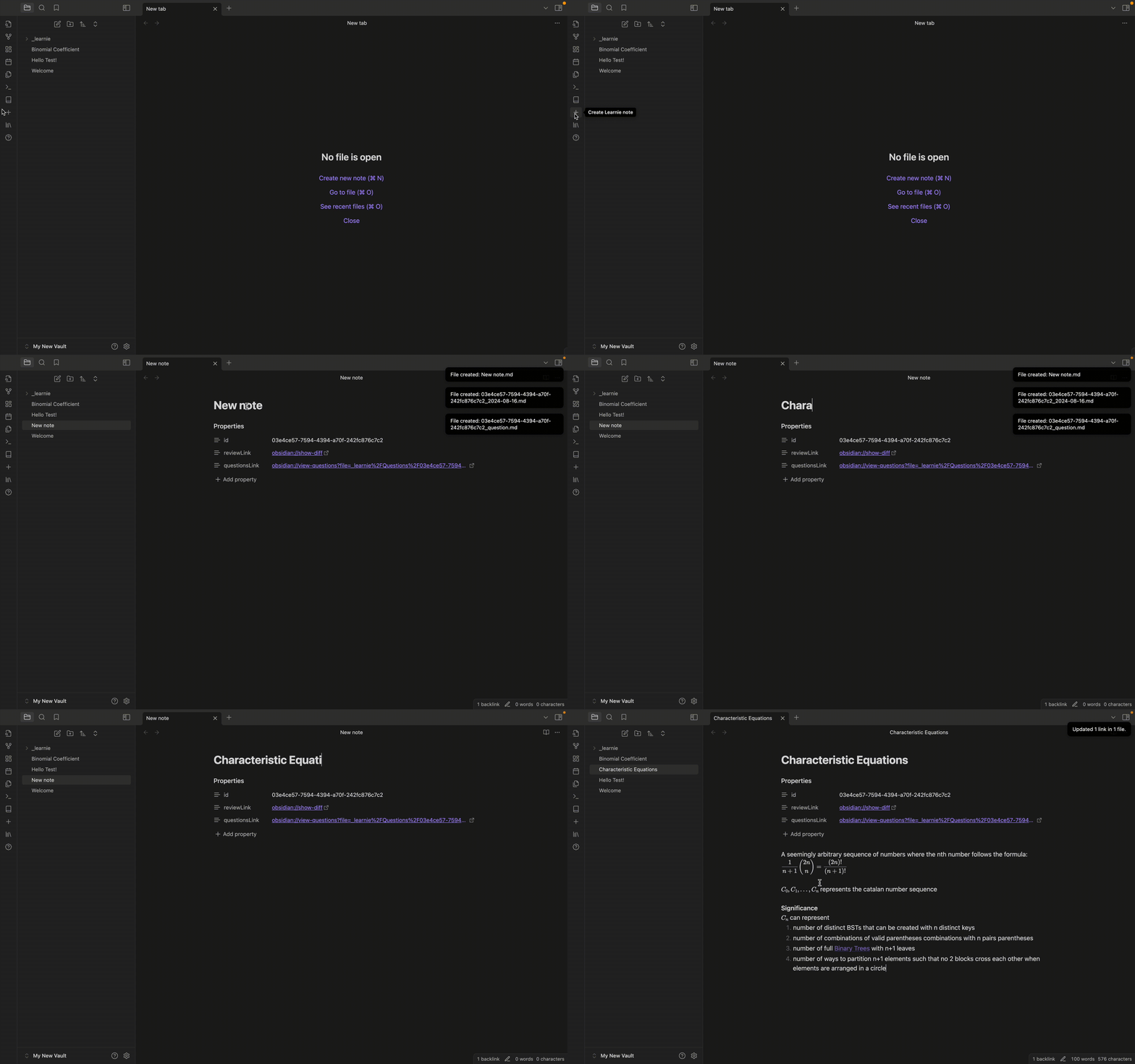
Creating a note

Converting a note - You can also convert any pre-existing file into a note by using the "Convert to note" command
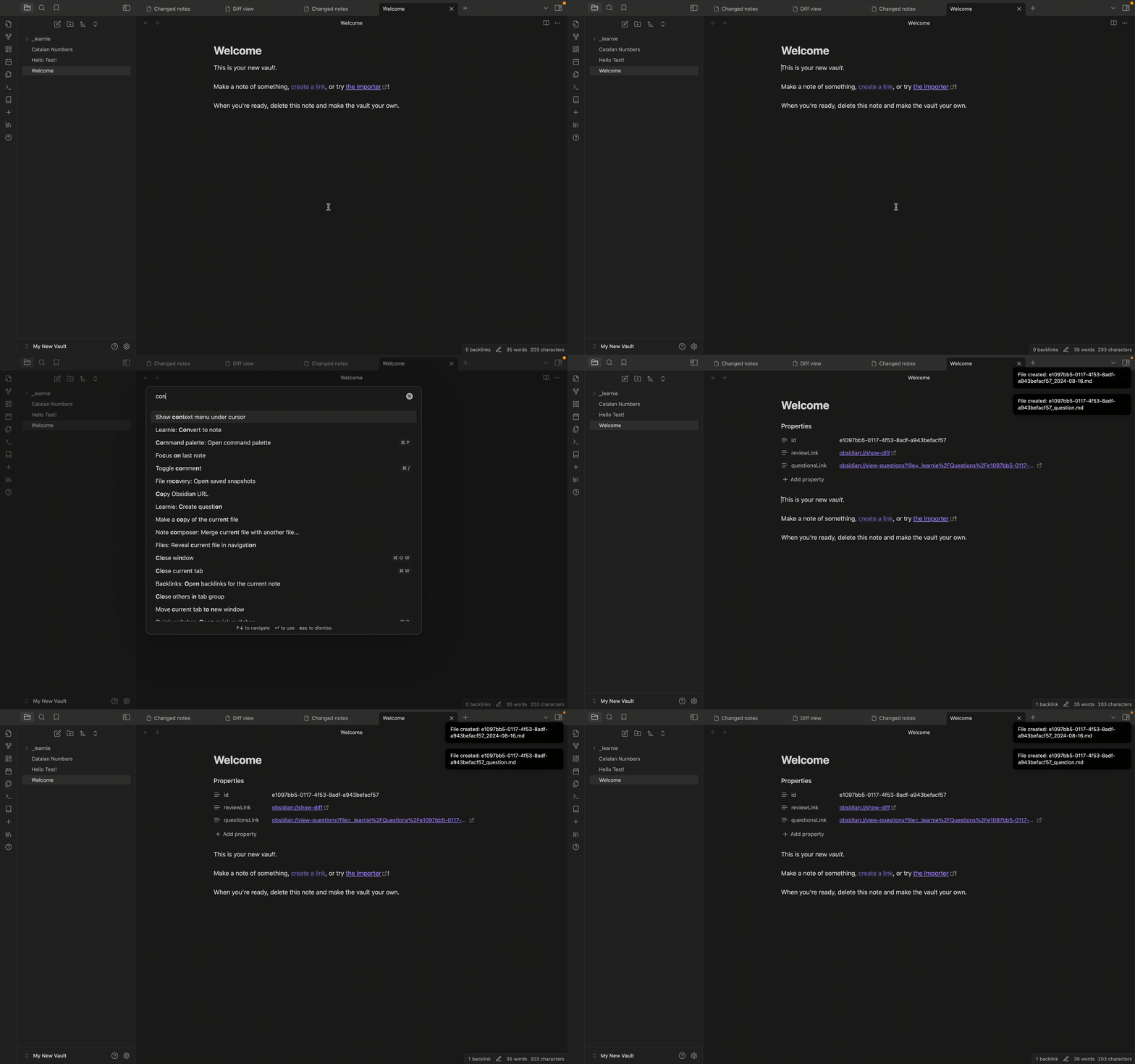
Converting a note

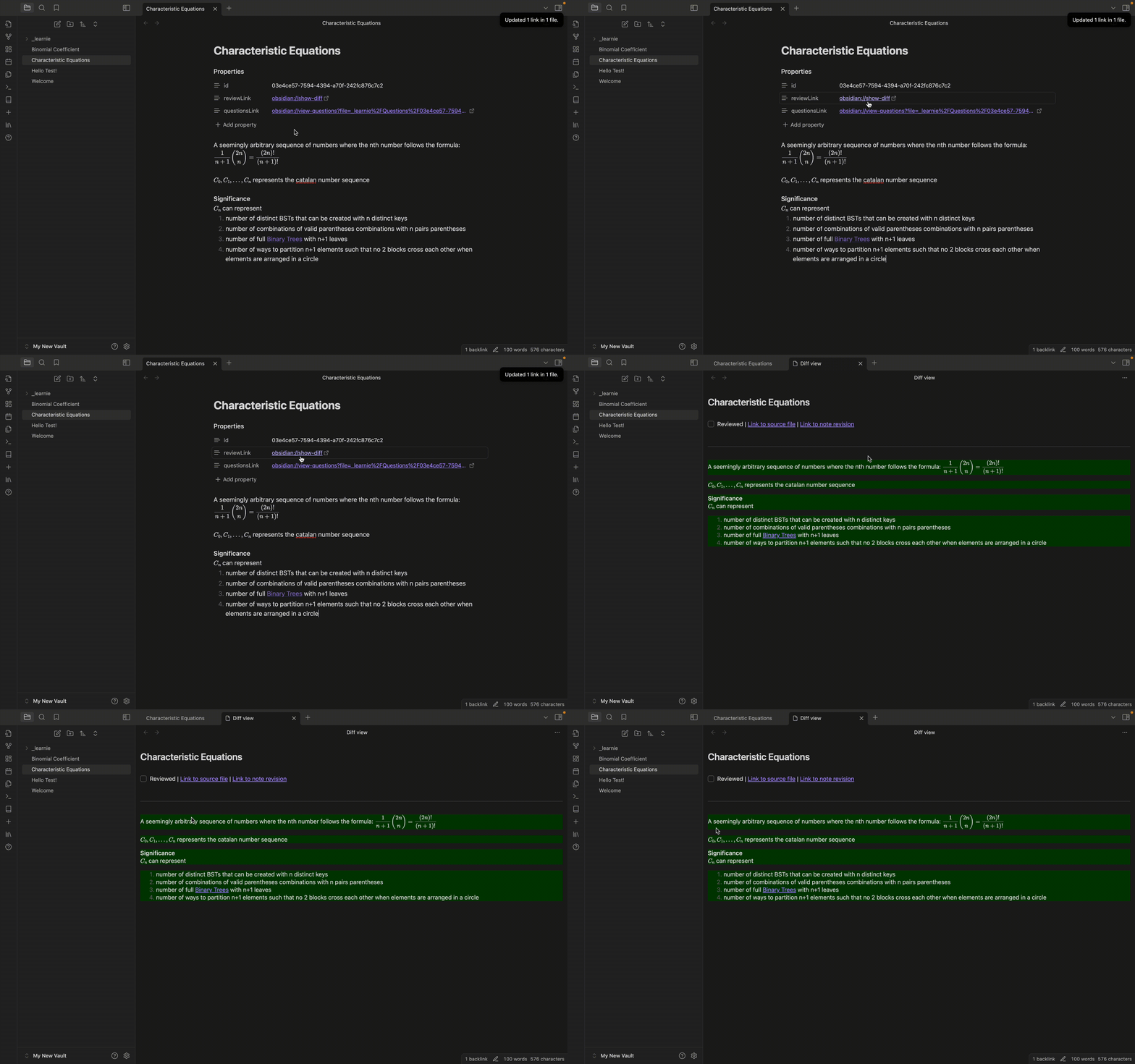
2. Track Changes with the Diff View

Each tracked note is assigned an ID and includes links to view the differences between the current note and the last modified version. This feature allows you to see what has changed in your notes over time, helping you keep track of your revisions and edits effortlessly.
Diff view

3. Create and Review Questions

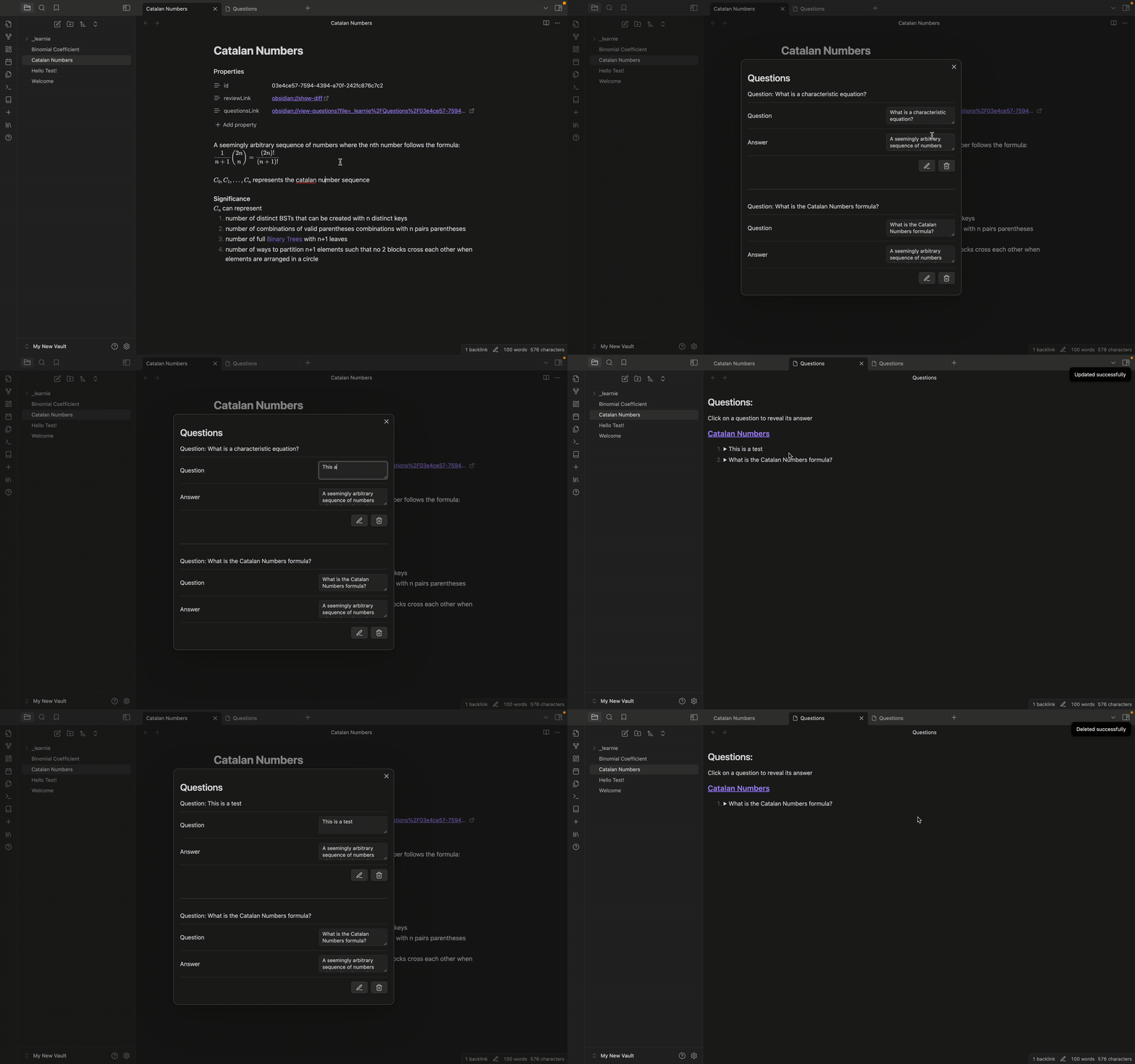
Create review questions directly within your notes. Select text to automatically use it as an answer, streamlining the question creation process. This feature uses the flashcard strategy and helps you prepare for exams by regularly reviewing the questions you've created. Note that questions can only be created for valid notes

Create new questions Create question
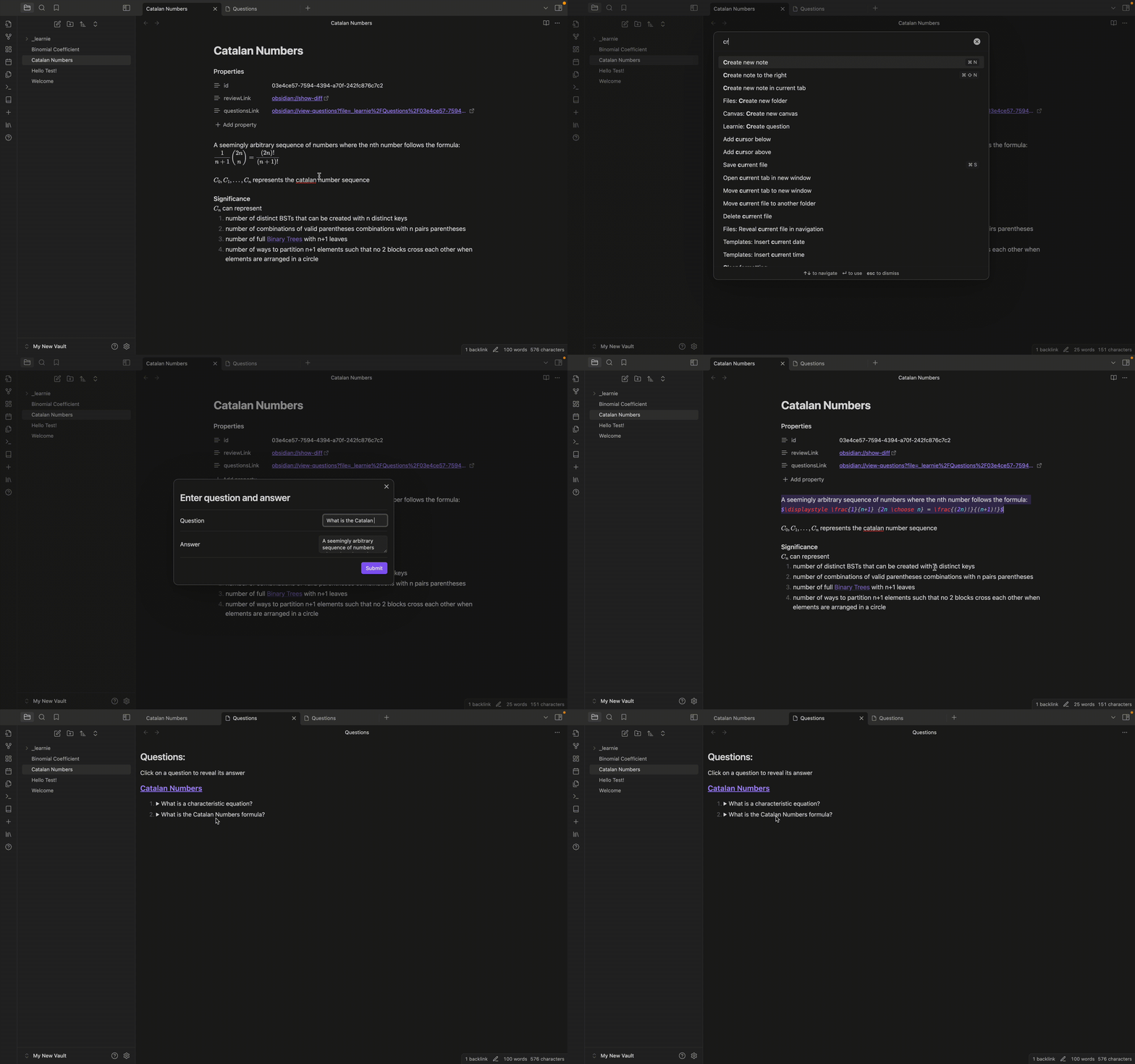
Update questions Update questions

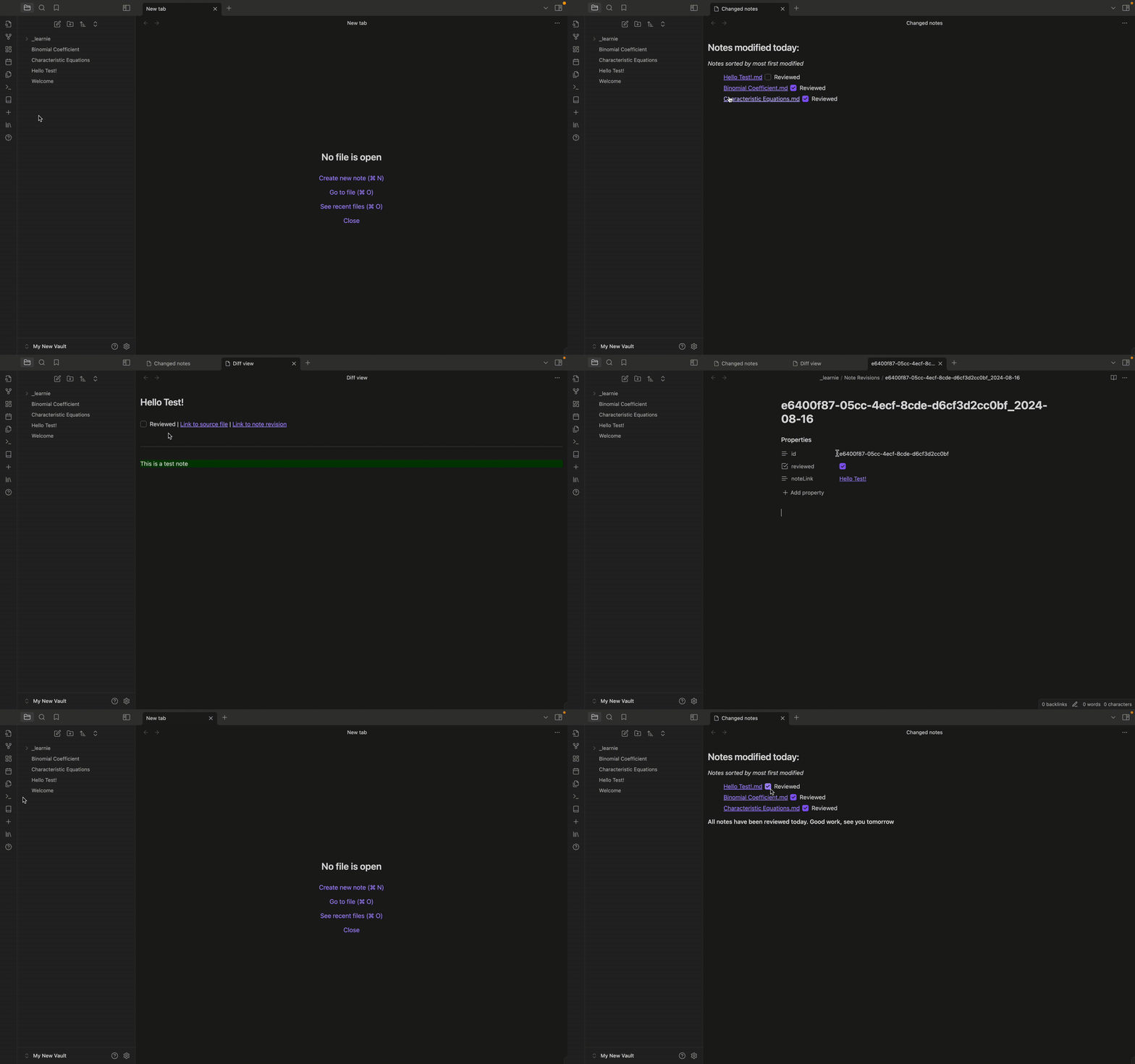
4. Daily Review

View all notes that were changed in a day, facilitating regular review sessions and helping you stay on top of your learning material.
Review notes

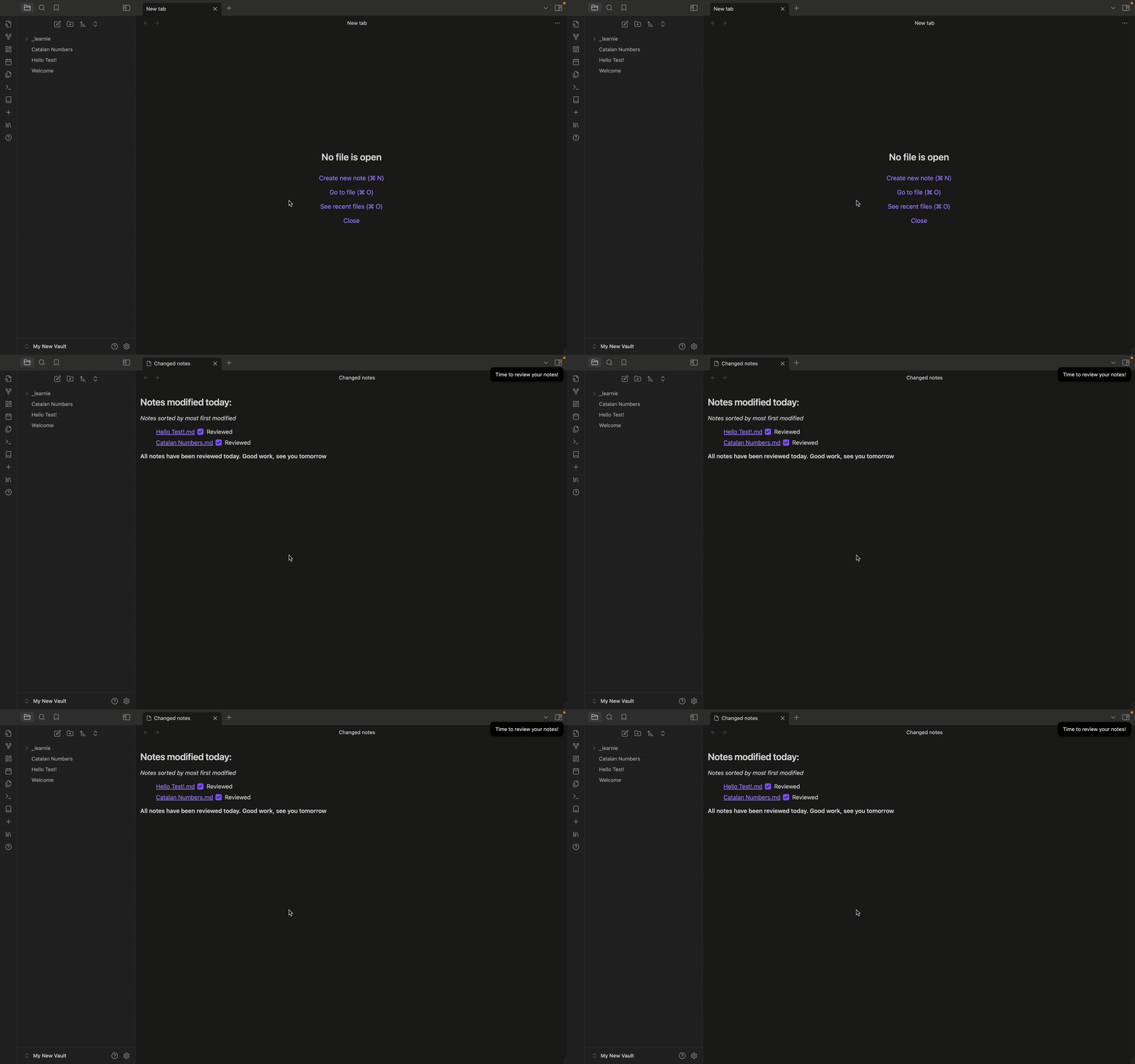
We also have auto-reminders which remind you at a specific time every day, and automatically opens up all notes to review for you Daily auto-review
5. Review Marking

Mark note revisions as reviewed to keep track of your progress and ensure no changes slip through the cracks.

6. Flashcard Quizzes

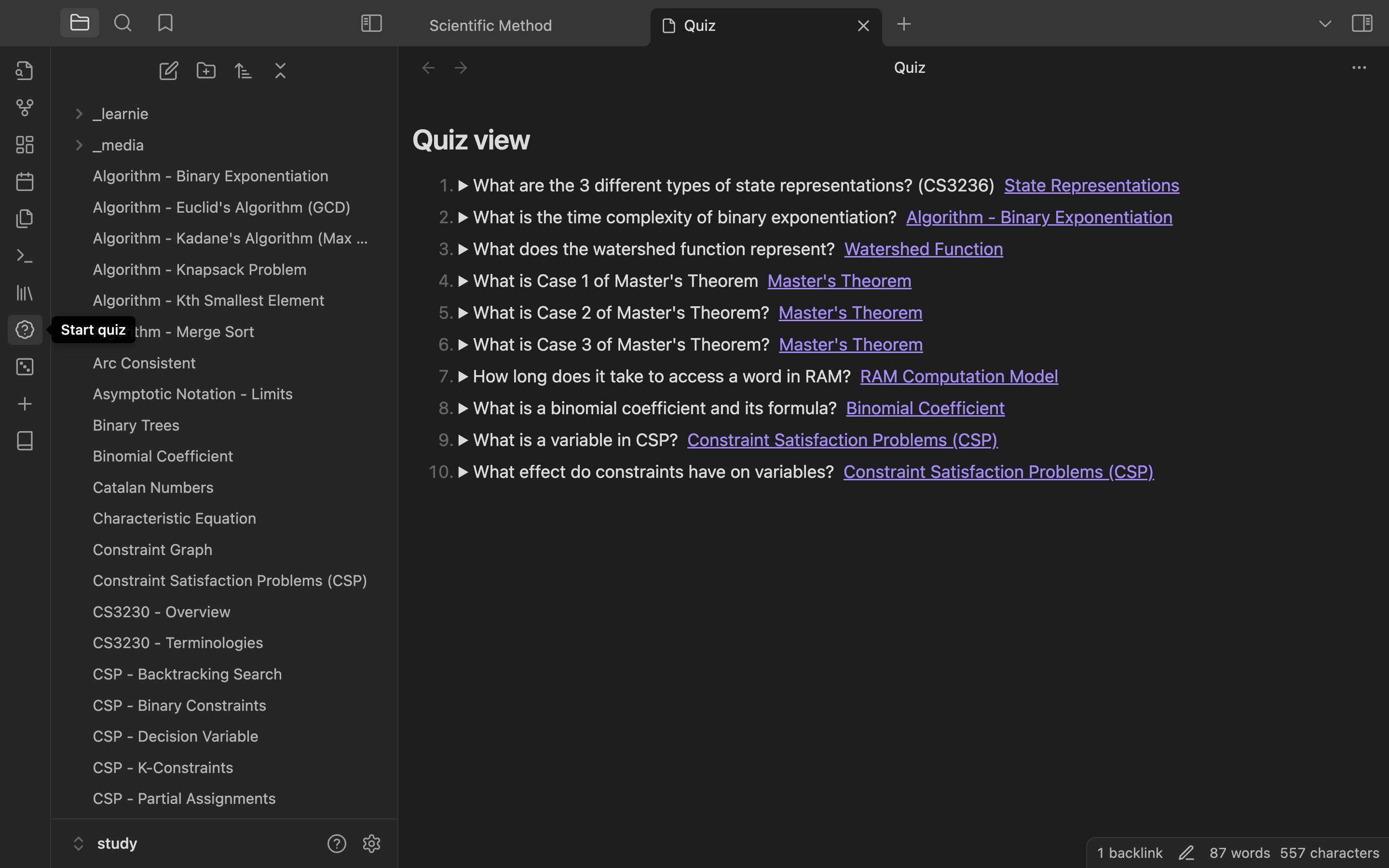
Quizzes

You can easily create flashcard-like quizzes which takes a fixed number of questions every time. You can even choose what topics to test yourself on by adding a tag into the note's tags property like so below
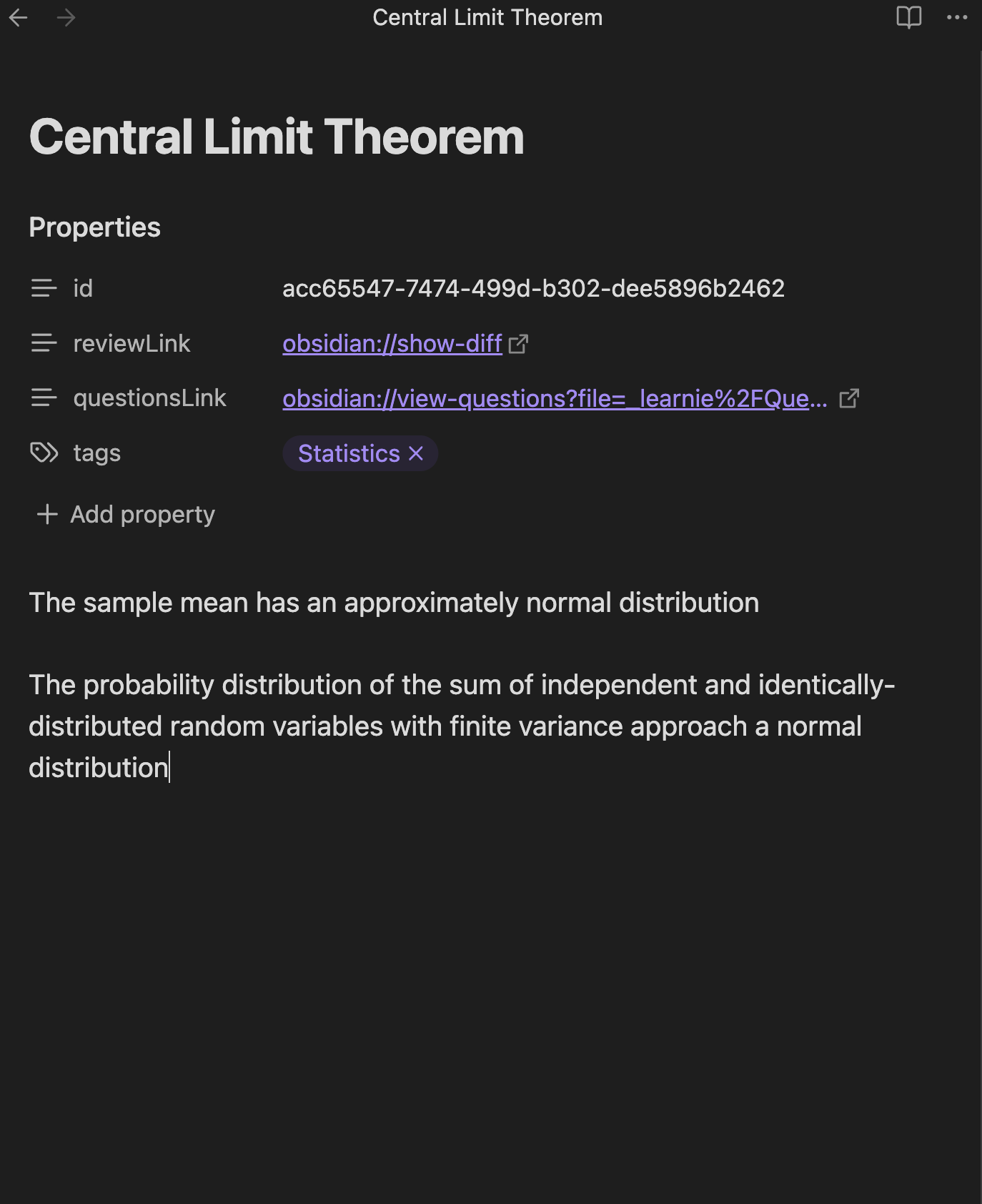
Note with tags

Note that it has to specifically be in a Learnie note with the tags property. Notes created before an earlier update may not have this property, and you simply just need to create a new "tags" property

Then when starting a quiz, choose the topics you wish to test yourself on and voila!
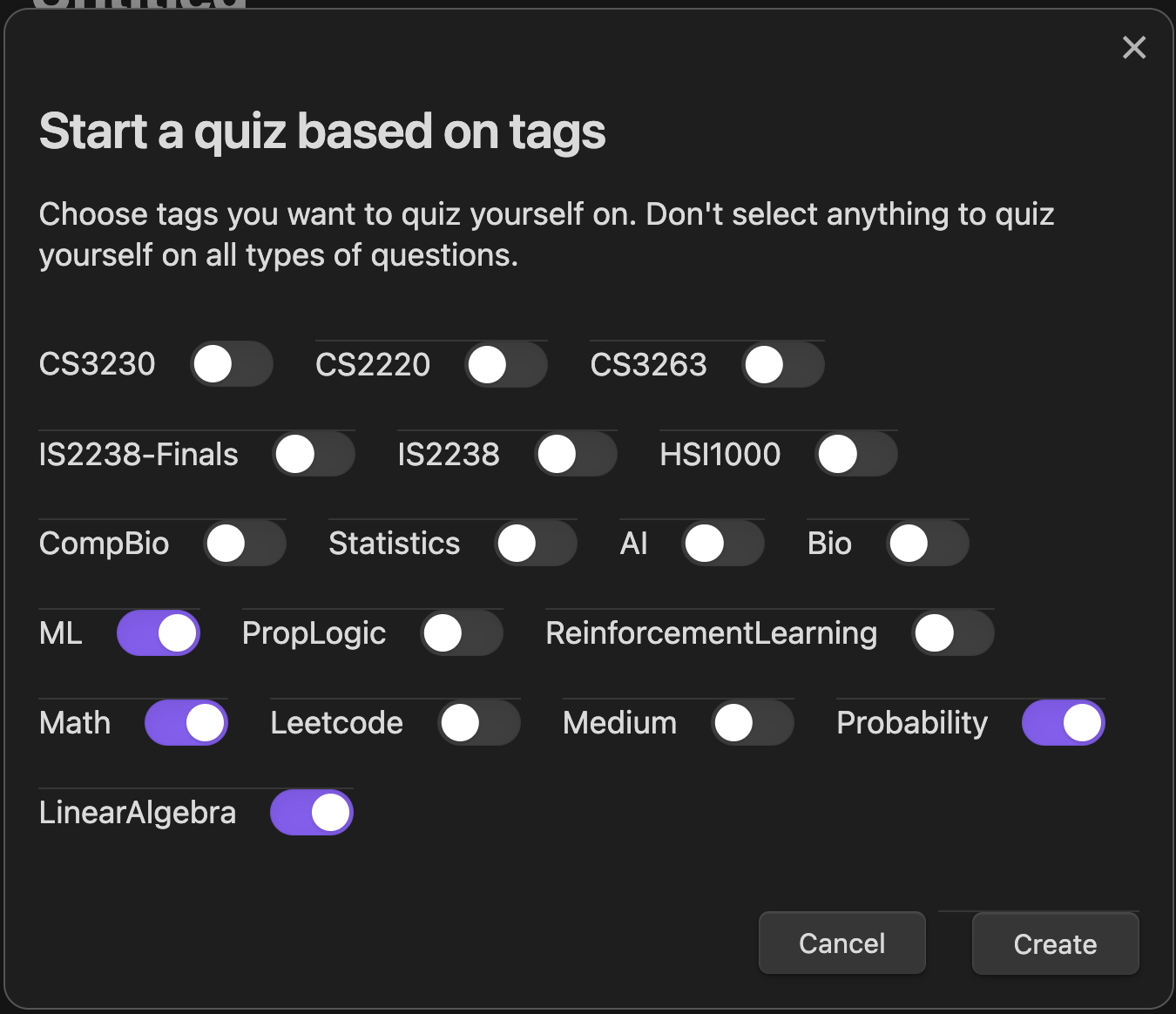
Start Quiz Selection

Start quiz

View all questions - You can also view all questions across all notes if you'd like by clicking on the "View all questions" button at the lef tsidebar
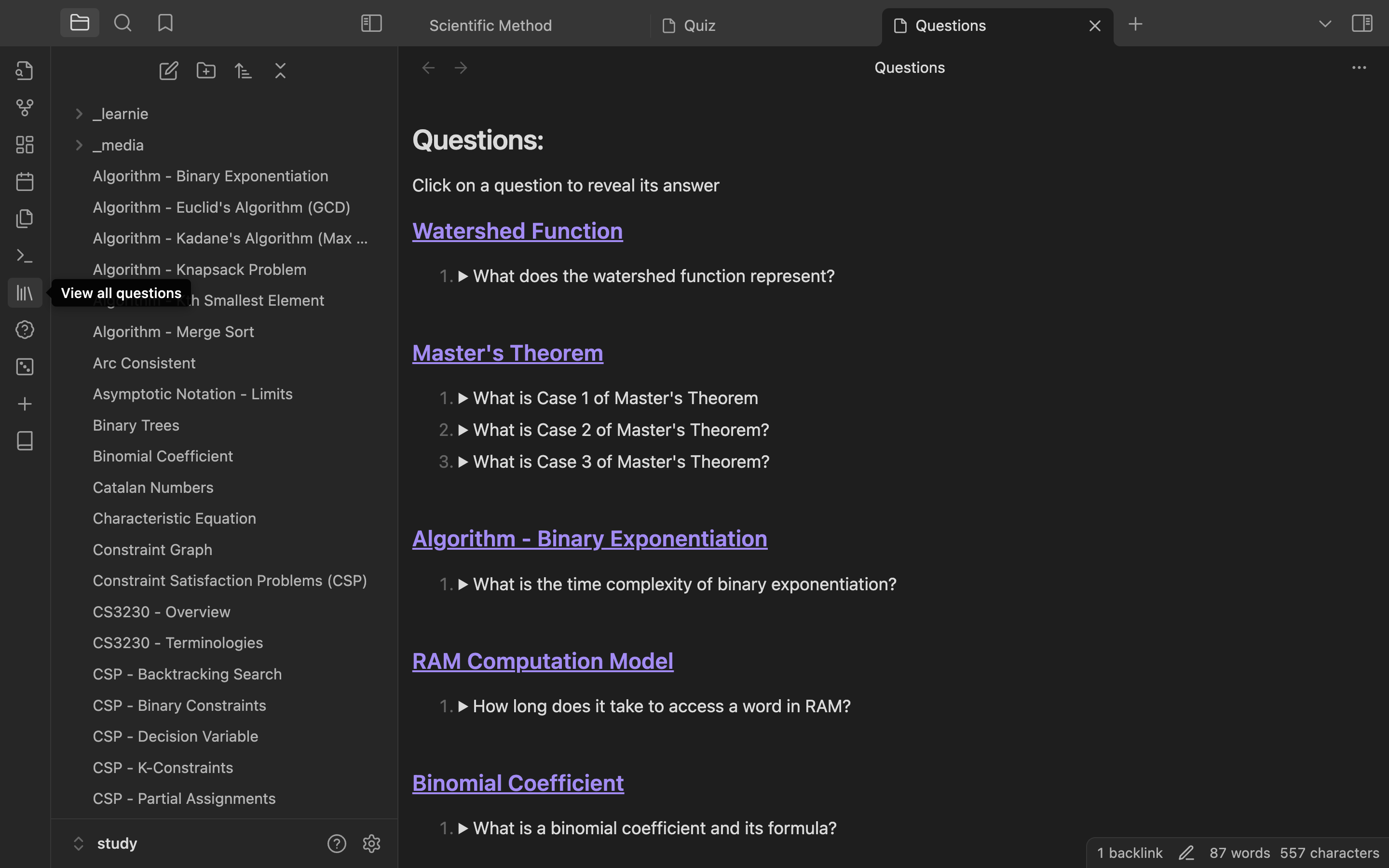
View all questions

7. Settings

Currently configurable settings

  1. Daily review notification timing
  2. Number of quiz questions to show at a time
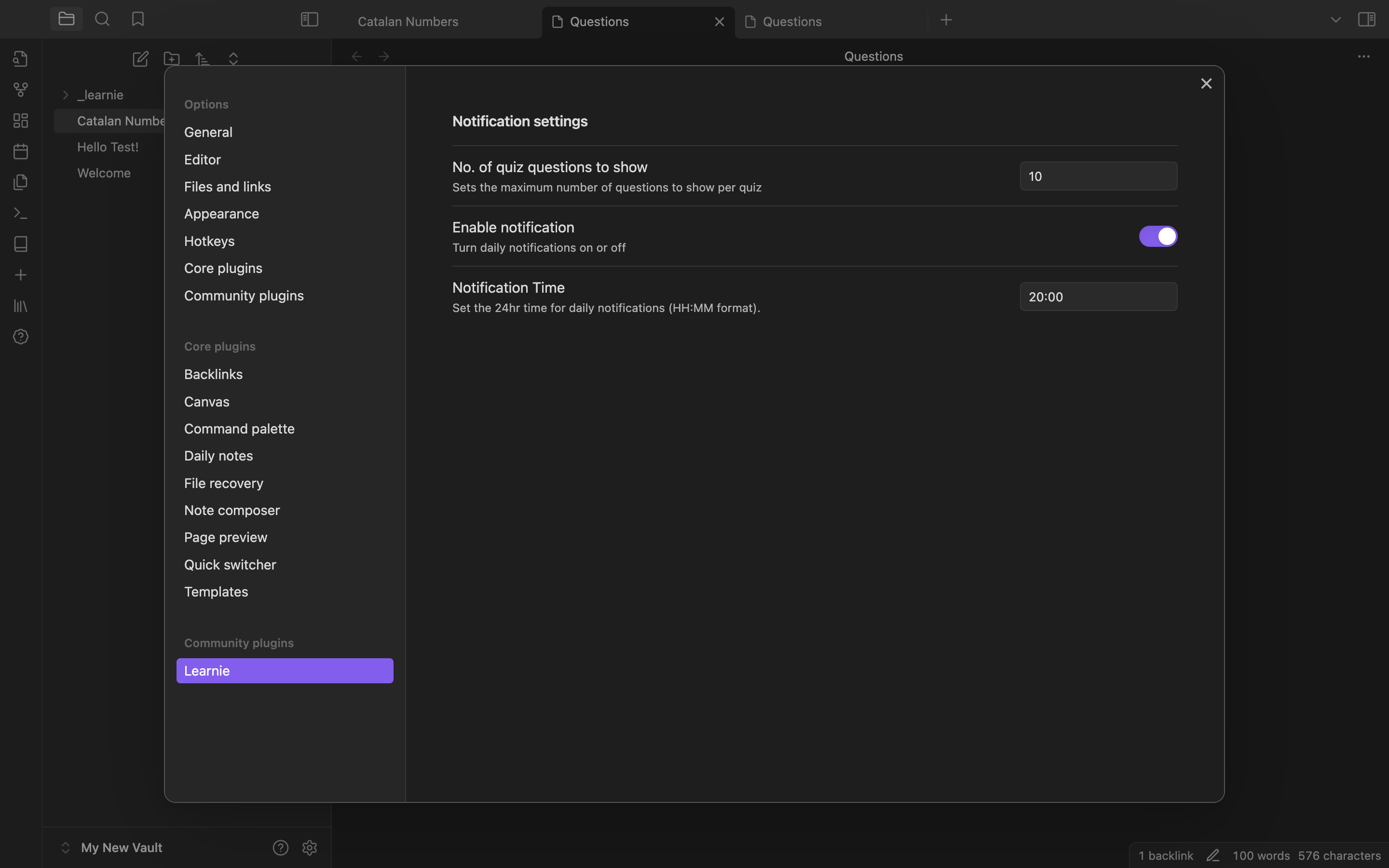
Settings

Perfect for

  • Students overwhelmed by large amounts of content to memorize
  • Obsidian users looking to enhance their note-taking and learning process
  • Anyone who believes in the power of accumulated learning over cramming

How It Works

File Storage: When creating a note, 2 files are generated:

  1. Revision file: This creates a revision file in a _learnie folder, which stores the content of the file when you first converted it to a note
  2. Question file: This also crestes a question file in the same _learnie folder which the note is associated with
  3. The id property in the frontmatter is used to link both files together

Frontmatter We use the frontmatter to store important details like a note's id, whether it's been reviewed already, and the list of questions

Commands

  1. Convert to note - Converts a file into a note, and edits are tracked
  2. Review notes - View list of all notes that were changed within the day OR has not yet been reviewed (This means that only notes in the past nad haven't yet been reviewed will show up in this list)
  3. View questions - Views a list of all created questions for the active file
  4. Create question - Creates a new question. highlighted text will automatically be used as the answer of the question pair
  5. Modify questions - Allows modifying questions associated with the active file
  6. Clean up unused files - This removes all note revisions and files that are not used by any notes (This should not be needed)

Planned Enhancements

  • Fix LaTeX and markdown rendering in note revisions and questions
  • Create a local LLM vector search function for notes and questions

(Really) Future Enhancements

  • Create questions with context
    • Users can create multiple questions for the same context

Completed features

  • Fix bug where text is deleted after being idle on an active note for a some time
  • Allow users to modify questions
  • Add daily notification which reminds users to review their notes at a certain time
  • Review Questions: Opens a view with 10 random questions that have not yet been reviewed today
  • Allow users to view questions of a specific topic/s

Note: Learnie is in early development and may have some instabilities. Regular updates will be provided to improve functionality and user experience.

Similar Plugins

info
• Similar plugins are suggested based on the common tags between the plugins.
Spaced Repetition
5 years ago by Stephen Mwangi
Fight the forgetting curve by reviewing flashcards & entire notes on Obsidian
Export to Anki
5 years ago by Pseudonium
Script to add flashcards from text/markdown files to Anki
Reading Time
6 years ago by avr
Flashcards
5 years ago by Alex Colucci
🎴 An Anki plugin for Obsidian.md
Chronology
4 years ago by Gabriele Cannata
Review
6 years ago by ryanjamurphy
Add the current note to a future daily note to remember to review it.
HiNote
a year ago by Kai
Add comments to highlighted notes, use AI for thinking, and flashcards for memory.
Quiz Generator
2 years ago by Edward Cui
Generate interactive flashcards from your notes using models from OpenAI (ChatGPT), Google (Gemini), Ollama (local LLMs), and more. Or manually create your own to use with the quiz UI.
Aosr
4 years ago by linanwx
Aosr is Another Obsidian plugin for Spaced Repetition.
Repeat
4 years ago by Andre Perunicic
Review notes using periodic or spaced repetition.
Incremental Writing
5 years ago by Jamesb | Experimental Learning
An incremental writing plugin for Obsidian where you add notes and blocks to prioritized queues and review them incrementally over time, spaced repetition style.
Recall
5 years ago by Martin Jirlow
A spaced repetition system for Obsidian!
Last Modified Timestamp in Status Bar
3 years ago by Yustynn
Yanki
2 years ago by Eric Mika
An Obsidian plugin that syncs flashcards from a folder in your vault to Anki. Pure Markdown syntax. No fuss.
Flashcards LLM
3 years ago by Marco Pampaloni
Use Large Language Models (such as ChatGPT) to automatically generate flashcards from obsidian notes
Vocabulary View
5 years ago by nnshi-s
AI Mentor
3 years ago by clementpoiret
Vocabulary Cards
3 years ago by Eugene Myazin
An easy way to display vocabulary words as flashcards and as a list
Flashcard Learning
3 years ago by Gaétan Muck
Obsidian plugin. Uses flashcard system to learn things across own notes.
Auto Anki
3 years ago by ad2969
Using AI to automate card creation for Spaced Repetion in Anki
Simple note quiz
4 years ago by dorisxx
Flashcard Generator
3 years ago by ChloeDia
Obsidian Plug-in to automatically create a set of questions/answers on your notes !
Awesome Flashcard
4 years ago by AwesomeDog
Handy Anki integration for Obsidian.
Memorization
3 years ago by Joseph Cochran
Decks
3 months ago by Xherdi Lika
An Obsidian Flashcards plugin
Exercises
3 years ago by AlexCCavaco
Create Interactive Exercises along side your Obsidian Notes
braincache
4 years ago by XSPGMike
braincache obsidian plugin
Better Recall
2 years ago by FlorianWoelki
A better spaced repetition and recall plugin for Obsidian inspired by Anki.
Focus Time
a year ago by AstraDev
Focus Time is a plugin that helps you track how much time you spend on each note.
The Queue
2 years ago by Kolja Sam Pluemer
An Obsidian.md plugin randomly exposing you to your cards. Supports habits, to-dos, spaced repetition flashcards, iterative reading and more.
Anki Integration
a year ago by Noah Boos AKA Rift
Create flashcards from your notes with a seamless interface, structuring them with metadata and syncing effortlessly via AnkiConnect.
RPG Stat Tracker
2 years ago by Cunjur
RPG-like stat tracker for Obsidian.
Spaced Repetition AI
a year ago by Belinda Mo, Athena Leong
AI + Spaced Repetition Plugin for Obsidian
Spaced everything
2 years ago by Zach Mueller
Obsidian plugin to apply spaced repetition to incrementally develop your notes.
Sentinel
a year ago by Giorgos Sarigiannidis
A plugin for Obsidian that allows you to update properties or run commands based on document visibility changes.
Vault Stats
9 months ago by Blue Heron
A plugin with some simple statistics.
Minimal Quiz
a year ago by Lutu-gl
Obsidian-Minimal-Quiz: The simplest quiz plugin for Obsidian. Define questions directly in your Markdown files. No extra setup required. Just write, quiz, and learn!
Zhongwen Reader
a year ago by natipt
This is a Chinese hover dictionary and vocabulary-building plugin for ObsidianMD.
AI-AnkiSync
a year ago by goev
OpenWords
a year ago by insile
用于英语学习中背单词与单词管理的 Obsidian 插件
Dictionary Lexicon
3 months ago by Alvin
Look up words and improve vocabulary by using flash card style cards.
Easy Test
a year ago by Forrest
Student Repo
a year ago by Feirong.zfr
学生知识库助手(Student Repository Helper)是一个面向学生或学生家长的Obsidian 插件,这款插件旨在解决学生在学习阶段面临的资料管理难题,将学习过程中产生的各类重要资料,如试卷、笔记、关键文档、绘画手工作品等,进行系统性的数字化整合与管理,并利用 AI 助手定期进行学习分析总结。随着时间的推移,它将助力你逐步搭建起一座专属你自己的知识宝库,这座宝库将伴随你一生,成为你知识成长与积累的见证。
Come Through
a year ago by mntno
An Obsidian plugin for creating and reviewing flashcards.
Random Wikipedia Article
10 months ago by SpencerF718
An Obsidian plugin to generate a note of a random Wikipedia article.
Anki Helper
3 months ago by Dusk