Banners

by Danny Hernandez
5
4
3
2
1
Score: 54/100

Description

Category: Note Enhancements

The Banners plugin for Obsidian transforms note customization by adding banner images and icons. Users can set banners using local images or URLs, reposition them with ease, and lock them in place for consistency. Emojis can also be added or adjusted as decorative icons, enhancing note visuals. Customization extends to banner height, style (solid or gradient), and whether banners appear in embeds or previews. Advanced settings include mobile compatibility and personalized frontmatter fields. With features like Twemoji support and a dedicated image folder, Banners empowers users to create visually appealing, personalized notes, making organization both functional and beautiful.

Reviews

No reviews yet.

Stats

795
stars
365,567
downloads
54
forks
1,710
days
843
days
1,480
days
11
total PRs
3
open PRs
6
closed PRs
2
merged PRs
173
total issues
114
open issues
59
closed issues
0
commits

Latest Version

4 years ago

Changelog

Ya can't have an open-source project without a few hiccups

Just a small hotfix because I missed a thing, whoops

Fixed

  • Fix error log for files without frontmatter (#51, #54)

Changed

  • Updated README

Full Changelog: https://github.com/noatpad/obsidian-banners/compare/1.3.2...1.3.3

README file from

Github

Banners

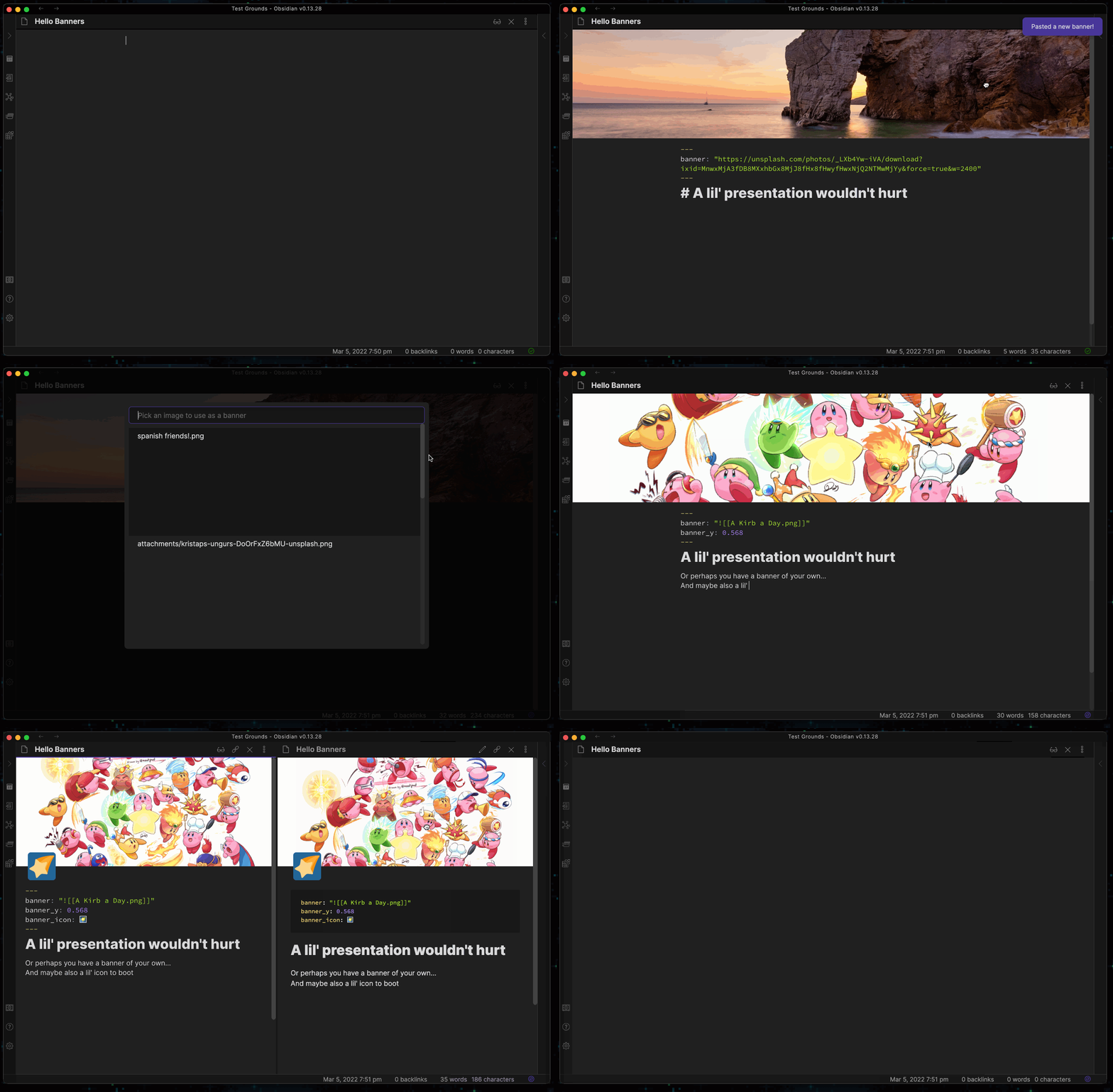
An Obsidian plugin to add banner images (and icons) to your notes!
banners-demo

Usage

Within an open note, you can use the Add/Change banner with local image command to select a local image as a banner for your note; or you can copy an image URL & run the Paste banner from clipboard command to paste the URL as a banner image. You can also drag the banner image to reposition the image, as well as use the Lock/Unlock banner position command to "lock" the banner's position in place and vice versa.

If you want to remove the banner, you can run the Remove banner command to do just that.

You can also add a banner icon, using Add/Change emoji icon & selecting an emoji of your choice. You can also change an existing emoji by clicking on it in the preview.

Similarly, you can remove the icon with the Remove icon command.

Advanced

Under the hood, this plugin uses your file's YAML frontmatter/metadata to store info about your banner. So you can also input it manually or use other plugins to input it for you. These are the fields you can use thus far (using the default frontmatter field prefix):

# The source path of your banner image, can be a URL or an internal link to an image.
# NOTE: Make sure it's wrapped in quotes to avoid parsing errors, such as "![[file]]"
banner: string

# The banner's center position. A number between 0-1
banner_x: number
banner_y: number

# Determines if the banner is locked in place or not
banner_lock: boolean

# The banner icon. Can be an emoji or any string really (but it'll only accept the first letter)
banner_icon: string

Settings

Banners

  • Banner height: Specify how tall the banner image should be for each note.
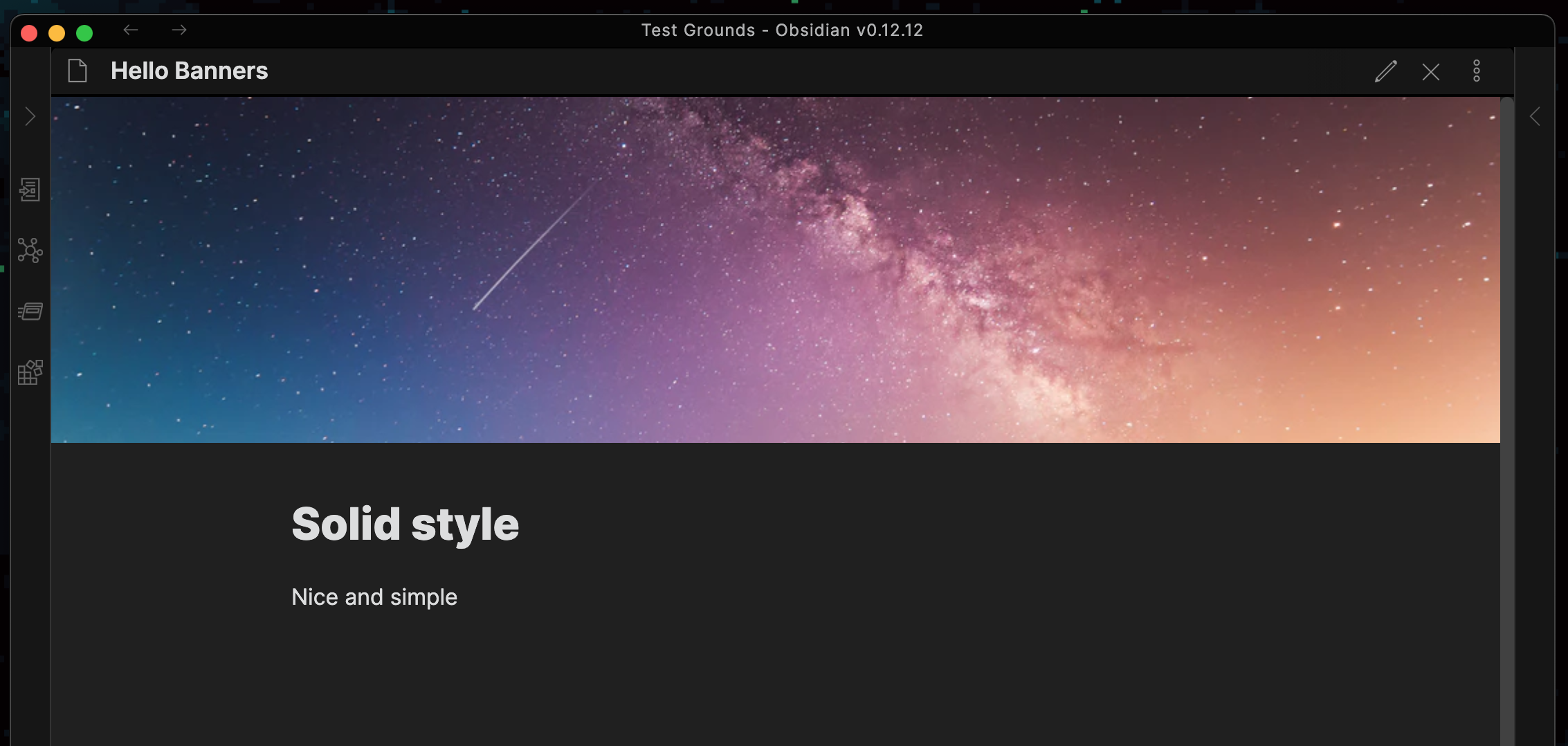
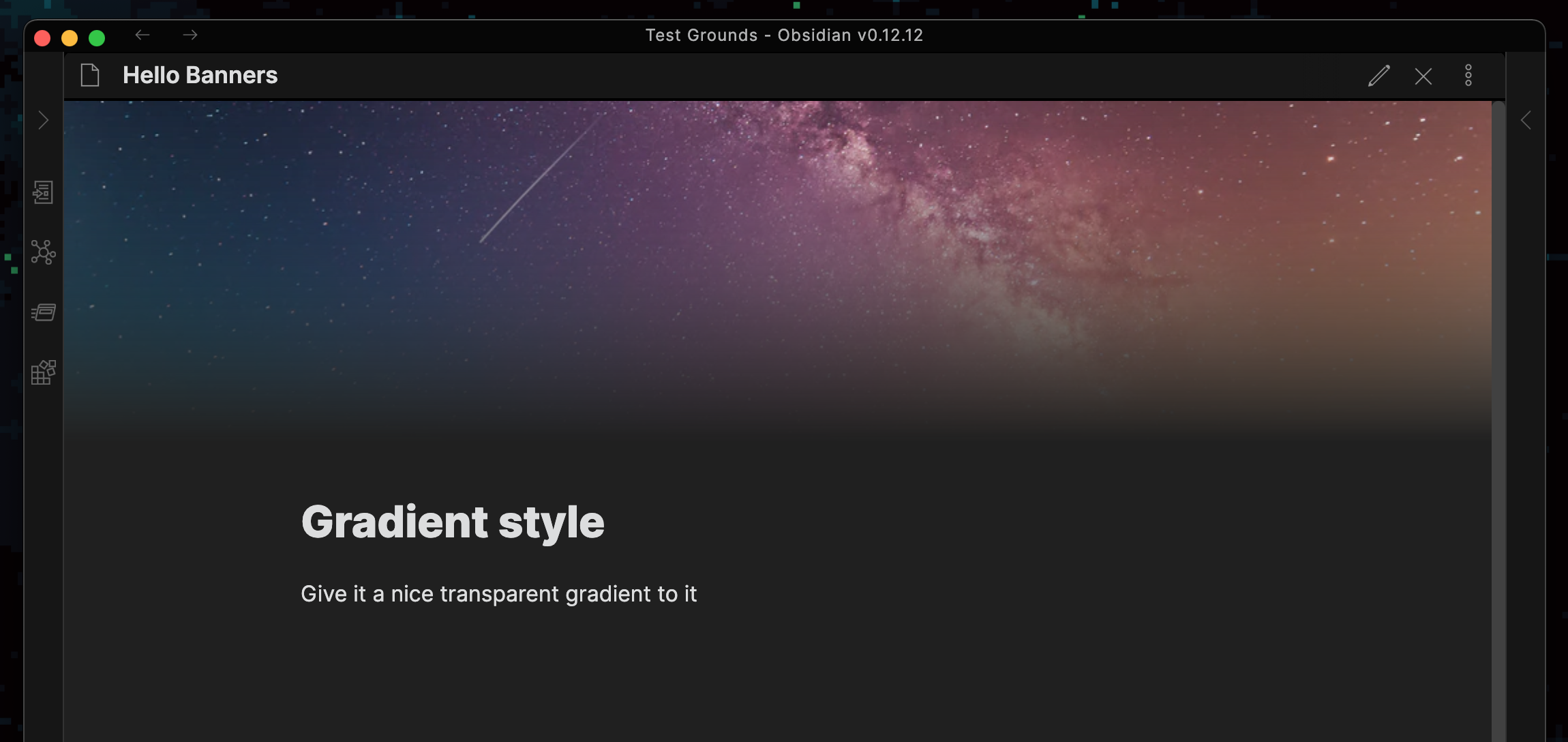
  • Banner style: Change how your banner looks in your notes. There are currently 2 options:
    • Solid: A simple, sharp-container banner image.
    • Gradient: A banner that fades into transparency, inspired by this forum post.
Solid Gradient
solid-style gradient-style
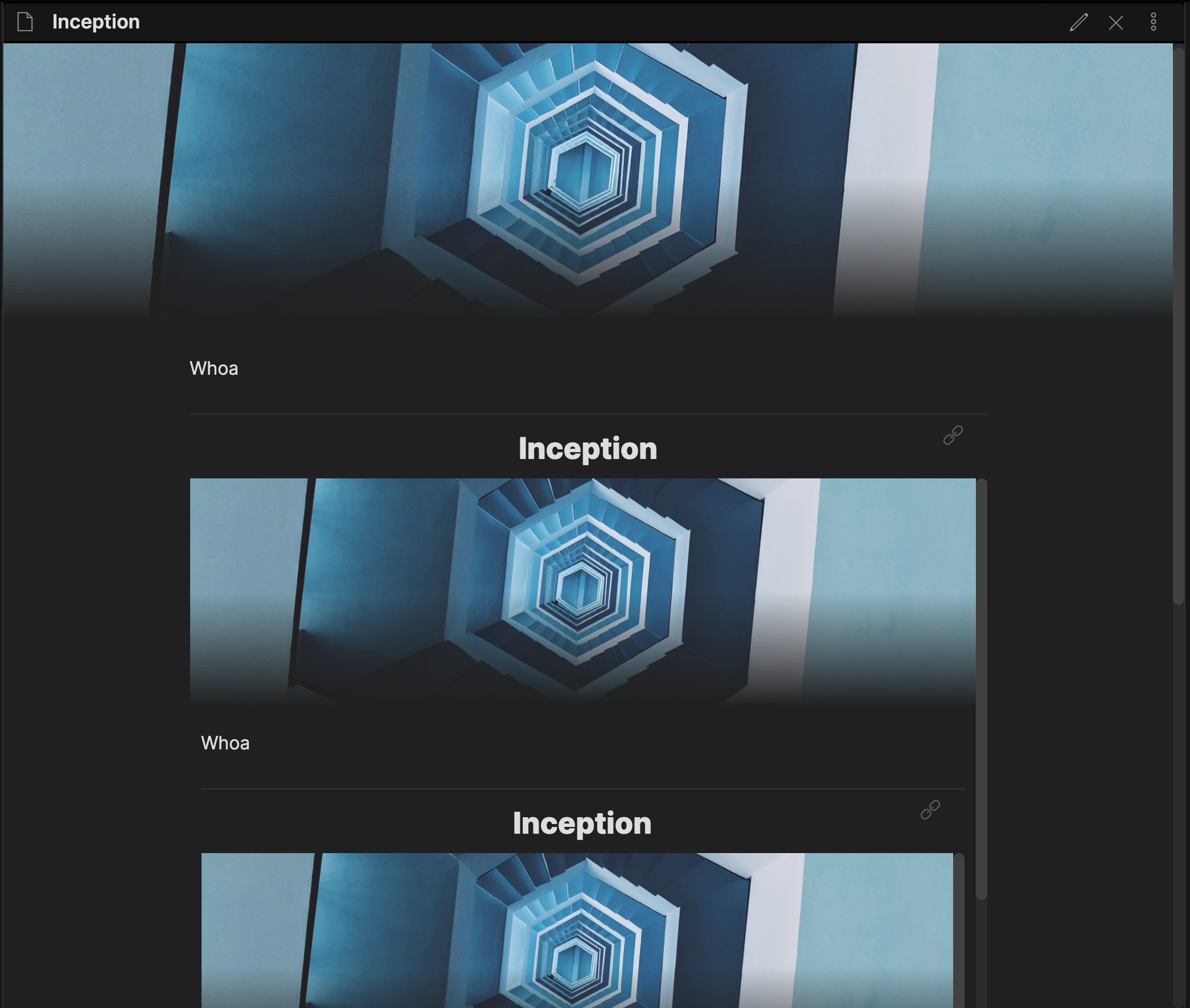
  • Show banner in internal embed: Choose if the banner should be displayed in the inline internal embed within a file.
  • Preview internal banner height: If Show banner in internal embed is on, this setting determines how tall the banner image in the embed should be.
inception

  • Show banner in preview embed: Choose if the banner should be displayed in the preview embed for the Page Preview plugin.
  • Preview embed banner height: If Show banner in preview embed is on, this setting determines how tall the banner image in the embed should be.
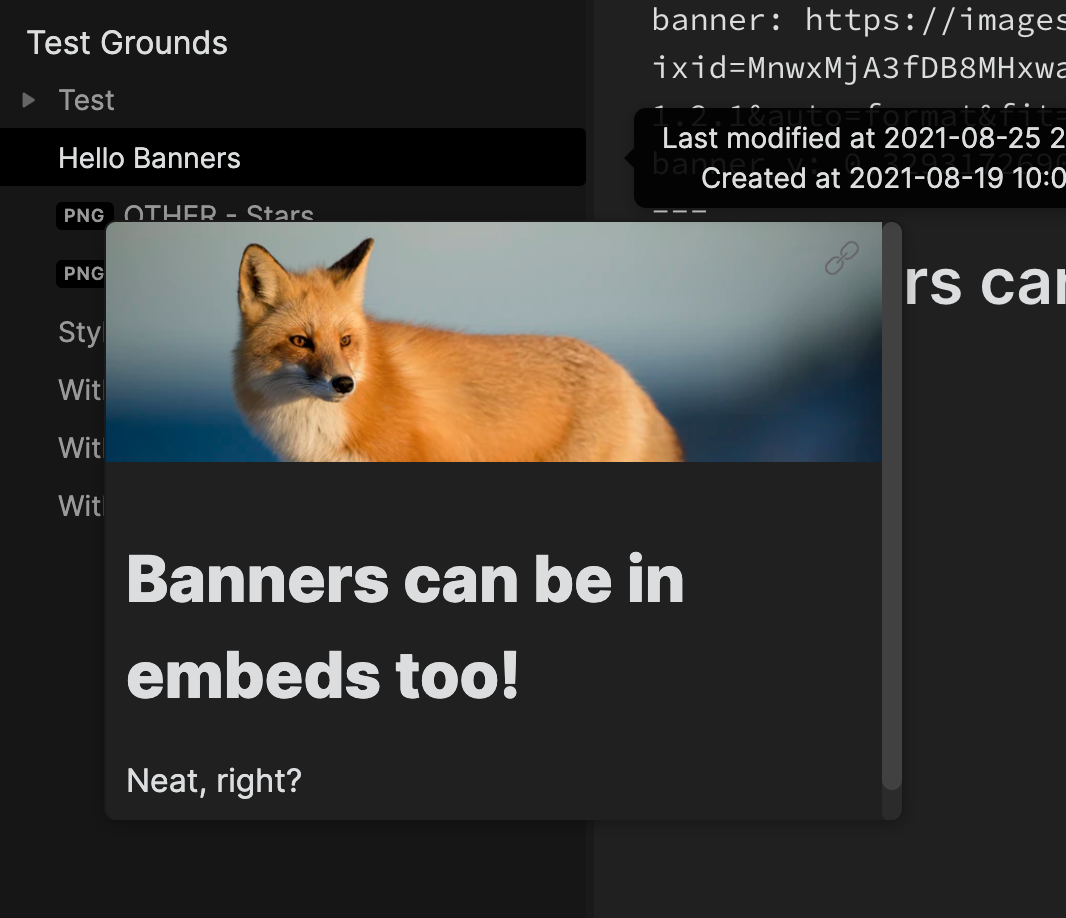
embed

  • Frontmatter field name: If set, use a customizable frontmatter field to use for banner data. For example, the default value banner will use the fields banner_x, banner_y, and so on.
  • Banner drag modifier key: Set a modifier key that must be usedto drag a banner. For example, setting it to Shift means you'll have to drag with Shift to move it. This can help avoid accidental banner shifts.

Banner Icons

  • Horizontal alignment: Align the icon horizontally within the note's boundaries. If set to Custom, you can input a custom offset, relative to the note's left boundary. This can be any valid CSS length value.
  • Vertical alignment: Align the icon vertically relative to a banner's bottom edge, if a banner is present. If set to Custom, you can input a custom offset, relative to the center of a banner's lower edge if any. This can also be any valid CSS length value.
  • Use Twemoji: If set, it will use Twemoji (Twitter's emoji set) instead of the stock emoji on your device. This is on by default as there is better emoji support using this.

Local Image Modal

  • Show preview images: Enable this to allow preview images to be seen when searching through the modal.
  • Suggestions limit: Limit the amount of suggestions the modal can display at once.
    • NOTE: If you set this to a high number, while having Show preview images on, you may experience some slowdowns while searching.
  • Banners folder: Specify a folder to exclusively search for image files within the modal. If unset, the modal will search the entire vault by default.

Experimental

  • Allow mobile drag: Choose if you can adjust the banner positioning on mobile devices by dragging.
    • NOTE: This setting is experimental since it acts a bit funny with the mobile app's already built-in touch gestures.

Compatibility

This plugin has been tested on desktop from 0.12.12 onwards (previously MacOS and currently Windows) and on mobile from 1.0.4 onwards (iOS). It probably works fine on older versions, but just a heads up.

Installation

  • From the Community Plugins tab:
    • Within Obsidian, search for Banners in the Community Plugins browser and install it directly
  • Manual install:
    • Go to the latest release here, & download the files listed there (main.js, styles.css, & manifest.json)
    • Go to your vault's plugin folder (<vault>/.obsidian/plugins), create a folder called obsidian-banners, and move your files in there.
    • Reload Obsidian & enable the plugin in Settings -> Community Plugins

FAQ

What are these banner, banner_x, banner_y, ... fields in my note's frontmatter?

This plugin uses the frontmatter to store data about your note's banner, such as its positioning and such. The fields you can use are listed here and the prefix can be customized using the Frontmatter field name setting.

Is this incompatible with other plugins?

There are a few cases, but it depends. Because of how it functions, any plugin that conflicts with Banners' styling may cause issues. It's rather situational, but I'm planning to address some styling fixes for those conflicts down the line.

Currently some plugins reported to conflict with Banners are:

Develop

Once you run npm i, you can build the files into dist/ easily by running npm run build.

You can also have it watch your files and update your plugin within your vault while you develop by running npm run dev. Just make sure to set DEVDIR in ./esbuild.config.mjs to your testing vault beforehand.

Things I might do down the road

  • Plugin compatibility fixes and enhancements
  • Note-specific settings (override global style & height settings per note)
    • Drag bottom of banner to determine note-specific banner height
  • Image icons instead of only emoji
  • Banner titles (a la Notion-style)
  • Allow content's vertical displacement height to be different than banner height (this can be nice for aesthetic choices with the Gradient style)
  • Copy image files and paste as a banner
  • Unsplash API integration (select from Unsplash's images straight from Obsidian)

Similar Plugins

info
• Similar plugins are suggested based on the common tags between the plugins.
Image Window
4 years ago by Jeremy Valentine
Adds the ability to open images in new Obsidian windows
Chevereto Image Uploader for Obsidian
4 years ago by kkzzhizhou
obsidian plugins: chevereto image uploader
Paste image rename
4 years ago by Reorx
Renames pasted images and all the other attachments added to the vault
Image Gallery
4 years ago by Luca Orio
A zero setup masonry image gallery for Obsidian
Copy document as HTML
3 years ago by mvdkwast
Obsidian plugin: copy document as HTML, including images
Emo
3 years ago by yaleiyale
Use image/file hosting in Obsidian by clipboard or draging file. Obsidian 图床聚合 & Github上传器
Image Layouts
3 years ago by Luke Chadwick
Local images plus
3 years ago by catalysm, aleksey-rezvov, Sergei Korneev
This repo is a reincarnation of obsidian-local-images plugin which main aim was downloading images in md notes to local storage.
Image Captions
3 years ago by Alan Grainger
Add captions to images with inline Markdown and link support. The caption format is compatible with the CommonMark spec and other Markdown applications.
Awesome Image
3 years ago by AwesomeDog
One-stop solution for image management.
Avatar
3 years ago by froehlichA
An obsidian plugin for displaying an avatar image in front of your notes.
Image OCR
3 years ago by kaffarell
Runs ocr on pasted images and posts result in details box. This allows to search in images.
Image To Lskypro
3 years ago by NekouTarou
支持直接上传图片到图床Lsky,基于https://github.com/renmu123/obsidian-image-auto-upload-plugin.git改造。
Cloudinary
3 years ago by Uday Samsani, Jordan Handy
Cloudinary plugin for content uploading and transformation.
Image Converter
3 years ago by xRyul
⚡️ Convert, compress, resize, annotate, markup, draw, crop, rotate, flip, align images directly in Obsidian. Drag-resize, rename with variables, batch process. WEBP, JPG, PNG, HEIC, TIF.
Media Sync
3 years ago by fnya
Media Sync is Plugin for Obsidian
Qiniu Image Uploader
3 years ago by Jade Zheng
Uploads images from your clipboard to qiniu.com and embeds uploaded image to your note.
Image2LaTEX
3 years ago by Hugo Persson
This is a plugin for obsidian that will read your latest copied image from clipboard and generate math latex from it
Markdown Image Caption
3 years ago by Hananoshika Yomaru
Generate image caption easily. Completely markdown-based.
Image Helper
2 years ago by Chongmyung Park
Context menu to convert a image to another format in reading view in Obsidian.md
Image Inline
2 years ago by Zackary W
convert images into base64 encoded strings and embed them directly within your notes
Image Collector
2 years ago by tdaykin
Image Magician
2 years ago by luxmargos
This is a plugin for Obsidian (https://obsidian.md). Supports viewing and exporting various image formats using ImageMagick.
Display Relative Path Img
2 years ago by Dyc
Display the relative path image referenced by <img> in Obsidian without altering the original document
Tiff Viewer
2 years ago by Jan Ullmann
An obsidian plugin to easily convert tiff files to png so that they can be displayed in obsidian
Image Metadata
2 years ago by alexeiskachykhin
Adds image metadata editing capabilities to Obsidian
Lite Gallery
2 years ago by Jordan Poles
Fast Image Auto Uploader
2 years ago by Longtao Wu
upload images from your clipboard by gopic
Image in Editor
5 years ago by Ozan Tellioglu
This Obsidian plugin to view Images, Transclusions, iFrames and PDF Files within the Editor without a necessity to switch to Preview.
Clear Unused Images
5 years ago by Ozan Tellioglu
Obsidian plugin to clear the images that are not used in note files anymore
Image auto upload
5 years ago by renmu123
auto upload image with picgo
Image Context Menus
5 years ago by NomarCub
Image Context Menus - Obsidian.md image context menus: copy, open in default app, show in system explorer, reveal in navigation context menu. Also Open PDF externally context menu.
Image Toolkit
5 years ago by sissilab
An Obsidian plugin for viewing an image.
Local images
5 years ago by catalysm, aleksey-rezvov
Mousewheel Image zoom
4 years ago by Nico Jeske
An Obsidian plugin that enables you to increase/decrease the size of an image by holding down a configurable key (defaults to left alt), hovering over an image in preview mode and scrolling.
Enhanced Image
2 years ago by situ2001
Enhance the experience of image in Obsidian, seamlessly.
Pixel Banner
2 years ago by Justin Parker
🚩 Enhance your Obsidian notes with customizable banner images, including AI-generated designs and a curated store of downloadable banners. Transform your workspace with visually stunning headers that add context, improve aesthetics, and take your note-taking beyond the ordinary.
Find Orphaned Images
2 years ago by Josmar Cristello
Find Orphaned Images is an Obsidian plugin designed to help you keep your vault clean and organized by identifying and managing images that are not linked anywhere in your notes.
Local Media Embedder
2 years ago by seyf1elislam
an obsidian plugin allows you to Embed videos and images and audios from your local device in your notes.
复制图文 (Copy Image Text)
2 years ago by msgk
obsidian插件,复制笔记内容(包括文本和图片)到剪贴板
PDF2Image
2 years ago by RasmusAChr
Arweave Uploader
2 years ago by makesimple
Featured Image
a year ago by Johan Sanneblad
Obsidian plugin to automatically set a featured image property in your notes based on the first image, YouTube link, or Auto Card Link image found in your document. This allows you to create rich note galleries using Folder Notes and Dataview.
Image Tools
a year ago by Andrey Serov
Image Uploader For Note
a year ago by Yunfi
Upload images in a note, and if the image is only used in this note, delete it from vault.
Paste Image Into Property
a year ago by Nito
Media Slider
a year ago by Aditya Amatya
An obsidian plugin that helps to make slider for images, audios, videos, pdfs, markdown, etc in obsidian notes.
Image Picker
a year ago by ari.the.elk
Image to HTML
a year ago by 0x1DA9430
A plugin for Obsidian that converts pasted images to HTML format instead of Obsidian's wikilink or Markdown format
Simple Banner
a year ago by Sandro Ducceschi
Visually enhance your Obsidian notes with a customizable banner. Supports icons and time/date display.
Memories
3 months ago by DIMFLIX
Plugin to display a gallery directly in a note.
Banners Reloaded
2 months ago by Dani García
A simple, fast, and lightweight way to add customizable banners to your notes.