Paste Quote

by Jacob Williams
5
4
3
2
1
Score: 52/100

Description

The Paste Quote plugin streamlines the process of formatting and citing quotations when pasting them into Obsidian. It automatically adjusts pasted text based on cursor position, converting it into a block quote or inline quote as needed. The plugin supports citation formatting for quotes copied from the Kindle app, ensuring proper attribution using title and page numbers or Pandoc-style citations if a references section is present.

Reviews

No reviews yet.

Stats

3
stars
293
downloads
0
forks
437
days
441
days
441
days
0
total PRs
0
open PRs
0
closed PRs
0
merged PRs
0
total issues
0
open issues
0
closed issues
0
commits

Latest Version

a year ago

Changelog

  • Corrects the minimum app version to a version I've actually tested on
  • Renames "Cite Reference" to "Cite reference" to match plugin guidelines.

README file from

Github

"Paste Quote" Obsidian Plugin

This is a small Obsidian plugin to help with formatting and citing quotations when pasting them from the clipboard. Currently, citation support only applies to quotes pasted from the Kindle app, and is focused on generating Pandoc-style citations.

The plugin also contains a command to help paste references from e.g. Zotero into the references section of the note's front matter, and a command to insert a Pandoc-style citation for an item from the references section.

Paste Quote command

Formatting

Suppose you have this text on the clipboard:

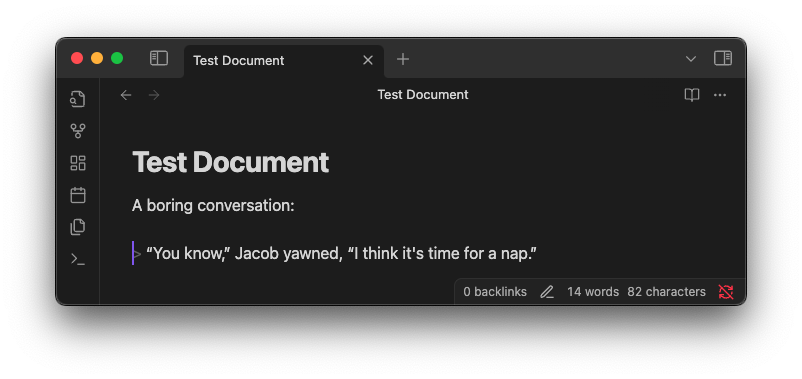
“You know,” Jacob yawned, “I think it's time for a nap.”

If you use the Paste quote command while your cursor is at the beginning of a line, this will be pasted as a block quote:
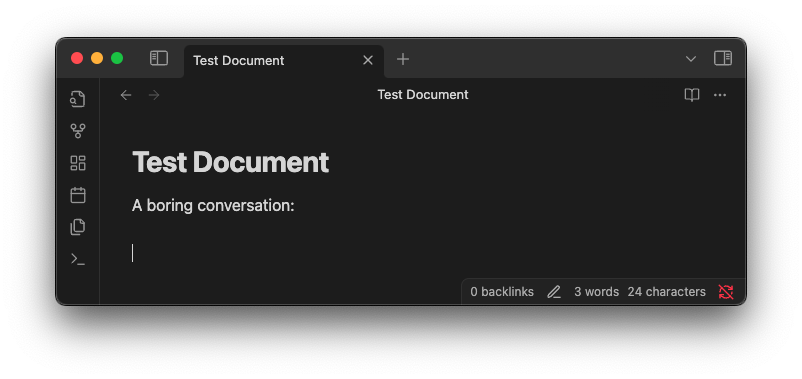
A sample document before pasting, where the cursor is at the beginning of a line

A sample document after pasting, where the quote has been pasted as a blockquote

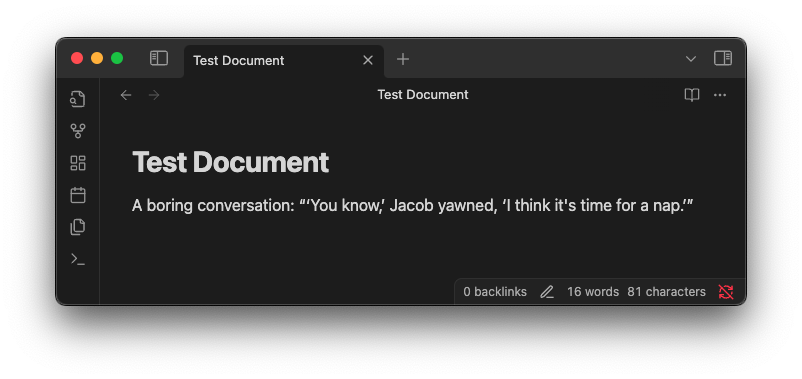
But if the cursor is in the middle of a line, then quotation marks will be added around the quote, and any internal double quotes are changed to single quotes, like this:
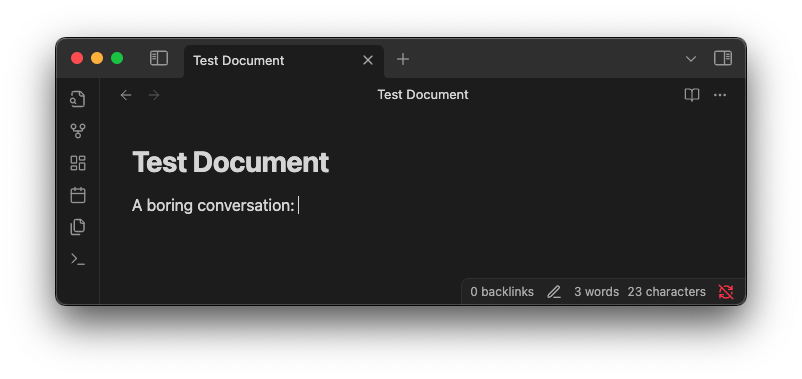
A sample document before pasting, where the cursor is not at the beginning of a line

A sample document after pasting, where the quote has been surrounded by quotation marks and the double quotes within it have been replaced with single quotes

Citations

If you copy text from the Kindle app, you'll end up with something like this on your clipboard:

The professional tackles the project that will make him stretch. He takes on the assignment that will bear him into uncharted waters, compel him to explore unconscious parts of himself.

Pressfield, Steven. The War of Art (pp. 40-41). (Function). Kindle Edition. 

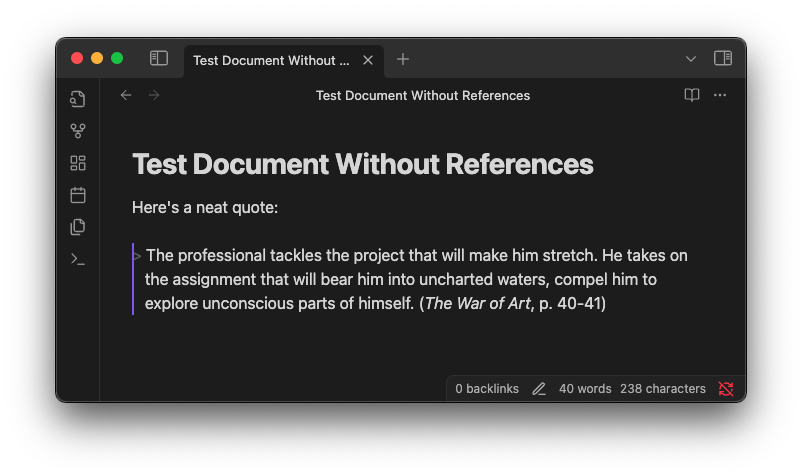
The Paste quote command will change the citation format when pasting this. The new format depends on whether you have a references section in your note's front matter. If you don't have a references section, then a simple title and page number format is used:
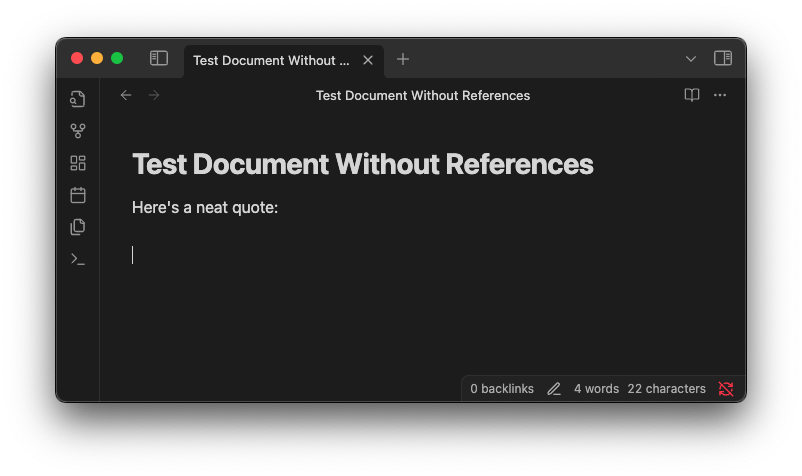
A sample document before pasting

A sample document after pasting, which includes the quote and a citation in the format (The War of Art, p. 40-41)

If your document does have a references section in its frontmatter, then the plugin will try to find the correct reference for the quote based on the title, and generate a Pandoc-style citation using the corresponding id. Example:
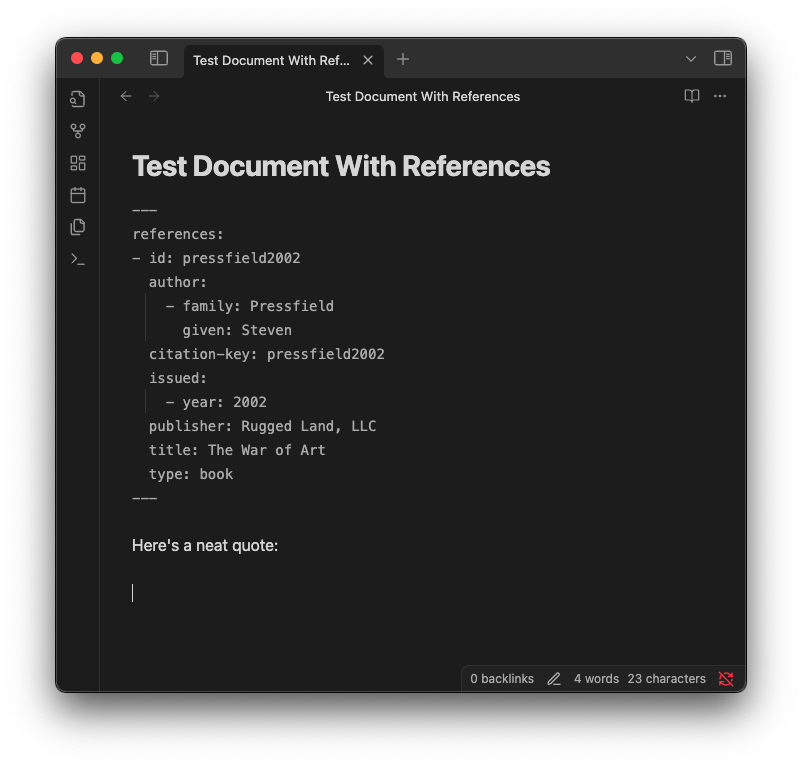
A sample document containing a references section with a reference with id "pressfield2002"

A sample document after pasting, which includes the quote and a citation in the format [@pressfield2002, p. 40-41]

Paste CSL YAML command

Suppose you use Zotero and the Better BibTeX plugin, and you select an entry there and use 'Copy as Better CSL YAML'. Then you'll have something like this on your clipboard:

---
references:
- id: pressfield2002
  author:
    - family: Pressfield
      given: Steven
  citation-key: pressfield2002
  issued:
    - year: 2002
  publisher: Rugged Land, LLC
  title: The War of Art
  type: book
...

Running the Paste CSL YAML command will add the references from the clipboard into your note's front matter. The advantage over just pasting it directly into the front matter yourself is that if your note already has a references section in its front matter, the command will add the new references onto the existing list, and will warn you if there are any duplicate IDs.

Cite Reference command

If you just want to insert a Pandoc-style citation to one of your references, without pasting a quote, you can use the Cite Reference command. This will open a fuzzy-finder for choosing the reference, then add the citation for the chosen reference, as shown below.
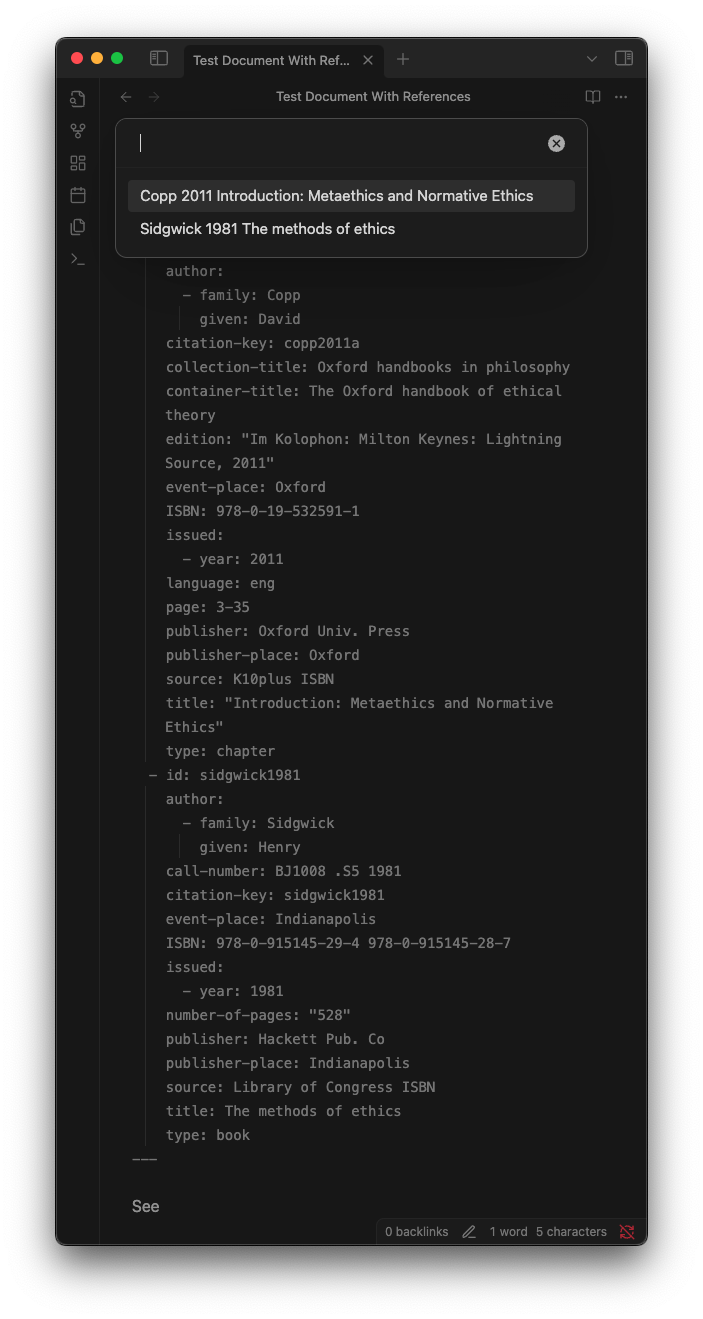
The fuzzy finder for the Cite Reference command, showing the two references that appear in the document's front matter

The document after the Cite Reference command inserted a citation in the format [@copp2011a]

Similar Plugins

info
• Similar plugins are suggested based on the common tags between the plugins.
Topic Linking
4 years ago by Liam Magee
An Obsidian plugin for finding and linking topics in a vault.
Kindle Export
4 years ago by Simeon Stanek
A plugin which converts .md files from Obsidian to your Kindle/PocketBook
Zotero Desktop Connector
4 years ago by mgmeyers
Insert and import citations, bibliographies, notes, and PDF annotations from Zotero into Obsidian.
Pandoc Reference List
4 years ago by mgmeyers
Display a formatted reference in Obsidian's sidebar for each pandoc citekey in the active document.
Zotero Bridge
4 years ago by Shmavon Gazanchyan
Obsidian plugin to integrate with Zotero
Zotero Link
4 years ago by Shmavon Gazanchyan
Obsidian plugin to insert link to Zotero item
Pretty BibTeX
3 years ago by Sandro Figo
A plugin for Obsidian that shows raw BibTeX bibliography entries in a prettier way. (https://obsidian.md)
Reference Map
3 years ago by Anoop K. Chandran
Reference and citation map for literature review and discovery
Zotero Sync
3 years ago by Frithjof Gressmann
A Zotero Sync client for Obsidian
ZotLit
3 years ago by AidenLx
A third-party project that aims to facilitate the integration between Obsidian.md and Zotero, by providing a set of community plugins for both Obsidian and Zotero.
Simple Citations
2 years ago by masaki39
Add & update simple literature notes from Zotero.
Citations
5 years ago by Jon Gauthier
Obsidian plugin which integrates your academic reference manager with the Obsidian editor. Search your references from within Obsidian and automatically create and reference literature notes for papers and books.
Kindle Highlights
3 years ago by Hady Osman
Sync your Kindle notes and highlights directly into your Obsidian vault
Copy as LaTeX
4 years ago by mo-seph
Quick plugin to be able to copy/paste from Obsidian/Markdown into a Latex document
Unearthed (Kindle Sync)
a year ago by CheersCal
Latex Exporter
a year ago by Matthew S. Scott
BibDesk Integration
a year ago by Andrea Alberti
Integration of Obsidian with bibtex files
logos-refs
a year ago by Joey Kilgore
Easily take refs from Logos into Obsidian
BibLib
a year ago by Callum Alpass
Obsidian-based reference and literature note manager.
Kindle Highlights Import
10 months ago by Leon Luttenberger
Plugin for Obsidian that allows users to import Kindle highlights into their Obsidian vault.
Citation Callouts
9 months ago by Michael Marvive
Obsidian Plugin that formats a quote with a citation in a custom callout
Bibtex Entry View
9 months ago by Kyoungdeuk
Load the bibtex entry of a given bibkey from a given bib file and show the entry in the code block of bibkey.
Kindle Vocab
9 months ago by Truong Gia Bao
Generate the markdown version of your Vocabulary Builder in Kindle, and put it in your Obsidian Vault.
LiteCite
8 months ago by ras0q
A lightweight Obsidian plugin that creates citation notes from a BibTeX / BibLaTeX file
BibTeX Scholar
7 months ago by Qilong Liu
Make your literature review and writing contextual and frictionless—right inside your Obsidian vault!
newslog
5 months ago by protoavatar
Sync your newslog.me daily bundles and Kindle's highlighted articles directly into Obsidian.
Deep Sit
5 months ago by Ahmed Bassiouni