Remember File State
4 years ago by Ludovic Chabant
A plugin for Obsidian that remembers cursor position, selection, scrolling, and more for each file.
Novel Word Count
4 years ago by Isaac Lyman
Obsidian plugin. Displays a word count or other statistic for each file, folder and vault in the File Explorer pane.
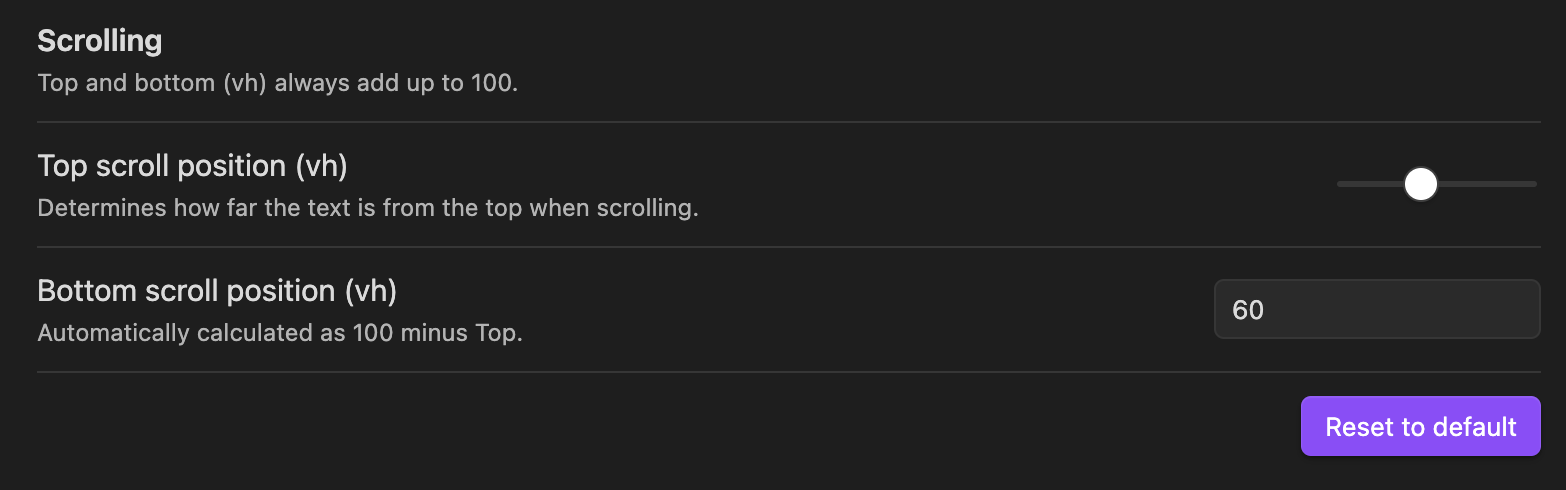
Scroll Offset
4 years ago by Lijyze
Scroll Offset for Obsidian
Folder Focus Mode
4 years ago by grochowski
Focus file explorer on chosen folder and its files and subdirectories, while hiding all the other elements.
Focus and Highlight
4 years ago by BO YI TSAI
A plugin for obsidian to focus and highlight on a specific heading in Reading mode.
PodNotes
4 years ago by Christian B. B. Houmann
PodNotes is a plugin for Obsidian that helps the user write notes on podcasts.
Writing
4 years ago by johackim
Write and format your next book directly from Obsidian
ProZen
4 years ago by Moskvitin
Obsidian plugin for going FULL screen
Perilous Writing
3 years ago by Sameer Ismail
An Obsidian plugin which demands writing output, at the threat of bludgeoning your in-progress work.
Zen
3 years ago by Maxymillion
A focus mode Obsidian plugin. Inspired by "iA Writer".
Focus Active Sentence
3 years ago by artisticat
Highlight the active sentence in Obsidian.md
Auto Hide Cursor
3 years ago by Mo Ismat
A simple plugin for https://obsidian.md
Readability Score
3 years ago by zuchka
score the readability of your Obsidian documents using the Flesch Reading Ease (FRE) formula
Typing Assistant
3 years ago by Jambo
Typing Assistant is a plugin that improves writing efficiency and provides a user experience similar to that of【Notion】
Typewriter Mode
3 years ago by Davis Riedel
Typewriter Mode is a plugin that adds typewriter scrolling (current line stays at a fixed position on the screen), a highlight for the current line, dimming of unfocused paragraphs and more to Obsidian.
Writing Goals
3 years ago by James Lynch
Set yourself dynamic writing goals for notes and folders to help you hit your long form writing targets with Obsidian.
digital paper
3 years ago by Daniel Fernandes
turn off backspace and undo, like writing with a pen on real paper.
Teleprompter
3 years ago by Lumetrium
Plugin for Obsidian designed to seamlessly integrate teleprompter functionality into your note-taking workflow.
Storyclock Viewer
3 years ago by Jonathan Fisher
Obsidian plugin for creating a storyclock
Full Screen Toggle
2 years ago by Donkey Pacific
Fullscreen toggle plugin across all platforms for Obsidian.
Continuous Mode
2 years ago by Michael Schrauzer
Displays all open notes in a tab group as if they were a continuous scrollable document (similar to Scrivener’s "Scrivenings mode"). Open all notes in Continuous Mode from a folder, search results, or links in a file or Dataview/query block; use arrow keys to navigate between notes; display notes in "Compact Mode" similar to Evernote or Bear; more.
Yesterday
2 years ago by Dominik Mayer
Obsidian plugin providing Yesterday journaling support
Text Focus
2 years ago by usysrc
Focus the text area when opening a new note.
Hemingway Mode
2 years ago by Joaquín Bernal
Reverse Prompter
2 years ago by Ryan Halliday
Let AI generate prompts to keep you writing
Canvas2Document
2 years ago by slnsys
Plugin for Obsidian to convert a complete Canvas to a long form document
Dialogue Mode
2 years ago by Patrick Chiang
Page Scroll
2 years ago by triski
Obsidian Page Up|Down|Top|Bottom
Typewriter Scroll
6 years ago by death_au
Typewriter Scroll Obsidian Plugin
Autocomplete
5 years ago by Yeboster
Obsidian plugin to provide text autocomplete
Orthography
5 years ago by denisoed
The Obsidian plugin for checking grammar and correcting spelling errors in text.
Daily Stats
5 years ago by Dhruvik Parikh
Plugin to view your daily word count across all notes in your Obsidian.md vault.
Focus Mode
5 years ago by ryanpcmcquen
Add focus mode to Obsidian.
Longform
5 years ago by Kevin Barrett
A plugin for Obsidian that helps you write and edit novels, screenplays, and other long projects.
Ghost Fade Focus
5 years ago by Sami Korpela
Ghost Fade Focus plugin for Obsidian
Stille
5 years ago by Michael Lee
🌗 Stille — An Obsidian plugin that helps you focus on your writing, a section at a time.
Word Sprint
5 years ago by Andrew Lombardi
Obsidian Word Sprint plugin
Dialogue
5 years ago by Jakub Holub
Dialogue plugin for Obsidian.md
Smart Composer
2 years ago by Heesu Suh
AI chat assistant for Obsidian with contextual awareness, smart writing assistance, and one-click edits. Features vault-aware conversations, semantic search, and local model support.
Brain Dump Mode
2 years ago by yesjinu
Obsidian plugin - DISABLE your delete key and eliminate hesitation!
Typezen
2 years ago by Ilgam Gabdullin
Plugin for obsidian which lets you turn zen mode instantly
Gemini Scribe
2 years ago by Allen Hutchison
An obsidian plugin to interact with Google Gemini
Simple Focus
2 years ago by Lin Qing
Allows you to focus on a specific file or folder. 让你可以专注于一个文件或文件夹
Blur Mode
2 years ago by dangehub
Blur Mode - Blur elements on the obsidian interface for presentations or screenshots|模糊模式 - 对obsidian界面上的元素进行模糊处理以便演示或截图
Keep the Rhythm
a year ago by Ezben
An Obsidian plugin to track your daily word count through a heatmap.
AI Revisionist
a year ago by Synaptic Labs
YourPulse - Your Writing Activity Visualised
a year ago by Jiri Sifalda
YourPulse.cc - Obsidian.md plugin that turns your vault into a reflection of your creativity, and put your writing on steroids 💪
Blog AI Generator
a year ago by Gareth Ng
Obsidian Plugin: generate blog via AI based on the current note.
Write Good
a year ago by Mark Hesketh
Obsidian plugin to help improve writing style
Musical Text
a year ago by Tynan Purdy
Encourage writing with rhythm by highlighting sentences according to wordcount.
WordCraft
a year ago by Daniel Fernandes
Find rhymes, synonyms, and describing words from within Obsidian. Designed for songwriting and poetry.
PomoBar
a year ago by Miguel Pimentel
PomoBar is a minimalist Pomodoro timer that lives in your Obsidian status bar with optional audio notifications to keep you on track
WeWrite
a year ago by Learner Chen
Obsidian plugin to render note as WeChat MP article.
Inscribe
a year ago by Ahmet Ildirim
Obsidian plugin for inline autocompletion with AI
Proofreader
a year ago by pseudometa (aka Chris Grieser)
AI-based proofreading and stylistic improvements for your writing. Changes are inserted as suggestions directly in the editor, similar to suggested changes in word processing apps.
Scrolling
a year ago by omeyenburg
Obsidian plugin to keep your cursor centered, disable code wrapping, remember position in a file, and more.
Scrolls To Nav Top
a year ago by mario
Simply scrolls to nav top
Drag To Scroll
10 months ago by Constantine Sazonov
Adds drag-to-scroll functionality to Obsidian. Hold mouse button and drag - now you can scroll like on touch device!
Long sentence highlighter
10 months ago by Robert Meißner
Scroller
7 months ago by René Coignard
Adds typewriter mode, unfocused text dimming and commands to quickly scroll to the top or bottom of note.
Typographer
7 months ago by René Coignard
Enhances typography with smart quotes, custom text replacements and auto-pairing characters.
Dangerous Mode
7 months ago by Vansh Kumar
most dangerous writing app in obsidian
Minidoro
6 months ago by Shakti Sampad Swain
Minidoro is a minimalist Pomodoro timer that lives right in your Obsidian header. It's designed to be simple, unobtrusive, and fully customizable.
Disable Tabs
6 months ago by David V. Kimball
Disables having more than one tab open at a time Obsidian.
Japanese Manuscript Counter
5 months ago by Yo Fujii
Nova
5 months ago by Shawn Duggan
Nova - AI plugin for Obsidian that edits your documents directly through natural conversation. Stop copying from chat, start collaborating with AI.
Role Switch
4 months ago by Zafrem
Switch between different work roles (developer, writer, researcher, etc.) with intentional transitions and session tracking.
WPM Reading Time - How Long to Read This Text
3 months ago by Santi Younger
Calculate reading time estimates for selected text using your own reading speed in Words Per Minute.