Writing Goals

by James Lynch
5
4
3
2
1
Score: 53/100

Description

Category: Creative & Writing Tools

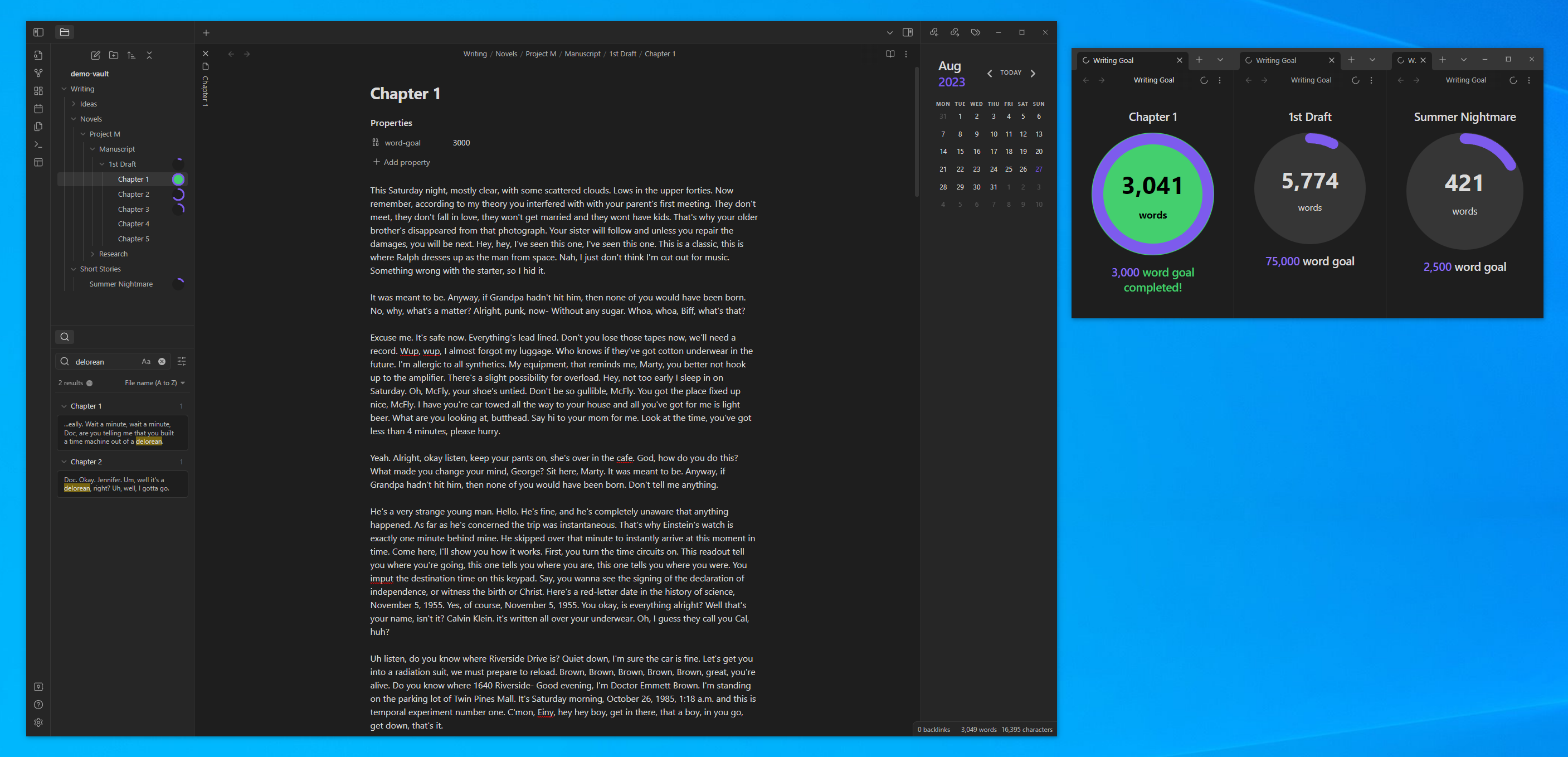
The Writing Goals plugin helps writers set and track dynamic word count goals for notes and folders in Obsidian. Users can define overall and daily word count targets directly within note frontmatter or using commands. Goals update in real-time as you write, and the plugin supports progress tracking through visual stats like bar charts. Additional features include sprint goals with time limits, a centralized goal stats view, and the ability to exclude specific notes from contributing to folder-level counts. This plugin is ideal for writers aiming to achieve structured targets across individual or grouped content.

Reviews

No reviews yet.

Stats

98
stars
29,917
downloads
7
forks
947
days
633
days
633
days
9
total PRs
1
open PRs
0
closed PRs
8
merged PRs
65
total issues
21
open issues
44
closed issues
53
commits

Latest Version

2 years ago

Changelog

Release of writing-goals v0.10.11 auto-created by release.yml

README file from

Github

Obsidian Writing Goals

Set yourself dynamic writing goals for notes and folders to help you hit your long form writing targets with Obsidian.

This plugin provides a simplified version of a goals feature available in Ulysses.

Long form text for the demos was created using Delorean Ipsum.
Adding a goal

You can either add a goal by using the context menu in the file explorer for any note or folder in your vault.
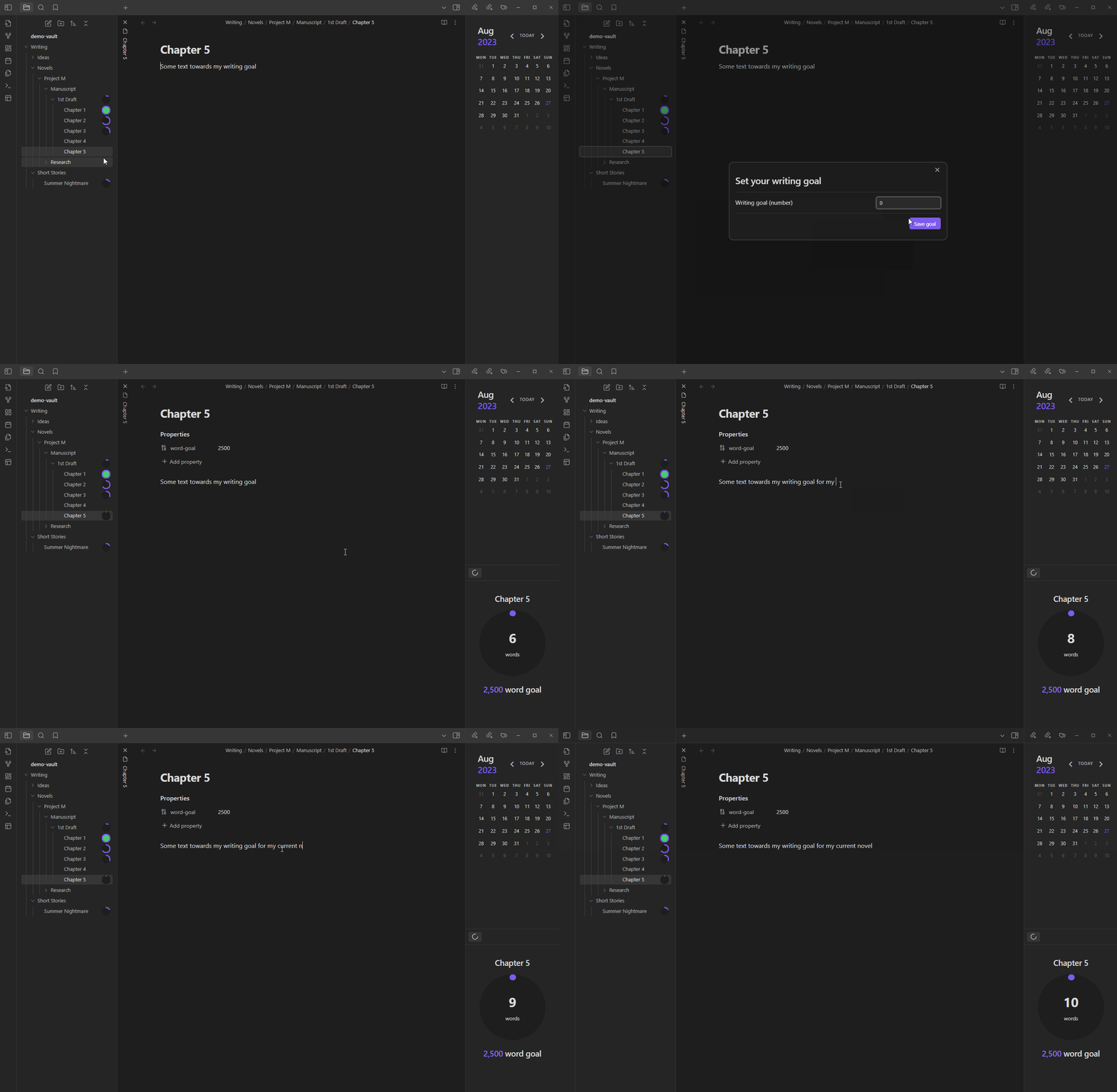
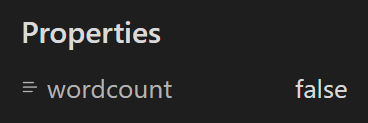
For notes, and entry will be added to the frontmatter of your note with the word goal. The name for the frontmatter property is word-goal by default (also used by the awesome Novel word count plugin by @isaaclyman). You can change the property name in the plugin settings.

There is also a command to add a goal for any note or folder in your vault.

Daily goals

Using the same file explorer and command palette commands, you can also set a daily goal alongside or instead of your overall goal to a note or folder. Daily goals reset each day so you can set yourself a target for the number of words you want to write each day and also see your progress towards your overall goal.
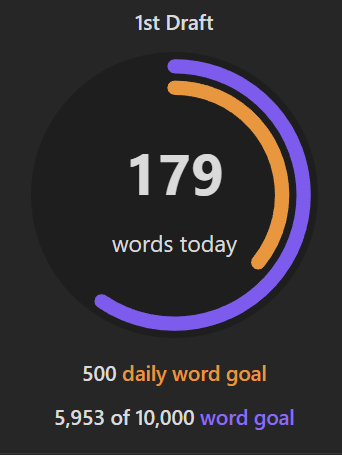
The name for the frontmatter property is daily-word-goal by default. You can change the property name in the plugin settings.

Updating a goal

You can update goals in 3 ways:

  1. Using the add/update command.
  2. Using the file explorer context menu item.
  3. For notes only, updating the value of the goal frontmatter properties.

Viewing goals

You can view the goal set for the current note or for any file or folder using a couple of commands:
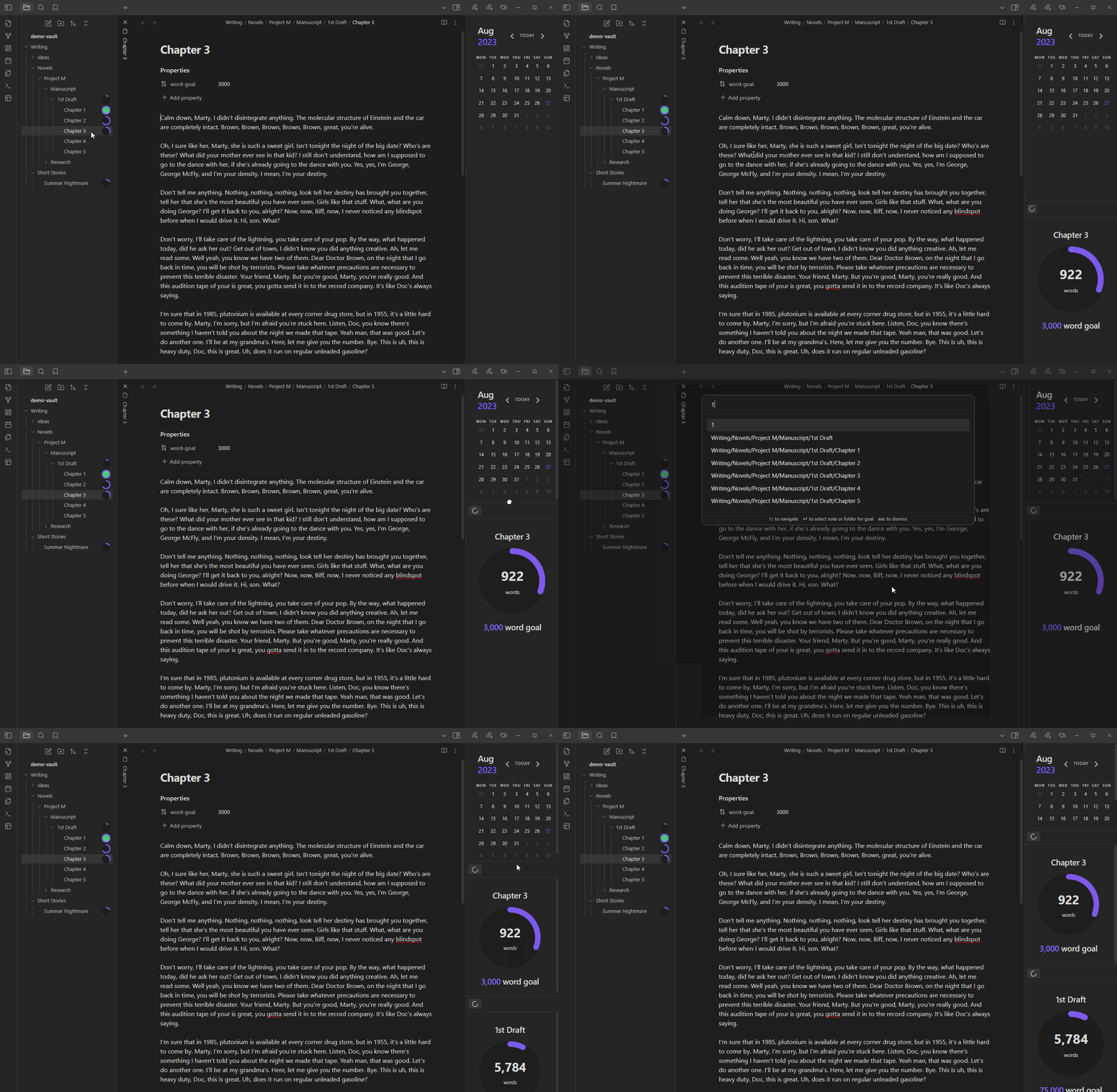
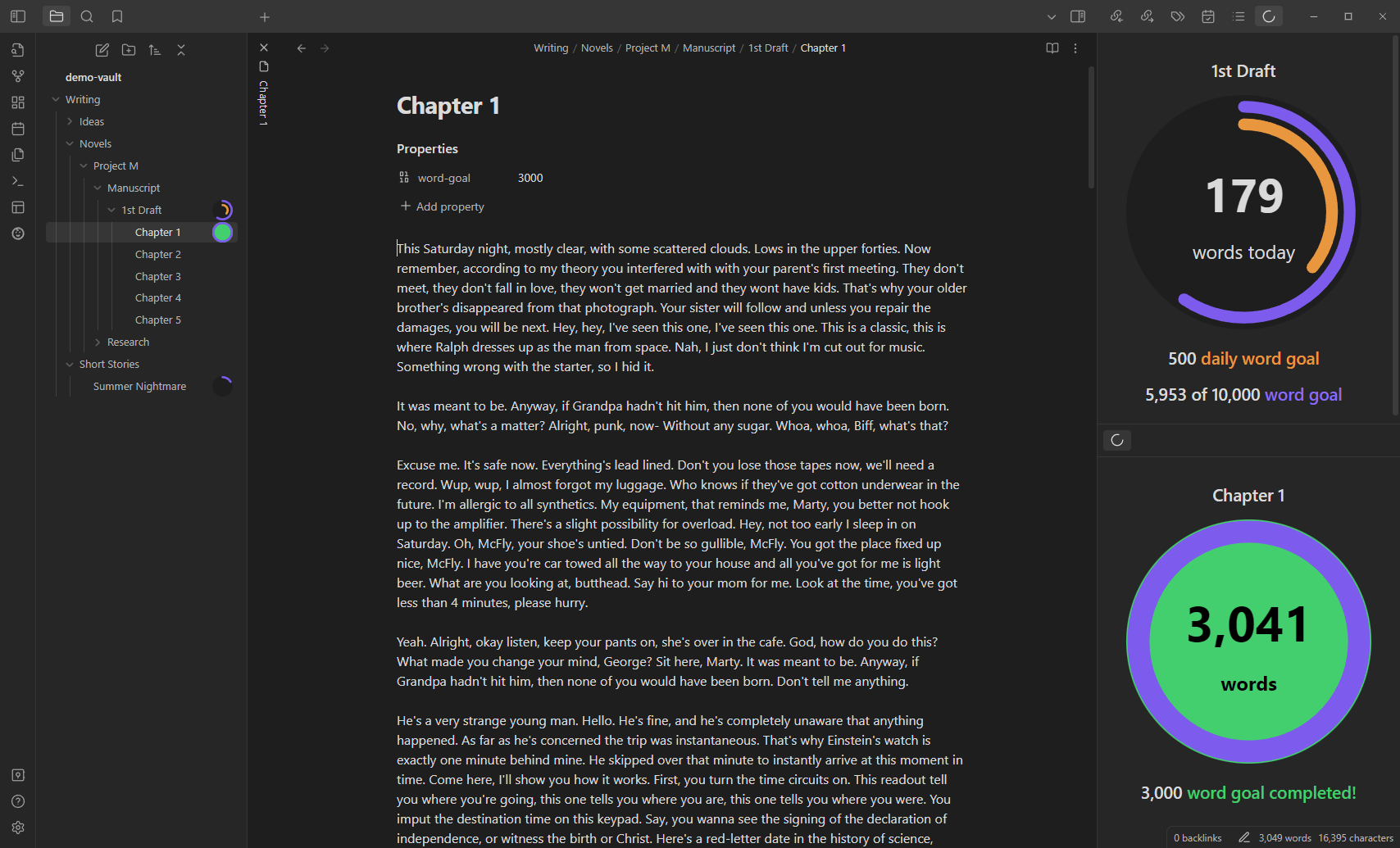
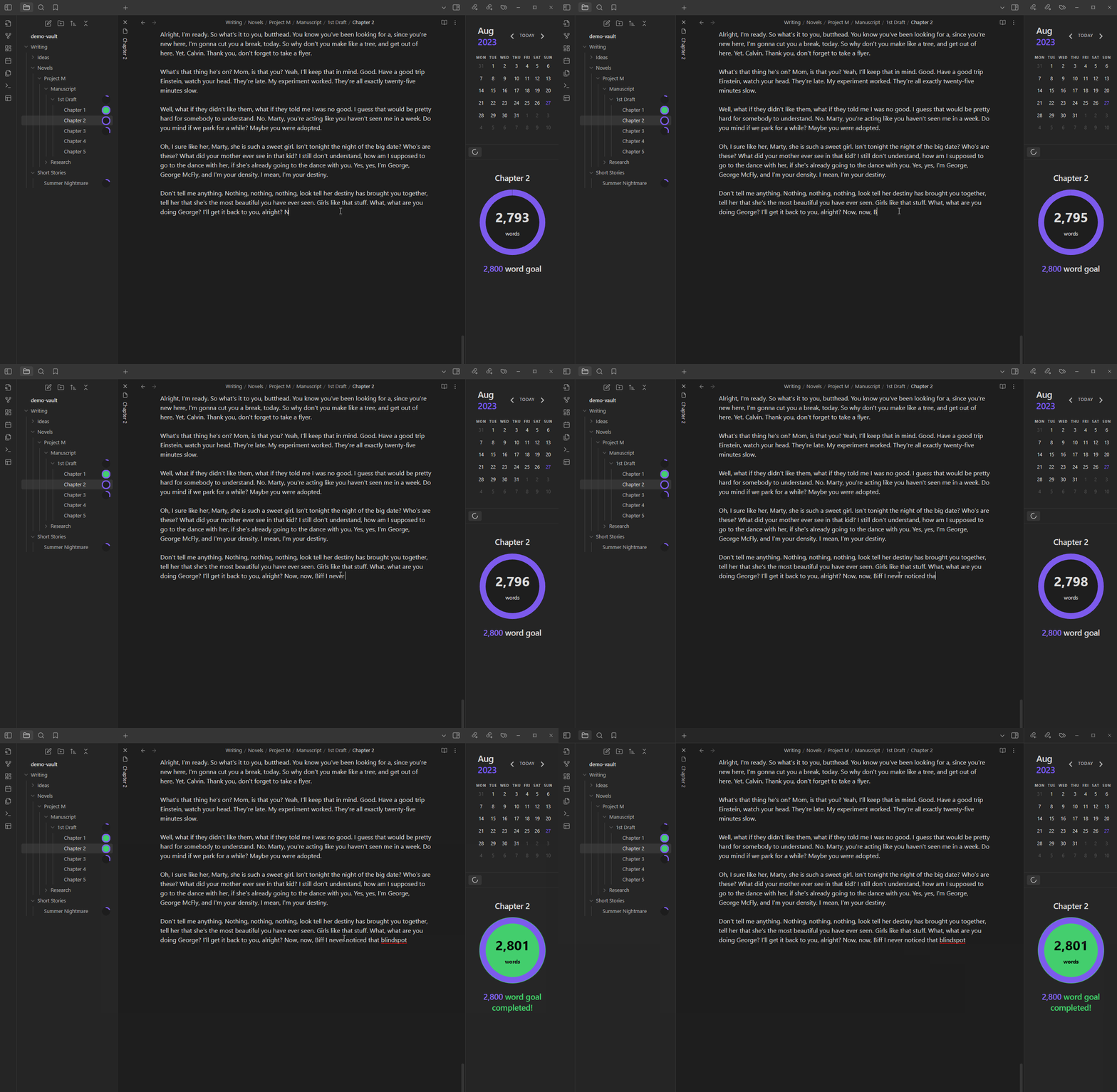
Goal progress should update in real-time as you type. Text added to any file within a folder with a goal (including folders within folders, recursively) will go towards that goal.
Goal stats

In the plugin settings you can enable goal progress stats to be displayed as a bar chart below goals and daily goals:
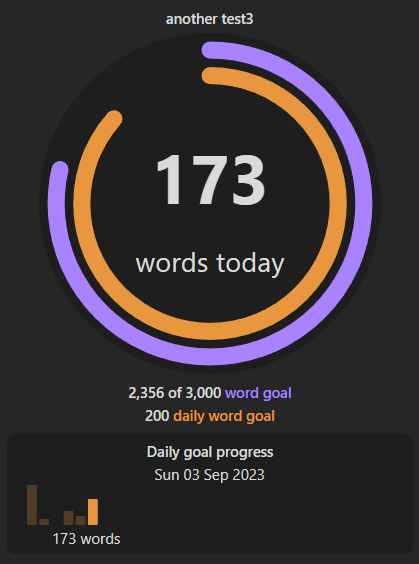
You can also use a command to view all of your goal stats in a single view. This view also allows you to edit the goals and navigate to the note for each respective goal:
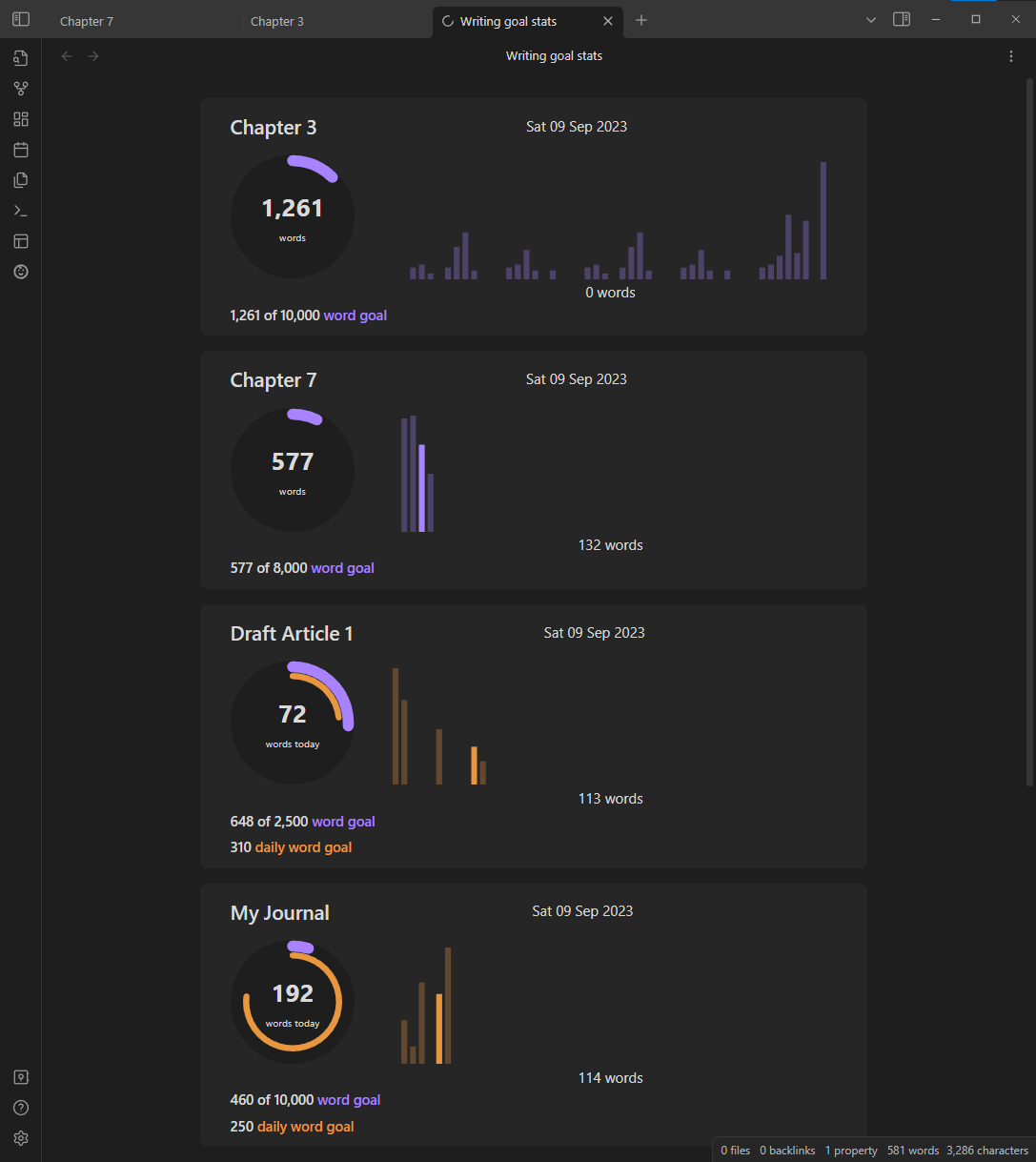
Excluding a note from word count

You can exclude a note from contributing to word counts towards parent folders and other folders higher up the filer hierarchy.

Set a frontmatter property in one of two formats:

Sprint goals

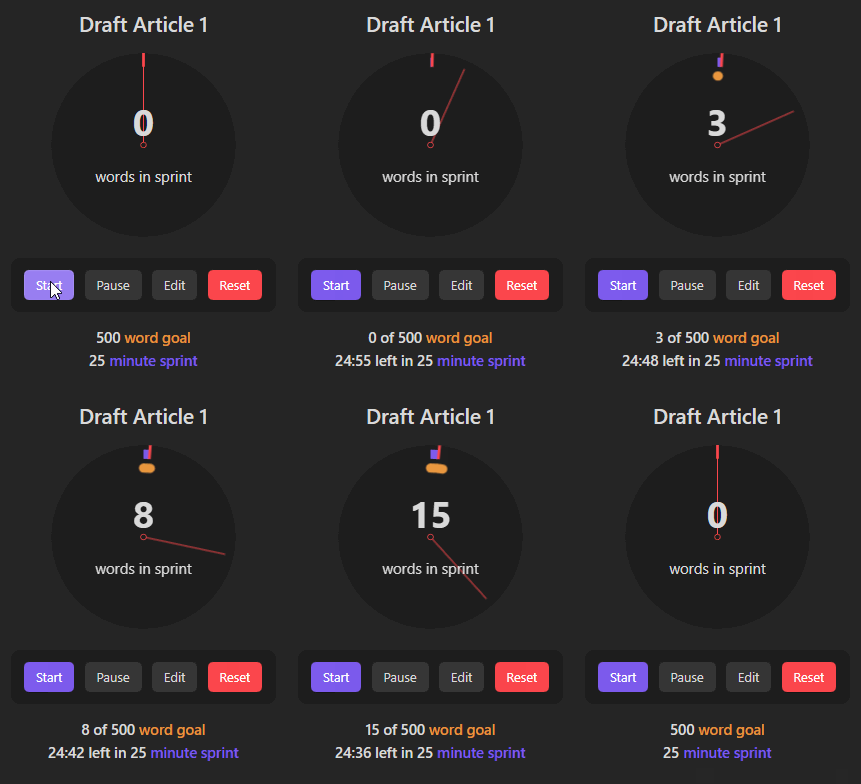
Using file explorer and command pallette commands, you can also set a sprint goal for a note with a target word goal within a specific time limit. You can start, pause, edit and reset the sprint goal.
Compatibility

This plugin is compatible with Obsidian v1.3.7 and targets API version v1.4.4.

Safety

This plugin only modifies the frontmatter of your notes to add, update and remove the word-goal property. You can avoid this by adding the word-goal property to your notes manually. It uses cached reads of all files for better performance.

Obsidian's API does not provide contractual access to the File Explorer pane, so this plugin uses duck typing to find it. This is technically undocumented, so there is a possibility that major updates of Obsidian will temporarily cause errors. If and when that happens, this plugin is designed to fail gracefully. In this unlikely scenario you may wish to disable the plugin until it can be updated.

Running locally

Follow these steps to get the code running in a local environment:

  1. Once you have cloned the repo, run npm install in the root folder. All required dependencies and dev dependencies should be installed.
  2. Run npm run dev to build and copy main.js, style.css and manifest.json to a test-vault folder. The command will continue to run, listening for file changes (except for style.css).
  3. Open Obsdian and load the test-vault folder as a vault.

You should now be able to make changes to the code and debug within Obsidian.

Thanks

Plugin references

A big thanks to @isaaclyman. I based my code for calculating word counts and displaying content alongside files/folders in the file explorer on his Novel word count plugin.

Thanks also to @lukeleppan whose Better Word Count plugin helped me resolve some language specific word count issues.

Contributors

  • @danieltomasz
    • Pull requests to exlcude markdown comments and HTML comments from word counts.

Beta testers

Thanks to all those who have tried out the plugin Beta and particularly those who have raised bugs and feature requests:

Donating

This plugin is provided free of charge.

If you would like to donate something to me, you can via Ko-Fi. Thank you!

Similar Plugins

info
• Similar plugins are suggested based on the common tags between the plugins.
File Info Panel
4 years ago by CattailNu
This plugin for Obsidian creates a small File Info view that displays the active file's date created, date modified, file size, and links to open the file in its native application and to open the file's folder.
Novel Word Count
4 years ago by Isaac Lyman
Obsidian plugin. Displays a word count or other statistic for each file, folder and vault in the File Explorer pane.
PodNotes
4 years ago by Christian B. B. Houmann
PodNotes is a plugin for Obsidian that helps the user write notes on podcasts.
Writing
3 years ago by johackim
Write and format your next book directly from Obsidian
ProZen
3 years ago by Moskvitin
Obsidian plugin for going FULL screen
Focus Active Sentence
3 years ago by artisticat
Highlight the active sentence in Obsidian.md
Readability Score
3 years ago by zuchka
score the readability of your Obsidian documents using the Flesch Reading Ease (FRE) formula
Fantasy name generator
3 years ago by Lukewh
Typing Assistant
3 years ago by Jambo
Typing Assistant is a plugin that improves writing efficiency and provides a user experience similar to that of【Notion】
Typewriter Mode
3 years ago by Davis Riedel
Typewriter Mode is a plugin that adds typewriter scrolling (current line stays at a fixed position on the screen), a highlight for the current line, dimming of unfocused paragraphs and more to Obsidian.
digital paper
3 years ago by Daniel Fernandes
turn off backspace and undo, like writing with a pen on real paper.
Fountain Editor
3 years ago by Chuang Caleb
Obsidian plugin for Fountain screenplay syntax formatting.
Storyclock Viewer
2 years ago by Jonathan Fisher
Obsidian plugin for creating a storyclock
Yesterday
2 years ago by Dominik Mayer
Obsidian plugin providing Yesterday journaling support
Hemingway Mode
2 years ago by Joaquín Bernal
Reverse Prompter
2 years ago by Ryan Halliday
Let AI generate prompts to keep you writing
Target Word Count
2 years ago by TwoFive Labs
Target Word Count Plugin for Obsidian
Canvas2Document
2 years ago by slnsys
Plugin for Obsidian to convert a complete Canvas to a long form document
Dialogue Mode
2 years ago by Patrick Chiang
Daily Statistics
2 years ago by yefengr
obsidian daily statistics
Better Word Count
6 years ago by Luke Leppan
Counts the words of selected text in the editor.
Autocomplete
5 years ago by Yeboster
Obsidian plugin to provide text autocomplete
Orthography
5 years ago by denisoed
The Obsidian plugin for checking grammar and correcting spelling errors in text.
Daily Stats
5 years ago by Dhruvik Parikh
Plugin to view your daily word count across all notes in your Obsidian.md vault.
Beeminder Word Count
5 years ago by Yuta Miyama
Beeminder integration with Obsidian, so that your word count in Obsidian contributes to your writing goals.
Longform
5 years ago by Kevin Barrett
A plugin for Obsidian that helps you write and edit novels, screenplays, and other long projects.
Stille
5 years ago by Michael Lee
🌗 Stille — An Obsidian plugin that helps you focus on your writing, a section at a time.
Word Sprint
4 years ago by Andrew Lombardi
Obsidian Word Sprint plugin
Dialogue
4 years ago by Jakub Holub
Dialogue plugin for Obsidian.md
Occura
2 years ago by Alexey Sedoykin
Plugin for https://obsidian.md/ that automatically selected same text occurrences in opened note
Smart Composer
2 years ago by Heesu Suh
AI chat assistant for Obsidian with contextual awareness, smart writing assistance, and one-click edits. Features vault-aware conversations, semantic search, and local model support.
Brain Dump Mode
a year ago by yesjinu
Obsidian plugin - DISABLE your delete key and eliminate hesitation!
Typezen
a year ago by Ilgam Gabdullin
Plugin for obsidian which lets you turn zen mode instantly
Gemini Scribe
a year ago by Allen Hutchison
An obsidian plugin to interact with Google Gemini
Keep the Rhythm
a year ago by Ezben
An Obsidian plugin to track your daily word count through a heatmap.
AI Revisionist
a year ago by Synaptic Labs
YourPulse - Your Writing Activity Visualised
a year ago by Jiri Sifalda
YourPulse.cc - Obsidian.md plugin that turns your vault into a reflection of your creativity, and put your writing on steroids 💪
Blog AI Generator
a year ago by Gareth Ng
Obsidian Plugin: generate blog via AI based on the current note.
Write Good
a year ago by Mark Hesketh
Obsidian plugin to help improve writing style
Musical Text
a year ago by Tynan Purdy
Encourage writing with rhythm by highlighting sentences according to wordcount.
Wordflow Tracker
a year ago by LeCheenaX
Track the changes and stats of your edited note files automatically in Obsidian. Record the modified notes and statistics to your daily note with various customizations!
WordCraft
a year ago by Daniel Fernandes
Find rhymes, synonyms, and describing words from within Obsidian. Designed for songwriting and poetry.
WeWrite
a year ago by Learner Chen
Obsidian plugin to render note as WeChat MP article.
Inscribe
a year ago by Ahmet Ildirim
Obsidian plugin for inline autocompletion with AI
Proofreader
a year ago by pseudometa (aka Chris Grieser)
AI-based proofreading and stylistic improvements for your writing. Changes are inserted as suggestions directly in the editor, similar to suggested changes in word processing apps.
Custom Selected Word Count
a year ago by banisterious
Custom Selected Word Count for Obsidian
CJK Count
a year ago by Louie Kurenai
Vault Stats
9 months ago by Blue Heron
A plugin with some simple statistics.
Efficient Word Count
9 months ago by Blue Heron
Efficiently calculates and caches word counts for notes, with folder exclusion. Uses cache to avoid recalculating word counts for unchanged notes.
Long sentence highlighter
8 months ago by Robert Meißner
Typographer
6 months ago by René Coignard
Enhances typography with smart quotes, custom text replacements and auto-pairing characters.
My Typewriter Line
6 months ago by dmo-code
Dangerous Mode
5 months ago by Vansh Kumar
most dangerous writing app in obsidian
Japanese Manuscript Counter
4 months ago by Yo Fujii
Easy Tracker
4 months ago by Hunter Ji
An Obsidian plugin for ultra-simple goal and habit tracking in any note.
Nova
3 months ago by Shawn Duggan
Nova - AI plugin for Obsidian that edits your documents directly through natural conversation. Stop copying from chat, start collaborating with AI.
WPM Reading Time - How Long to Read This Text
a month ago by Santi Younger
Calculate reading time estimates for selected text using your own reading speed in Words Per Minute.